50+ AI Prompts for Legal Drafting (2026)
Quick answer: good AI prompts for legal drafting give the tool the jurisdiction, your client’s side, the agreed facts and the output format, and tell it to flag assumptions instead of inventing them. Below are 60 copy-ready prompts for contracts, clauses, redlines, NDAs, employment, notices, research, case summaries, due diligence, DPDP compliance, client emails, court formatting and translation.
- ✓Not legal advice · a qualified lawyer must review every output
- ✓Keep privileged data out of consumer tools · use business plans with suitable data terms
- ✓Verify every citation · AI can invent case law that looks real
Law firm or in-house team? Hitesh runs hands-on AI workshops on your own precedents and workflows. Book a free call · WhatsApp

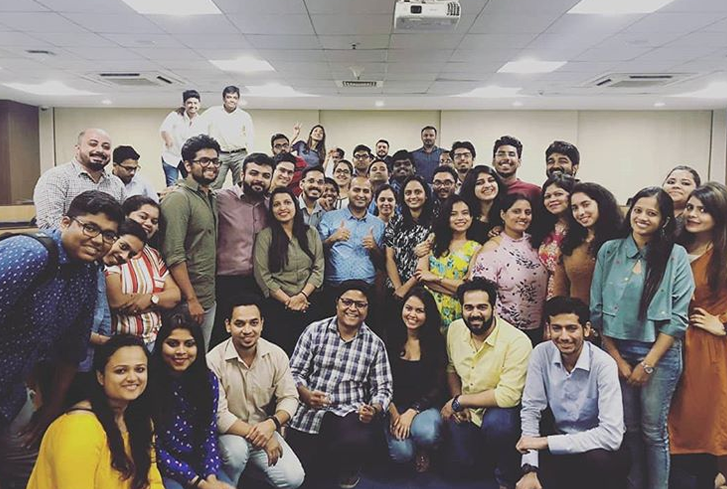
Teams at companies like these have trained with Hitesh










Three rules before you use AI for legal drafting
These prompts help lawyers, legal teams, paralegals and law students work faster. They do not replace legal judgement, and the risks are real: confidential data can leak, and AI can produce authorities that do not exist.
1. Not legal advice
Nothing on this page, and nothing an AI tool produces from these prompts, is legal advice. A qualified lawyer must review every draft before it is signed, sent, filed or relied on, and must take responsibility for it.
If you are not a lawyer, use these prompts to prepare for a conversation with one, not to replace it.
2. Protect confidentiality
Do not paste privileged or client-confidential material into consumer AI accounts. Use a business or enterprise plan whose data terms your firm has reviewed, anonymise where you can, and follow client instructions and your professional rules.
Data-use terms change, so check the vendor’s official pages, for example OpenAI enterprise privacy and Anthropic’s model-training FAQ.
3. Verify every citation
AI tools can invent case names, citations, paragraph numbers and quotations that look entirely real. Find and read every authority in a reliable database or on the official court website before you cite it.
Courts in several countries have criticised or sanctioned lawyers for filing citations that turned out not to exist.
How to use these legal drafting prompts
Copy a prompt, replace every [bracket] with the real details of your matter, and paste it into an approved AI tool. Start each matter with the matter brief below, ask for one task at a time, and review the output as you would a junior’s first draft: line by line, against the source documents and the law.
The 6-part legal prompt formula
Every prompt on this page follows this pattern. Use it to write your own.
Role
“Act as a commercial contracts lawyer in India acting for the buyer.”
Jurisdiction
Governing law and forum. Without it, you get a generic, often US-flavoured draft.
Facts
Paste the agreed terms, documents or correspondence. Never let it guess facts.
Task
One task at a time: draft, review, compare, summarise or explain.
Format
Table, numbered clauses, a redline list, a one-page memo, an email.
Limits
“Flag assumptions in [brackets]. Do not cite cases. List what a lawyer must check.”
Jump to a prompt group
- Contract first drafts1–5
- Clause libraries6–10
- Redlining and comparison11–15
- NDAs16–19
- Employment20–24
- Notices and replies25–29
- Legal research outlines30–34
- Case summaries35–38
- Due diligence checklists39–43
- Compliance memos44–48
- Client emails in plain language49–52
- Court document formatting checks53–56
- Translation57–60
Start each matter with a matter brief
The brief tells the tool who you act for, which law applies and what it must never do. Paste it at the start of the chat, or keep it in a project on an approved business plan. It is not counted in the 60.
Matter brief (paste this first)
When to use: At the start of every new matter or chat.
Make the brief safe and useful
- Use code names for clients and counterparties unless your approved tool and engagement terms allow real names
- Paste your firm’s style rules once, not in every prompt
- Keep one brief per matter so instructions do not bleed between clients
- Save outputs only in your document management system, not in chat history
- Record that AI assisted, if your firm’s policy or the client requires it
AI prompts for contract first drafts
AI is fastest at the blank page: a structured first draft from your term sheet that a lawyer then shapes. Always give it the governing law and the agreed commercial terms, and never treat the output as final.
1Draft from a term sheet
When to use: The commercial terms are agreed and you need a first draft.
2Draft a service agreement
When to use: Engaging a vendor or contractor for services.
3Draft a simple consultancy agreement
When to use: Hiring an independent consultant or freelancer.
4Build an MOU or letter of intent
When to use: Recording intent before a definitive agreement.
5Adapt a precedent to new facts
When to use: You have an approved template and a new matter.
Prompts to build a clause library
A clause library saves more time than any single draft. Use these prompts to create alternative positions your team can reuse, then have a senior lawyer approve each version before it goes into the library.
6Three positions for one clause
When to use: Preparing for a negotiation.
7Clause with a drafting note
When to use: Building a firm or in-house clause library.
8Fallback clauses
When to use: The other side rejects your first position.
9Definitions section
When to use: Long agreements with inconsistent defined terms.
10Boilerplate check
When to use: Final pass before sending a draft.
Prompts for contract review, redlining and comparison
AI can read a long contract quickly and point you to the clauses that matter. It does not replace a lawyer’s judgement on risk. Paste only what your confidentiality rules and tool terms allow.
11First-pass risk review
When to use: A counterparty’s paper arrives and you need a quick view.
12Compare against our playbook
When to use: Reviewing contracts against approved positions.
13Compare two versions
When to use: Checking what changed between drafts.
14Suggest redlines with reasons
When to use: Preparing a marked-up draft for the other side.
15Summarise a contract for the business
When to use: A business stakeholder needs the gist.
Prompts for NDAs and confidentiality agreements
NDAs are the most common first use of AI in legal teams because they are short and repetitive. The prompts below still keep a lawyer in the loop.
16Mutual NDA from scratch
When to use: Two parties exploring a deal.
17Review an incoming NDA
When to use: The other side sends its own NDA.
18One-way NDA for a vendor
When to use: Sharing information with a supplier.
19NDA cover note
When to use: Sending an NDA to a business contact.
Prompts for employment documents and HR policies
Employment documents must follow the law of the place the employee works. Use AI for structure and plain language, and have a lawyer confirm every statutory point.
20Offer letter and appointment terms
When to use: Hiring a new employee.
21Employment policy in plain English
When to use: Writing or refreshing an HR policy.
22Restrictive covenants review
When to use: Reviewing non-compete and non-solicit terms.
23Termination letter
When to use: Ending employment after a decided process.
24Internal investigation outline
When to use: Planning a workplace investigation.
Prompts for legal notices and replies
Notices carry consequences. Use AI to organise facts and draft clean language, and have the advocate on record settle the final text, the legal provisions cited and the time limits.
25Legal notice for unpaid dues
When to use: Recovering money owed under a contract or invoice.
26Reply to a legal notice
When to use: Your client has received a notice.
27Breach of contract notice
When to use: The other party has breached a term.
28Cease and desist
When to use: Someone is using your client’s IP or content.
29Timeline from correspondence
When to use: Before drafting any notice.
Prompts for legal research outlines
Use AI to structure research, not to finish it. It can invent cases, citations and quotations that look real, so every authority must be found and read in a reliable database before anyone relies on it.
30Research plan for an issue
When to use: Starting research on a new question.
31Issue spotting from facts
When to use: Early case assessment.
32Explain a statute section
When to use: Getting oriented in an unfamiliar provision.
33Argument structure
When to use: Preparing written submissions.
34Counter-argument check
When to use: Stress-testing your position.
Prompts for case summaries and judgment notes
Summaries are only as good as the judgment you paste. Always work from the full official text, and check that quotations and paragraph numbers match the source.
35Structured judgment summary
When to use: Reading a long judgment.
36Ratio and obiter
When to use: Preparing for a hearing or note.
37Client-friendly case note
When to use: Explaining a judgment to a client.
38Compare two judgments
When to use: Conflicting or related decisions.
Prompts for due diligence checklists and reports
AI is useful for building checklists and organising findings. Data-room documents are usually confidential, so check what your tool and engagement terms allow before uploading anything.
39Due diligence checklist
When to use: Starting a transaction.
40Information request list
When to use: Asking the target for documents.
41Contract findings table
When to use: Reviewing material contracts in a data room.
42Red-flag summary
When to use: Reporting to the client or deal team.
43Disclosure letter cross-check
When to use: Near signing.
Compliance memo prompts, including India's DPDP Act
India’s Digital Personal Data Protection Act, 2023 and the DPDP Rules notified in November 2025 are being brought into force in phases. Use these prompts to organise the work, and check every obligation and date against the official text and your counsel’s advice.
44DPDP gap analysis outline
When to use: Mapping a business against India’s DPDP Act.
45Data map template
When to use: Before any privacy review.
46Privacy notice in plain language
When to use: Drafting a notice for users or employees.
47Compliance memo to management
When to use: Explaining a new law or regulation.
48AI use policy for the legal team
When to use: Before the team uses AI tools on matters.
Prompts for client emails in plain language
Clients rarely want the law; they want to know what it means for them and what to do next. These prompts turn your advice into clear emails that you then check and send.
49Advice email from your notes
When to use: After a call or meeting.
50Explain a clause to a client
When to use: A client asks “what does this mean?”.
51Status update
When to use: Keeping a client informed on a matter.
52Bad-news email
When to use: Communicating an adverse outcome or risk.
Prompts for court document formatting checks
Every court and tribunal has its own rules on format, pagination, indexing and filing. Paste the relevant rules or practice directions so the AI checks against them, not against a generic idea of a pleading.
53Format check against court rules
When to use: Before filing a pleading or application.
54Index and list of dates
When to use: Preparing a paper book.
55Consistency and cross-reference check
When to use: Final proofread of a long pleading.
56Old law references check
When to use: Drafts based on older templates.
Prompts for legal translation drafts
AI translation is a useful working draft for understanding a document. For anything filed, signed or relied on, use a qualified translator and any certification the court or authority requires.
57Working translation with flags
When to use: You receive a document in another language.
58Plain bilingual summary for a client
When to use: A client prefers another language.
59Glossary for a matter
When to use: A matter with documents in two languages.
60Back-translation check
When to use: Checking a translation someone else prepared.
Weak prompt vs strong prompt: 3 legal examples
Specific prompts give safer, more useful first drafts. These are illustrative examples, not real matters.
Reviewing an incoming NDA
Check this NDA.
AfterAct as an Indian commercial lawyer for [Client A], the receiving party. Review this mutual NDA: [paste]. Produce a table: clause, what it says, risk to Client A (high / medium / low), suggested edit. Flag any non-compete or non-solicit, perpetual obligations and missing standard exclusions. Do not give a final opinion.
What changes: “Check this” returns a vague paragraph saying the NDA “looks standard”. The specific prompt returns a clause-by-clause table from your client’s side that a lawyer can review in minutes.
Drafting a payment notice
Write a legal notice for non-payment.
AfterDraft a legal notice for [Client A] to [Counterparty B] for unpaid invoices [numbers, dates, amounts] under the services agreement dated [date]. Numbered paragraphs: facts, contract terms (quote clause [x]), demand, 15-day deadline, consequences. Leave all statutory references in [brackets] for the advocate.
What changes: The short prompt produces a generic notice with invented amounts and possibly wrong statutes. The structured prompt keeps the facts exact and leaves the legal provisions for the advocate to settle.
Researching an issue
Give me case law on termination for convenience in India.
AfterCreate a research plan on whether a termination-for-convenience clause in a commercial contract governed by Indian law can be challenged, and on what grounds. List issues, statutes to check and database search terms. Do not cite any case.
What changes: Asking for “case law” invites plausible-looking citations that may not exist. The plan-first prompt gets structure from the AI and leaves the authorities to be found and read in a reliable database.
Want your legal team using AI safely, on its own work?
Hitesh runs hands-on generative AI workshops for law firms and in-house legal teams. Your team works on its own precedents, playbooks and (sanitised) matters in the tools your firm has approved, and leaves with saved prompts, a verification checklist and clear data rules.
- Built around your practice areas, approval process and confidentiality rules
- Covers ChatGPT, Claude, Copilot or Gemini, on the plans you license
- Live online, or onsite in India and the UAE
- Prefer to talk first? Book a free 30-minute call
See the programme: generative AI training for legal teams · in the UAE, AI training for legal teams in Dubai.
An incoming NDA, start to finish
Here is how the prompts fit together on one everyday task. It is the kind of workflow Hitesh’s workshops build with legal teams: the AI does the first pass, and a lawyer makes every decision. Prompt numbers link to the library above.
| Step | Who | What happens | Prompts to use |
|---|---|---|---|
| 1. Check the rules | Lawyer | Confirm the tool is approved for this client and what data may be used; replace names with code names | #48 (team AI policy) |
| 2. First-pass review | AI, then lawyer | Clause-by-clause risk table from your client’s side | #17 |
| 3. Playbook check | AI, then lawyer | Compare the draft with your approved positions | #12 |
| 4. Redlines | AI drafts, lawyer decides | Proposed wording with margin comments for the counterparty | #14, #8 |
| 5. Legal judgement | Lawyer | Read the whole document against the source; settle every change; check any law referred to | Your own judgement |
| 6. Send | AI drafts, lawyer sends | A short covering email in plain English | #19, #50 |
The same pattern works for service agreements, vendor contracts and employment documents: brief, first pass, playbook, redlines, lawyer review, cover email.
Using AI on legal work without the risks
Most problems with AI in legal work come from two places: data going where it should not, and outputs being trusted without checking. Both are solvable with simple habits.
Confidentiality and privilege
- Consumer vs business plans: vendors treat data differently on consumer and business plans. For example, OpenAI says it does not train on business data by default, and Anthropic says it does not use inputs from its commercial products for training by default. Consumer settings differ, so read the current terms for your plan
- Read the contract, not just the marketing page: retention periods, sub-processors and where data is stored are in the business terms and data processing agreement
- Anonymise: replace names, addresses, account numbers and identifying facts with placeholders where the task allows
- Client instructions first: some clients prohibit AI tools on their matters, or require consent
- Personal data: in India, processing personal data can bring obligations under the DPDP Act; take advice on how it applies to your use
Verification checklist
- Every authority: find the judgment in a reliable database or on the court’s website, read the relevant paragraphs, and check the citation, court, date and quotation
- Every statute: check the current official text, including amendments. In India, criminal-law references may need updating: the Bharatiya Nyaya Sanhita, Bharatiya Nagarik Suraksha Sanhita and Bharatiya Sakshya Adhiniyam came into force on 1 July 2024
- Every fact: names, dates, amounts and defined terms must match the source documents
- Every assumption: resolve each [bracket] the AI leaves; never delete one without checking it
- Final read: a lawyer reads the whole document, not only the changed parts
ChatGPT, Claude or Gemini: which suits legal work?
All three can run every prompt here. For legal work the deciding factors are the plan’s data terms, what your firm has approved, and how well the tool handles long documents. Features vary by plan and change often; check the vendor’s help pages.
ChatGPT
- Use a business or enterprise workspace your firm has approved, not a personal account
- Keep one ChatGPT Project per matter so instructions and files stay separate
- Ask for tables and clause numbers so review is quick
Claude
- Strong at reading long contracts and judgments you paste or upload
- Projects can hold your playbook and style guide for a team
- Ask it to quote clause numbers for every point so you can check against the source
Gemini
- Convenient if your firm works in Google Workspace and has approved Gemini on its plan
- A Gemini Gem can store your matter-brief rules for repeat tasks
- Useful for turning notes in Docs into structured drafts
Whatever the tool, the rules above apply. For a structured route into these tools, see the AI learning path for professionals or 1-to-1 ChatGPT coaching.
8 mistakes lawyers make with AI drafting
Mistakes in the prompt
- No jurisdiction. You get a generic draft that may follow another country’s law
- No side. Without “we act for the buyer”, the draft drifts to the middle or the wrong way
- Asking for case law. Ask for a research plan instead and find the authorities yourself
- Too many tasks at once. Drafting, reviewing and summarising in one prompt produces shallow work
Mistakes after the answer
- Filing unverified citations. The most serious and most avoidable error
- Pasting privileged material into a personal account. Check the plan and the client’s instructions first
- Deleting brackets without checking. Each [bracket] is an assumption that needs a decision
- Copying old statute references. Templates and AI outputs may cite repealed provisions

| Trained | 200,000+ professionals across 16+ countries |
| Clients include | Google, Microsoft & Tata Group |
| Expertise | LLMs, AI agents, prompt engineering & automation |
| Leaders | AI training for founders & CXOs |
| Author | Generative AI 360° |
| Faculty | Visiting faculty, K J Somaiya Institute of Management |
Written by Hitesh Motwani, AI trainer for professional teams
Hitesh Motwani is an AI trainer and the author of Generative AI 360°. He has trained 200,000+ professionals across 16+ countries, with corporate clients including Google, Microsoft and Tata Group, and focuses on LLMs, AI agents, prompt engineering and automation. He is not a lawyer, and this page is not legal advice; the prompts are written to keep lawyers in control.
His sessions rest on one idea: AI pays off only when people use it on the work they already do. Legal teams bring their own precedents, playbooks and sanitised matters, and leave with prompts, checklists and data rules they use the next morning. Across a team, that saved time compounds, so matters move faster without cutting corners on review.
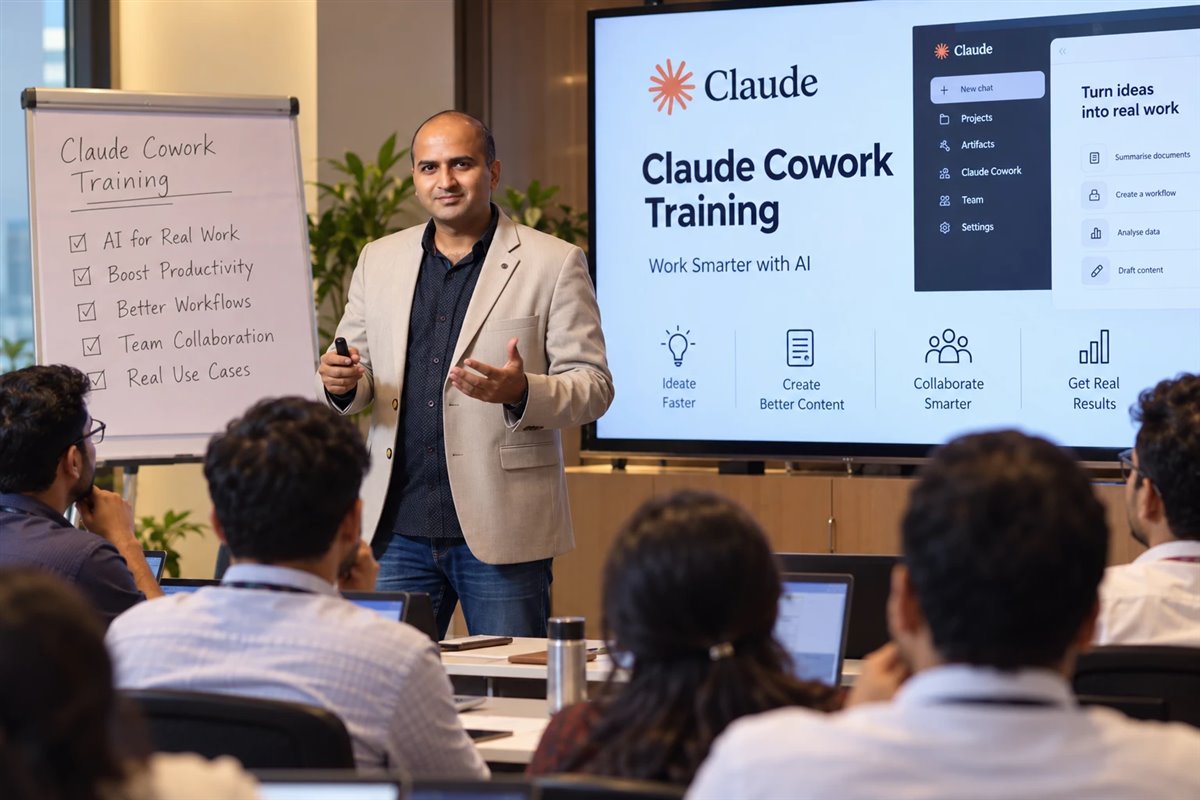
“Hitesh’s Claude AI session was the most practical AI training our leadership team has attended. They walked out with actual workflows they could use the next morning, not just slides.”
“He made sure that every platform he spoke about was taught in detail with live examples. Hitesh has an eye for detail, very helpful and patient with everybody.”
Programmes: AI training for legal teams · legal teams in Dubai · Claude AI course


AI prompts for legal drafting: questions answered
What are the best AI prompts for legal drafting?
The best ones state the jurisdiction, which side you act for, the agreed facts and the output format, and tell the AI to flag assumptions instead of inventing them. Start with the matter brief on this page, then use the contract, redlining and notice prompts, which cover most day-to-day drafting.
Can AI draft a legally valid contract?
AI can produce a useful first draft, but whether a contract is valid and enforceable depends on the law and the facts, and that judgement belongs to a qualified lawyer. Treat every AI draft as a starting point that a lawyer reviews, corrects and takes responsibility for. This page is not legal advice.
Is it safe to paste client documents into ChatGPT, Claude or Gemini?
Not into consumer accounts. Use a business or enterprise plan your firm has approved, after checking its data-use terms on the vendor’s official pages, anonymise where possible, and follow client instructions and your professional rules. Some clients prohibit AI tools on their matters.
Can AI make up case law?
Yes. AI tools can produce case names, citations and quotations that look real but do not exist, and courts in several countries have criticised or sanctioned lawyers who filed them. Use AI for research plans and structure, and find and read every authority yourself in a reliable database.
Which AI tool is best for lawyers?
The one your firm has approved on a plan with suitable data terms. ChatGPT, Claude and Gemini can all run these prompts; Claude and ChatGPT handle long documents well, and Gemini suits teams in Google Workspace. Dedicated legal AI products also exist; evaluate them on data terms, sources and accuracy.
Can AI review a contract?
It can do a fast first pass: summarising clauses, flagging risks from your client’s side and comparing a draft with your playbook. It can miss issues and misread context, so a lawyer must still read the whole contract and decide every point.
How does India's DPDP Act affect using AI on client data?
If you process personal data, such as names or contact details of individuals, the Digital Personal Data Protection Act, 2023 and the DPDP Rules may apply, and they are being brought into force in phases. Minimise and anonymise personal data, use tools with suitable data terms, and take specific advice on your obligations.
Do these prompts work for Indian law?
Yes. Replace [jurisdiction] and [law] with Indian law and the relevant forum, and paste the official text of any statute you want the AI to work from. Check statutory references carefully; for example, criminal-law references may need updating to the BNS, BNSS and BSA, in force since 1 July 2024.
Can law students use these prompts?
Yes, to learn: structure research, practise drafting and check your own work. Follow your college’s rules on AI use, never submit AI output as your own work where that is not allowed, and verify every authority. The aim is to build your skill, not to skip it.
Can AI translate legal documents?
It can give a working translation to help you understand a document. For anything filed, signed or relied on, use a qualified translator and any certification the court or authority requires.
Should I tell clients I use AI?
Follow your engagement terms, your client’s instructions and your professional rules. Many firms disclose their AI policy in engagement letters. Whatever you decide, the lawyer remains responsible for the work.
Are these legal prompts free to use?
Yes. Copy and adapt them for your firm or team. Add your own playbook positions and style rules to get better first drafts.
Can my legal team get trained on this?
Yes. Hitesh runs hands-on workshops where legal teams build these workflows on their own precedents, with clear data rules and a verification checklist, live online or onsite. Use the enquiry form on this page or book a free call.
Keep reading
- Generative AI for legal teamsHands-on training on your own precedents
- AI training for legal teams in DubaiFor UAE law firms and in-house teams
- AI training for leadersFor partners, GCs and CXOs
- Claude AI training courseModules, formats and FAQs
- 100+ ChatGPT prompts for businessSales, HR, strategy and operations
- 50+ AI prompts for Instagram growthFor marketing and social media teams
- How to use ChatGPT ProjectsKeep each matter’s context separate
- How to create Gemini GemsSave your matter-brief rules
- AI learning path for professionalsA step-by-step route
Want your legal team faster on first drafts, with review built in?
Book a short call: your practice areas, the tools your firm allows and the drafting tasks that take up the week. You get a workshop plan built around that real work, online or onsite.
200,000+ professionals trained · 16+ countries · 4.8★ average session rating
Pick a time for a free call
Choose a slot that suits you. The call is free and there is no obligation.
Calendar not loading? Open the booking page.
Send an enquiry
Tell us whether this is for you, your legal team or your firm, which tools you are allowed to use and what you want AI to help with. Every enquiry gets a personal reply. Please do not include confidential client details.
Pingback: 100+ ChatGPT Prompts for Business Growth [2026]