Claude AI Training Course your team will actually use
A live, instructor-led Claude AI training course taught by Hitesh Motwani. Your people learn prompting, Projects, artifacts, Skills, connectors and Claude Cowork on their own emails, reports, spreadsheets and decks, and developers can add Claude Code. Run it as a half-day, a full day or a multi-session programme, online or at your office in India or the UAE.
- ✓Hands-on, on your own files (reports, decks, proposals, spreadsheets)
- ✓Every current Claude feature (Projects, artifacts, Skills, Cowork, Excel and PowerPoint)
- ✓Support after the session so the new habits stick
Individuals: book 1-to-1 Claude coaching, or join one of Hitesh’s live AI programme batches. See the AI programme →


Teams that have trained with Hitesh Motwani include




200,000+ professionals · 16+ countries · 4.8★ average session rating · Corporate clients include Google, Microsoft & Tata Group, plus GMR, Tata Motors, HP, Hexaware, Deloitte and IIM Bangalore
Get a Claude course outline built from your team's tasks.
Tell Hitesh who is learning, which Claude plan you use and what should get faster. You’ll get a written outline with the modules, named exercises and a clear quote.
- ✓Modules picked for your roles
- ✓Exercises built on your own documents
- ✓Online, onsite or 1-to-1 options
The Claude AI training course at a glance
Everything buyers usually ask first: what is covered, how long it takes, how it is delivered, what it costs and what certificate you get.
| What it covers | Nine modules: Claude foundations and plans, prompting, Projects, documents and research, artifacts (designs, decks and docs), Claude in Excel and PowerPoint, Skills and connectors, Claude Cowork, and adoption and governance. Developers can add a technical track on Claude Code, the Claude API and MCP. |
|---|---|
| Who it is for | Business teams, managers and leaders, HR and L&D, marketing, sales, finance and operations, founders, and developers on the technical track. Individuals can take it as 1-to-1 coaching. |
| Trainer | Hitesh Motwani: 17+ years in corporate training, 200,000+ professionals trained across 16+ countries, author of Generative AI 360°. |
| Format | Live and instructor-led. Online over Zoom or Google Meet with session recordings provided, onsite at your office, or 1-to-1 coaching. |
| Duration | A half-day, a full day or a multi-session programme, agreed with you before the course. |
| Fees | Quoted per engagement, based on group size, format, duration and location. No fixed public fee is published. |
| Certificate | A Skillopedia training certificate of completion. It is not an Anthropic certification. |
| Prerequisites | No coding for the core course. Each person needs a Claude account; some features need a paid plan. |
| How to start | Book a free call or send an enquiry. You get an outline built from your team’s tasks. |
Built for teams. Available to individuals.
Most groups are teams from one company. Founders, senior leaders and professionals who want to learn alone take the same material as 1-to-1 coaching.
Teams, HR and L&D
You have Claude licences, or you are about to buy them, and you want people to use them on real work rather than for the odd question. The course is run privately for your company and built around your functions.
- One cohort or several, grouped by function or seniority
- Exercises use your SOPs, templates and approved sample data
- Includes a usage guideline and a 30-day adoption plan
- Leadership briefing for CXOs and department heads on request
Professionals, founders and leaders
You want to get properly good at Claude for your own job. Hitesh runs 1-to-1 coaching built around your role, so every exercise is something you would have done that week anyway.
- Personalised coaching tailored to your role and goals
- Learn at your own pace with flexible scheduling
- Direct access to Hitesh for guidance and feedback
- Online or in person (Mumbai & major cities)
What your people can do after the course
Each outcome is practised in the session on a participant’s own task, so it is a skill they have already used once, not a slide they have seen.
- Write prompts that get a usable first draft, and fix the ones that don’t
- Set up a Claude Project for a recurring piece of work, with the right files and instructions
- Review long documents, contracts and reports, and pull out what matters in a structured format
- Turn notes and data into a deck, a one-page doc or a design as artifacts
- Analyse a real workbook in Claude for Excel and carry the findings into PowerPoint
- Write a Skill so Claude does a team process the same way every time
- Hand a multi-step file task to Claude Cowork and check the result properly
- Know what data can go into Claude, when a human must review, and how your team will use it from Monday
Claude AI course curriculum: nine modules, one exercise each
The core course has nine modules. They are selected and adapted at the scoping call, so a half-day covers fewer modules than a full day or a multi-session programme. Features are checked against Anthropic’s release notes before each course, because Claude changes month to month.
Module 1: Claude foundations, plans and a safe setup
What Claude is good at, where it goes wrong, and how to set it up for work.
- The Free, Pro, Max, Team and Enterprise plans, and what each one unlocks
- Current models (Opus, Sonnet and Haiku) and when to pick each
- Profile preferences, memory and data controls
- Claude compared with ChatGPT, Gemini and Copilot for your role
Module 2: Prompting for real business work
The habits that separate a usable draft from a generic one.
- The parts of a strong prompt: role, context, task, constraints and format
- Giving examples and source material instead of adjectives
- Extended thinking for harder problems
- Diagnosing and fixing prompts that underperform
Module 3: Claude Projects for shared team context
Stop pasting the same background into every chat.
- Projects with custom instructions and knowledge files
- Adding SOPs, brand guidelines and product documents
- Sharing Projects with colleagues on Team and Enterprise plans
- Keeping project knowledge current
Module 4: Documents, research and data
Long files and messy sources, handled with structure and checks.
- Long PDFs, reports and contracts
- Extracting tables and clauses into a structured format
- Comparing several sources in one conversation
- Web research with citations, and inline charts and diagrams
Module 5: Artifacts: designs, decks and docs
Since the relaunch on 16 September 2026, designs, slides and docs can be created in any conversation.
- Creating a slide deck, a one-page document or a visual design from your notes
- Editing a draft in place by highlighting the part to change
- Interactive artifacts for simple calculators and trackers
- Which plans include them, and the Enterprise beta settings
Module 6: Claude in Excel and PowerPoint
Work inside the files your team already lives in.
- Claude for Excel: explaining formulas, cleaning data, pivot tables and conditional formatting
- Claude for PowerPoint: building and restyling slides from your content
- Shared context between the two add-ins, and Skills inside them
- Checking numbers before they reach a deck
Module 7: Skills, connectors and MCP
Teach Claude your team’s way of working and connect it to your tools.
- Built-in Skills for Word, Excel, PowerPoint and PDF files
- Writing a custom Skill for a team process
- Connectors for Google Workspace, Microsoft 365, Slack and other tools
- What MCP is, plugins, and the admin controls for connector access
Module 8: Claude Cowork for multi-step work
Hand over a whole task, not a single prompt.
- How Cowork works on your files in the desktop app (generally available since April 2026)
- Cowork from any chat, and on web and mobile
- Scheduled and recurring tasks
- Reviewing what Cowork did before you rely on it
Module 9: Adoption, data and governance
Make Claude part of normal work, safely.
- What data should and should not go into Claude
- Anthropic’s usage policies and your own AI policy
- Human review for important outputs
- Measuring use and keeping up with new Claude features
Claude Code, the Claude API and MCP
An optional track for engineering teams, run on your own repositories with review steps built in.
- Claude Code in the terminal, IDE and desktop app: plan mode, CLAUDE.md and project memory
- Subagents, hooks and Agent Skills for repeatable engineering work
- The Claude API: models, tool use and prompt caching
- Building and connecting MCP servers, and keeping secrets and permissions safe
What professionals do with Claude after this training
These are not hypothetical examples. They are the kinds of workflows Hitesh’s participants put in place after the course, drawn from real client sessions across industries. In the session, each person brings a live task like these and finishes it with Claude, so the first result is theirs to keep.
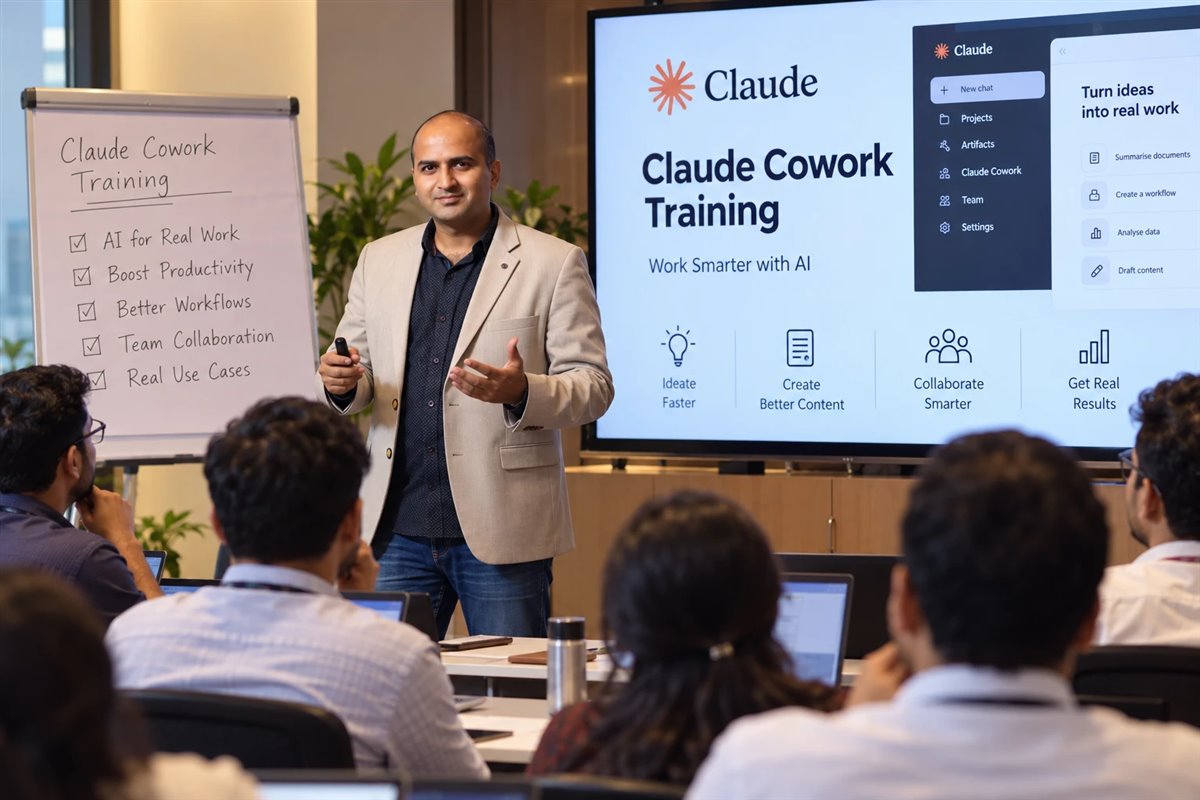
Upload a 100-page agreement. Extract clauses, flag risks and generate a summary in a structured format: 2 hours of work in 12 minutes.
Legal, procurement, financeFeed Claude a prospect’s website, annual report and public profile. Get a tailored pitch, an objection map and a proposal draft in one session.
Sales, business developmentUse a Claude Project with brand voice instructions to produce blogs, emails and social copy that sound like your company, not like AI.
Marketing, communicationsGenerate job descriptions, training material and policy updates, built on your company’s existing documents.
HR, L&DSynthesise competitor pages, industry reports and customer reviews into a structured strategic brief in one Claude session.
Strategy, product, marketingSummarise meeting notes, produce weekly leadership reports and draft board presentations using your actual data and voice.
Leadership, chiefs of staffBuild a Claude Project that knows your product inside out, so the team gives consistent, accurate answers to customer queries.
Support, customer successTell us the report, deck or process that eats your team’s week. It becomes a named exercise in your course outline.
Send it with the form →Live, hands-on, and shaped to your calendar
From individual coaching to company-wide rollouts, every format is live, hands-on and customised to your context.
How long is the Claude AI course?
| Format | Typical length | Modules covered | Best for |
|---|---|---|---|
| Half-day | One session | Foundations, prompting and two modules picked for your roles | Leadership briefings and first-time users |
| Full day | One day, onsite or online | Most of the nine modules, with an exercise in each | One team that needs to be productive fast |
| Multi-session | Several shorter sessions over a few weeks | All nine modules, plus the technical track if needed | Departments and company-wide rollouts |
| 1-to-1 coaching | Flexible, at your own pace | Chosen around your role and goals | Founders, CXOs and individual professionals |
What a full-day Claude course looks like
This is a sample, not a fixed timetable. Times, modules and examples change with your roles, plan and goals, and an online version is usually split into two or three shorter sessions.
- Welcome, goals and access checkEveryone logs in, confirms their plan and names the two tasks they want to finish today.
- Modules 1–2: foundations and promptingSet-up, model choice and prompt rebuilds on participants’ own weekly tasks.
- Break
- Modules 3–4: Projects, documents and researchEach team builds a Project with its own files, then reviews a long document against the source.
- Lunch
- Modules 5–6: artifacts, Excel and PowerPointFrom workbook to commentary to deck, using approved sample data.
- Break
- Modules 7–8: Skills, connectors and Claude CoworkWrite a team Skill, then hand a multi-step folder task to Cowork and check it.
- Module 9: guidelines and 30-day planAgree what data goes in, where human review is needed and who owns what.
- CloseQ&A, next steps and how post-workshop support works.
From first call to first session
How this course compares with Anthropic's free courses
Anthropic’s free courses are a good place to start. A live course earns its fee when you need a team to change how it works, not just learn what the buttons do.
| This Claude AI training course | Anthropic Academy (free) | Recorded online courses | |
|---|---|---|---|
| Price | Quoted per engagement | Free | Usually a one-time fee |
| Format | Live, instructor-led, online or onsite | Self-paced, online | Self-paced video |
| Practice on your own work | Yes, your files and tasks | Generic exercises | Generic exercises |
| Feedback on your prompts | Live, from the trainer | None | Rarely |
| Team guideline & adoption plan | Included (Module 9) | Not included | Not included |
| Certificate | Skillopedia training certificate | Anthropic course completion certificate | The provider’s own certificate |
| Best for | Teams that need Claude in daily work | Learning features at your own pace | Individuals on a tight budget |
Participants receive a Skillopedia training certificate of completion. It records the training they attended; it is not an Anthropic certification. Anthropic runs its own certification programme separately, and Anthropic Academy offers free self-paced courses such as Claude 101, Introduction to Claude Cowork, Introduction to agent skills and Introduction to Model Context Protocol.
How the course is priced, without the guesswork
There is no fixed public fee, because a half-day leadership briefing and a six-week rollout for a whole department are very different pieces of work. You get a written quote after a short scoping call, and India engagements are contracted through Skillopedia LLP, Mumbai.
What shapes the quote
- Group size and the number of cohorts
- Format: online, onsite or 1-to-1
- Duration: half-day, full day or multi-session
- Location and travel for onsite delivery
- Customisation, such as building exercises from your documents
- The technical track on Claude Code, if developers join
What every engagement includes
- A scoping call and a written course outline
- Exercises built on your roles and tasks
- Live delivery by Hitesh Motwani
- Session recordings for online cohorts
- A Skillopedia training certificate for each participant
- Post-workshop support while people apply it

Hands-on training on your own work
Corporate AI trainer · Author · Visiting faculty, K J Somaiya
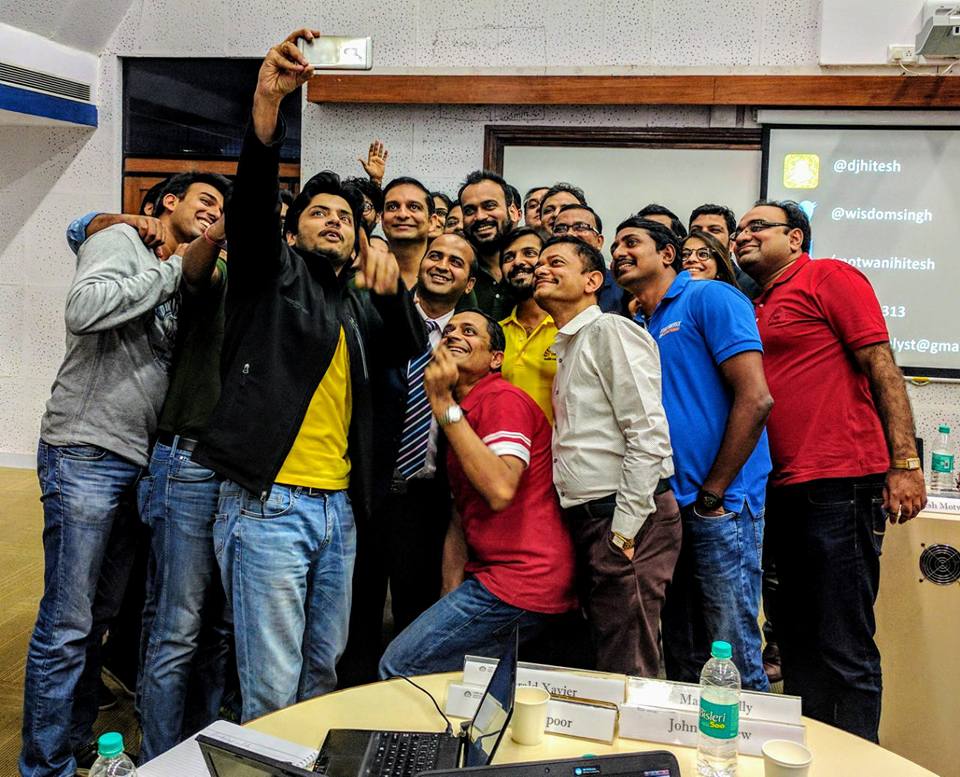
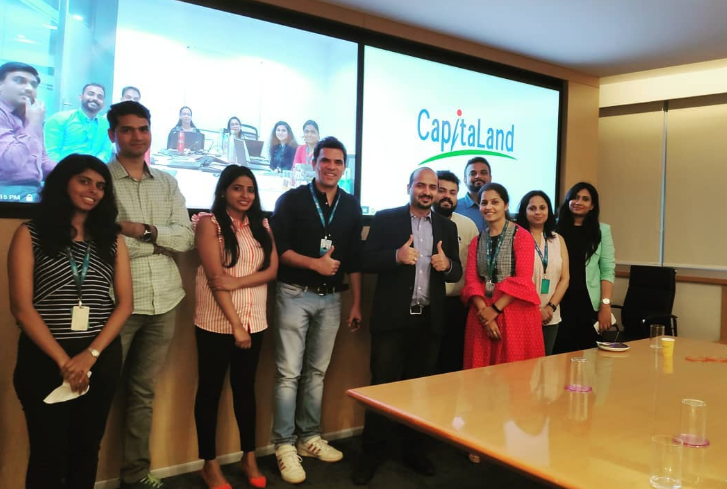
Hitesh Motwani is a Mumbai-based trainer with 17+ years in corporate learning. He has trained 200,000+ professionals across 16+ countries, and his corporate clients include Google, Microsoft & Tata Group. His work covers LLMs, AI agents, prompt engineering and automation, and he runs leadership-focused AI training for founders and CXOs.
His sessions are practical and deployment-based. People work on their own emails, reports, spreadsheets and decks during the session, so they leave with workflows they can use the next morning. Time saved on everyday tasks compounds, and the whole organisation starts to execute faster.

Trusted by the people who own the outcome
“Hitesh’s Claude AI session was the most practical AI training our leadership team has attended. They walked out with actual workflows they could use the next morning, not just slides.”
“The Agentic AI and Connectors module blew our team’s minds. We had no idea Claude could be plugged into Slack and Salesforce to run entire workflows automatically.”
“We had run three AI trainings before this. It was the first one where people were still using what they learned a quarter later, and the first where I had adoption numbers for my board deck.”
Questions about the Claude AI training course
Can’t find what you need? Send a short brief and you’ll get a written outline and quote.
What does the Claude AI training course cover?
Nine modules: foundations and plans, prompting, Projects, documents and research, artifacts, Claude in Excel and PowerPoint, Skills and connectors, Claude Cowork, and adoption and governance. Developers can add a technical track on Claude Code, the Claude API and MCP. Modules are selected for your group at the scoping call.
How long is the Claude AI course?
It is scoped with you: a half-day, a full day or a multi-session programme over a few weeks. Longer formats cover more modules and leave more time for practice. 1-to-1 coaching runs at your own pace.
Is the Claude AI course available online in India?
Yes. Hitesh delivers it live online over Zoom or Google Meet, anywhere in India or abroad, and face-to-face at your office or a venue in Mumbai and other major cities. Online sessions are fully interactive, with screen-sharing, real exercises and breakout rooms, and session recordings are provided for later review.
Can individuals join, or is it only for companies?
Most courses are run privately for one company’s team. Founders, senior leaders and individual professionals can book 1-to-1 coaching built around their role, or look at Hitesh’s live AI programme batches.
How much does the Claude AI course cost?
Fees are quoted per engagement and depend on group size, format, duration, location and how much the exercises are customised. There is no fixed published fee. Book a free call or send the form to get a written quote.
Do participants get a certificate?
Yes. Each participant receives a Skillopedia training certificate of completion. It is not an Anthropic certification.
Is there an official Claude certification from Anthropic?
Anthropic runs its own certification programme, separately from any trainer, and Anthropic Academy offers free self-paced courses with completion certificates. This course does not award an Anthropic credential; it prepares your team to use Claude well in its daily work.
Are Anthropic's free Claude courses enough?
For learning what the features do, they are a good start. This course adds live practice on your own tasks, feedback on your prompts and outputs, and a plan for how your team will actually use Claude.
Do we need a paid Claude plan?
The basics, including artifacts, work on a free account. Claude Cowork, Claude Code, Claude for Excel and PowerPoint and some connectors need a paid plan (Pro, Max, Team or Enterprise), so access is checked before the session.
Do participants need coding experience?
No. The core course is for business users and needs no coding. Only the optional technical track on Claude Code, the Claude API and MCP assumes developers who are comfortable with Git and a terminal.
Can the course be customised for our industry?
Yes. Custom corporate Claude workshops are the norm, and past clients include Tata Motors, HP, Deloitte, Hexaware and GMR Group. Examples and exercises are built around your industry, functions and use cases.
Is our company data safe during the training?
Exercises use your approved documents or anonymised samples, and Module 9 covers what should and should not go into Claude. On Anthropic’s commercial plans (Team, Enterprise and the API), your data is not used to train models by default; check your own plan’s settings and your company policy before the session.
What support is available after the course?
Post-workshop support is included while people apply Claude to live work, and online cohorts get session recordings. Teams that want a longer programme can add follow-up sessions.
More Claude training from Hitesh
Claude near you
Claude Cowork
For developers
Give your team a Claude course built on its own work.
Tell Hitesh who is in the room and what they need to deliver. You’ll get a written outline, named exercises and a clear quote.
Pick a time for a free call
Choose a slot that suits you. The call is free and there is no obligation.
Calendar not loading? Open the booking page.
Plan a Claude course for your team
Share a few details and Hitesh will reply with a course outline and quote. Prefer to talk? Book a free call.
Your information is safe. We don’t spam or send emails unless necessary.