













For HR, L&D & CXOsBought AI licences, but not seeing it in the work?

Artificial Intelligence Corporate Training for every team, on its own work

Quick answer: artificial intelligence corporate training teaches your people to use the AI tools you already license, such as ChatGPT, Microsoft Copilot, Claude, Gemini, AI agents and n8n, on their real emails, reports, spreadsheets and decks. Hitesh Motwani builds one programme for each audience, from the boardroom to the front line, sets the data rules with your IT team, and supports people for 90 days so the habits stick.

  • ✓
    Programmes for leaders, managers, functions, all staff and technical teams
  • ✓
    Half-day, 1-day, 2-day or multi-week formats — on-site or live online
  • ✓
    Hands-on on your own files — with 30-60-90 day follow-up clinics

Individuals: live cohort batches of the AI Accelerator Program are enrolling. Reserve yours →

200,000+
professionals trained
16+
countries
17+
years training
4.8★
avg. session rating
Hitesh Motwani, artificial intelligence corporate trainer for leadership and employee teams
ChatGPTMicrosoft CopilotGeminiClaudeAI agentsn8n · MCP
Programmes forCXOs to all staffone plan, every audience
Clients includeGoogle · Microsoft& Tata Group
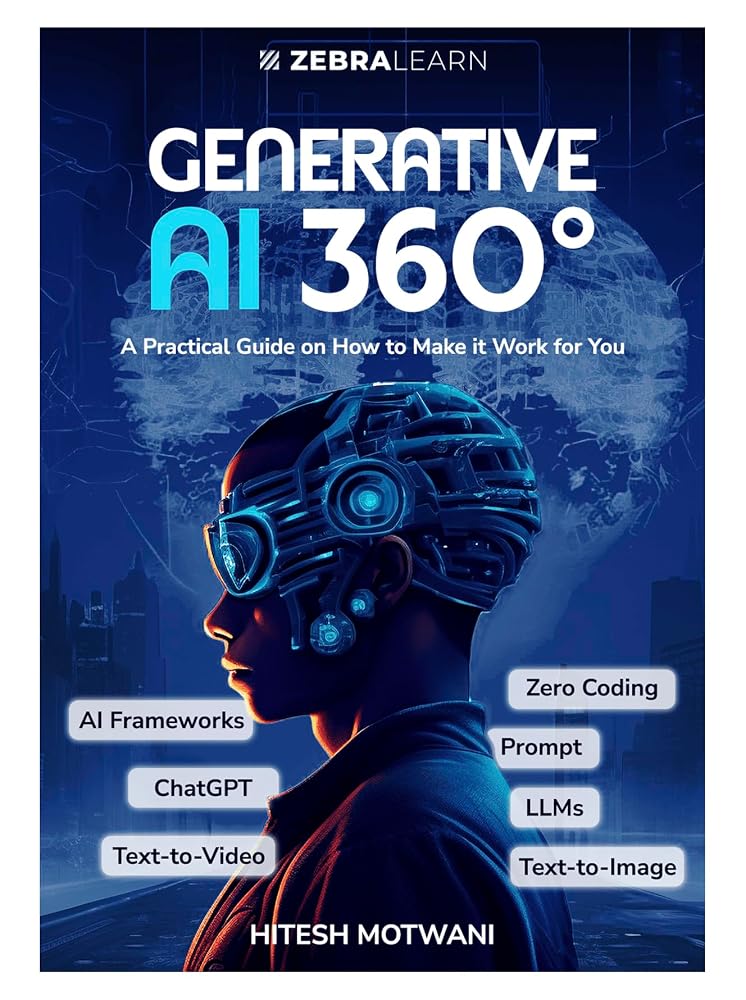
Generative AI 360 book cover
AuthorGenerative AI 360°

Teams at these organisations have trained with Hitesh Motwani and Skillopedia

  • Google
  • Microsoft
  • Siemens
  • Samsung
  • Sony
  • Pfizer
  • LG
  • HP
  • Hewlett Packard Enterprise
  • GE Aerospace
  • Marks & Spencer
  • Adani Group
  • Ogilvy
  • RPG Group
  • Endemol Shine India

200,000+ professionals · 16+ countries · 4.8★ average session rating · Corporate clients include Google, Microsoft & Tata Group

At a glance

AI corporate training, explained in six answers

The hub for every corporate AI programme Hitesh Motwani runs, with links to the programme for each group.

What buyers askThe short answer
What is it?Live, hands-on training that makes AI part of daily work across an organisation, planned audience by audience rather than as one webinar for everyone.
Who is it for?Boards and CXOs, people managers, function teams, all employees, HR and L&D, and technical teams who build with AI.
Which tools?The ones your IT team has approved: ChatGPT, Microsoft 365 Copilot, Claude, Gemini, NotebookLM, agent and automation platforms such as n8n and Copilot Studio.
How long?Half-day leadership briefings, 1- or 2-day workshops, or multi-week programmes with weekly labs.
Where?On-site at your offices across India and the UAE, or live online for teams anywhere.
Cost?Quoted per engagement, after a short brief: group size, sessions, customisation and travel change the number.

Who usually brings us in

  • CHROs and L&D heads asked to upskill everyone on AI
  • CIOs whose Copilot or ChatGPT seats sit unused
  • CEOs and founders aligning leadership first
  • Function heads in finance, HR, sales, legal and operations

Probably not the right fit if

  • You want a recorded video library
  • You need a data-science degree
  • You are an individual learner: join a live AI Accelerator batch
The adoption gap

Bought the AI licences, but the work has not changed?

It is the most common story in corporate AI. The tools arrive, a webinar runs, usage climbs for a fortnight and then quietly flattens. The problem is rarely the technology. It is how people were trained to use it.

What you seeWhat is really going onWhat the training changes
Licences bought, little usePeople were given access and a feature tour, but never shown where AI fits in their own weekEach group rebuilds two or three of its own recurring tasks with AI in the room
Usage spikes, then fadesOne awareness session, then nothing to reinforce the habitFollow-up clinics at 30, 60 and 90 days, plus a shared prompt library
Staff use personal AI accountsNo clear rules, or rules nobody has readA plain-language AI usage policy taught inside every session
Leaders unsure what to fundPilots chosen by enthusiasm, not by valueA leadership briefing that ranks use cases and agrees a 90-day plan
Same session for every teamFinance and sales have very different workFunction tracks built on each team’s own files and KPIs
No evidence for the boardSuccess measured by attendanceA day-zero baseline and a behaviour check agreed before training starts

The fix: fewer features, more of people’s own work. An analyst who finishes her real monthly report with AI, under your data rules, does it again next month unprompted. Across a team, the time saved compounds.

Programme catalogue

AI training programmes by audience

Most organisations combine three or four into one roadmap, each rebuilt around your people, tools and data rules.

01Leaders

AI for boards, CXOs and founders

Where AI moves your numbers, what to fund and what to refuse, how to read an AI business case, risk and accountability, and a 90-day adoption plan agreed in the room.

Typical format: half-day closed-room briefing

Leadership programme →

02Managers

AI for people managers

Managers learn to spot AI-ready work in their team, coach people through it, review AI output and keep quality high, because adoption follows the manager.

Typical format: 1 day, plus a manager clinic

Manager and department tracks →

03Functions

Department tracks

Finance, HR, sales, marketing, legal and operations, each on its own KPIs, templates and workflows, with industry depth for BFSI, pharma, manufacturing and aviation.

Typical format: 1–2 days per function

Example: finance track →

04All staff

Company-wide AI fluency

Prompting and context, research, writing, analysis and safe use of company data, in the tool every employee already has. The foundation every other track builds on.

Typical format: half-day or 1 day in waves

See the 16-hour curriculum →

05HR & L&D

AI for HR and learning teams

Hiring, onboarding, policy assistants and HR analytics, plus how the L&D team itself designs, builds and measures training faster with AI.

Typical format: 1 day workshop

AI for HR teams →

06Technical

Builders and engineering teams

RAG and knowledge apps, AI-assisted coding with Claude Code, GitHub Copilot and Cursor, evaluations, guardrails and deployment for teams who ship software.

Typical format: 2 days or multi-week labs

AI for engineering teams →

07Automation

AI agents and workflow automation

Design agents that watch inboxes, move data and finish multi-step tasks, with n8n, Make, Zapier, Copilot Studio and MCP, and with a human sign-off built in.

Typical format: 2 days, then build sprints

Agentic AI training →

08Champions

AI champion network

A small group from each department learns to run clinics, maintain the prompt library and spot the next use case, so the programme keeps going after the trainer leaves.

Typical format: monthly sessions for a quarter

How support works

Programmes by tool

AI corporate training on the tools you already pay for

Train people in the tool they will open on Monday morning. A brilliant session in a tool your IT team has not approved produces enthusiasm, then nothing, or company data in personal accounts.

ToolBest fit in a companyWhat teams practiseGo deeper
ChatGPTOrganisations on ChatGPT Business or Enterprise workspacesProjects for recurring work, deep research, data analysis on uploaded files, drafting and reviewChatGPT training
Microsoft 365 CopilotCompanies running Outlook, Teams, Word, Excel and PowerPointMeeting recaps in Teams, Excel analysis, first drafts in Word, decks from documents, Copilot ChatCopilot training
ClaudeTeams with long documents, careful writing and analysisProjects with reference files, long-report analysis, Cowork and agentic workflowsClaude AI course
Google GeminiCompanies on Google WorkspaceGemini in Gmail, Docs and Sheets, Gems, and source-grounded notebooksGemini training
AI agents and n8nOperations, sales ops and IT teams automating multi-step workAgent design, triggers, API and MCP connections, n8n, Make, Zapier and Copilot Studio flows with human approval stepsAgentic AI training
Claude Code and coding assistantsEngineering and data teamsAI-assisted coding, refactoring, tests and documentation, with review rulesClaude Code training

Product names and plans change often. We confirm current features against each vendor’s official documentation when we design your programme, and we sell or resell none of these tools.

Sample curriculum and agendas

What an AI corporate training programme covers

A typical employee programme follows these nine modules, adapted for each audience and built on your own material.

ModuleWhat people learn to do
1. How AI tools workWhat large language models are good and bad at, why they make things up, and which tool suits which job
2. Prompting and contextGive role, task, context, examples and format; attach the right files; iterate instead of starting over
3. Safe use of company dataYour AI usage policy in practice: what never goes in, approved accounts, checking outputs before they leave the building
4. Writing and communicationEmails, proposals, policies and summaries in your house style, reviewed for accuracy and tone
5. Research and analysisSummarise long reports, compare documents, analyse spreadsheets and explain the numbers in plain language
6. Presentations and reportsTurn a document into a deck outline, build a monthly report faster, draft charts and speaker notes
7. Reusable assistantsProjects, Gems, agents and prompt templates the team shares, so good work becomes repeatable
8. Automation and agentsWhere a multi-step task can run on its own, where a person must approve, and how to start small
9. Your 30-day planEach person leaves with two workflows to use next week and a way to show what changed

Sample agendas: half-day, 1-day, 2-day and multi-week

FormatBest forSample agenda
Half-day (3–4 hours)Leadership briefings; a first session for all staffWhere AI pays off in your business · live demos on your own documents · risks and data rules · choosing three priority use cases · next 90 days
1 day (6–7 hours)Function teams and managersMorning: tools, prompting and safe use, then two hands-on labs on the team’s own files · Afternoon: analysis and reporting lab, building a shared assistant, personal 30-day plan
2 daysDeeper function tracks, agents and builder teamsDay 1 as above · Day 2: reusable assistants, automation and agent design, a team build of one real workflow, review and show-and-tell
Multi-week (4–12 weeks)Company-wide rollouts and champion networksA kick-off workshop, then weekly or fortnightly 2-hour labs, office hours for questions, and clinics at 30, 60 and 90 days
Hands-on, on your own work

Training on people’s own emails, reports, spreadsheets and decks

This is the core of Hitesh’s method. Participants bring live work, complete it with AI in the room while he checks prompts and outputs, and leave with workflows they use the next morning.

Their own workWhat they do in the sessionWhat they keep
EmailsA sales manager drafts replies to three real (anonymised) client emails, sets tone and constraints, then checks every claim before sendingA reply template and a checklist for client-facing AI drafts
ReportsAn operations lead uploads last month’s report and this month’s raw notes, and asks for a first draft in the same structure, with gaps flaggedA reusable report assistant set up in the company’s approved tool
SpreadsheetsA finance analyst asks AI to explain variances in a masked budget sheet, write the formulas and suggest the three questions the CFO will askA tested prompt for monthly variance commentary
DecksAn HR business partner turns a policy document into a ten-slide briefing for line managers, with speaker notes and a short quizA deck outline and a method to repeat for every policy update

Illustrative exercises, not promised results. Sensitive files are masked or replaced with synthetic copies first. The point is a repeatable way to do a weekly task, not one output.

How an engagement works

Discovery, design, delivery and follow-up: the MAPS Method

Every engagement, from one briefing to a company-wide rollout, follows four stages that turn a training day into lasting change.

MMStage 1

Map (discovery)

A call and a short questionnaire: who is in the room, which tools are approved, your data policies and the workflows that eat the most hours. We agree what “working” will look like.

AAStage 2

Adapt (design)

A written outline built on your real documents and tools, with every exercise named, the agenda for each format and the data rules for the session. You approve it before delivery.

PPStage 3

Practise (delivery)

Hands-on labs, on-site or live online, where people rebuild their own reports, decks, analyses and processes. Hitesh checks prompts and outputs as they work.

SSStage 4

Support (follow-up)

Clinics at 30, 60 and 90 days, a shared prompt library and a champion network, plus a written summary of what each group built and what to train next.

What you receive

  • A written programme outline and quote
  • Exercises built from your own (masked) material
  • Prompt libraries and reusable assistants for each team
  • A Skillopedia training certificate for participants
  • A summary report after delivery and after each clinic

What we need from you

  • A sponsor and an L&D or HR owner
  • Your list of approved AI tools
  • Masked sample documents
  • Managers’ time to follow up
Governance and data privacy

Data rules and AI usage policy, built into the training

Every programme teaches your AI rules inside the exercises, not on a compliance slide.

QuestionWhat we settle with your IT and legal teams
Which accounts?Company workspaces with admin controls, not personal sign-ups. Training happens in the accounts people will keep using.
What data may go in?A short list of what never goes into any AI tool, such as personal data of staff or customers, client confidential material, salaries, health data and unreleased results.
How are outputs checked?Who reviews AI-generated content before it reaches a client, a regulator or the public.
Training files?Masked or synthetic copies, under your NDA.

India, the EU and the UK

  • India: the Digital Personal Data Protection Act, 2023 and the DPDP Rules, 2025 set duties for handling digital personal data, including employee data, with obligations phased in
  • EU and UK: the GDPR and UK GDPR apply when you process personal data of people there; the EU AI Act also expects organisations using AI to take measures for their staff’s AI literacy
  • Common themes: a lawful basis, clear notice, purpose limits, security and people’s rights

The UAE and the Gulf

  • UAE onshore: Federal Decree-Law No. 45 of 2021 on the Protection of Personal Data
  • Financial free zones: DIFC and ADGM run their own data protection regimes
  • Practical questions: where your AI vendor stores and processes data, cross-border transfer rules, and which regime your entity falls under

A general overview for planning, not legal advice. Laws, rules and timelines change; your legal and compliance teams should confirm what applies to you.

Measuring impact

How to measure AI training, honestly

Be wary of anyone who promises a fixed percentage before they have seen your work. Real impact depends on your tasks, your tools and your managers, so measure it against your own baseline.

What to checkWhenHow
BaselineBefore trainingPick two or three tasks per team and record how long they take, how often AI is used and where quality slips
CapabilityEnd of sessionA practical exercise on a real task, reviewed against a simple rubric, not a recall quiz
Usage30 and 60 daysUsage reports from your AI platform where the plan provides them, plus a two-question pulse survey
Behaviour60 and 90 daysManager check-ins: which tasks now run differently, and what is still stuck
Business result90 days onwardsThe baseline tasks measured again: cycle time, rework, turnaround, fewer repeat questions

Attendance and smile sheets do not show that work changed; a baseline agreed in discovery does. For documented engagements, see the anonymised AI training case studies, including a telecom team’s Claude rollout and a phased programme for 1,000 airline employees.

Compare your options

AI corporate training options, side by side

Most organisations combine several. The question is which turns licences into daily work.

OptionGood forWatch out forPractice on own work?
Vendor launch webinarsFeature awareness when a tool goes liveShows features, not your workflows; one tool onlyRarely
Self-paced e-learning libraryBasic concepts at scale, low cost per headLow completion; nobody checks real outputsNo
Internal champions onlyOngoing peer support and local examplesChampions need training themselves and time in their weekSometimes
Large training company programmeVery large rollouts across many locations at onceAsk who actually trains, and whether exercises are genericVaries
Hands-on corporate training with Hitesh MotwaniLeadership alignment plus function-by-function adoptionBuilt for live, hands-on groups rather than recorded contentYes, in every session

Running a vendor selection? Our review of corporate AI training providers and companies compares ten options. For how learning teams use AI inside training itself, read the guide to generative AI in corporate training.

Why Hitesh Motwani

Why organisations choose a hands-on trainer

Portrait of Hitesh Motwani, AI corporate trainer and author of Generative AI 360

Hitesh Motwani, Mumbai and Dubai

Hitesh Motwani has spent 17+ years in corporate training rooms. His sessions are built on one idea: people change how they work when they practise on their own work. Teams leave with finished outputs and workflows they use the next morning, and the time saved compounds across the organisation, so it executes faster.

200,000+ professionalsTrained across 16+ countries, 4.8★ average session rating
Google, Microsoft & Tata GroupAmong his corporate clients
Author, Generative AI 360°ZebraLearn, 2025
17+ years trainingVisiting faculty, K J Somaiya Institute of Management

Expertise in LLMs, AI agents, prompt engineering and automation; leadership-focused AI training for founders and CXOs; vendor-neutral, reselling no tools.

★★★★★
“Hitesh’s Claude AI session was the most practical AI training our leadership team has attended. They walked out with actual workflows they could use the next morning, not just slides.”
CE
CEOTata Group subsidiary, Mumbai
★★★★★
“We had run three AI trainings before this. It was the first one where people were still using what they learned a quarter later, and the first where I had adoption numbers for my board deck.”
CH
Chief Human Resources OfficerGlobal pharmaceutical company
★★★★★
“Hitesh Motwani’s AI tools and ChatGPT training was a game-changer. Hitesh’s passion and simplified approach made the sessions engaging. … Hitesh is an exceptional trainer.”
SS
Samir SeghalCEO, advertising firm in Pune
★★★★★
“Hitesh’s depth of understanding on how the generative AI space is changing and how to write perfect prompts was awesome.”
MG
Mahesh GawdeMarketing Manager, Pristine Infosystem
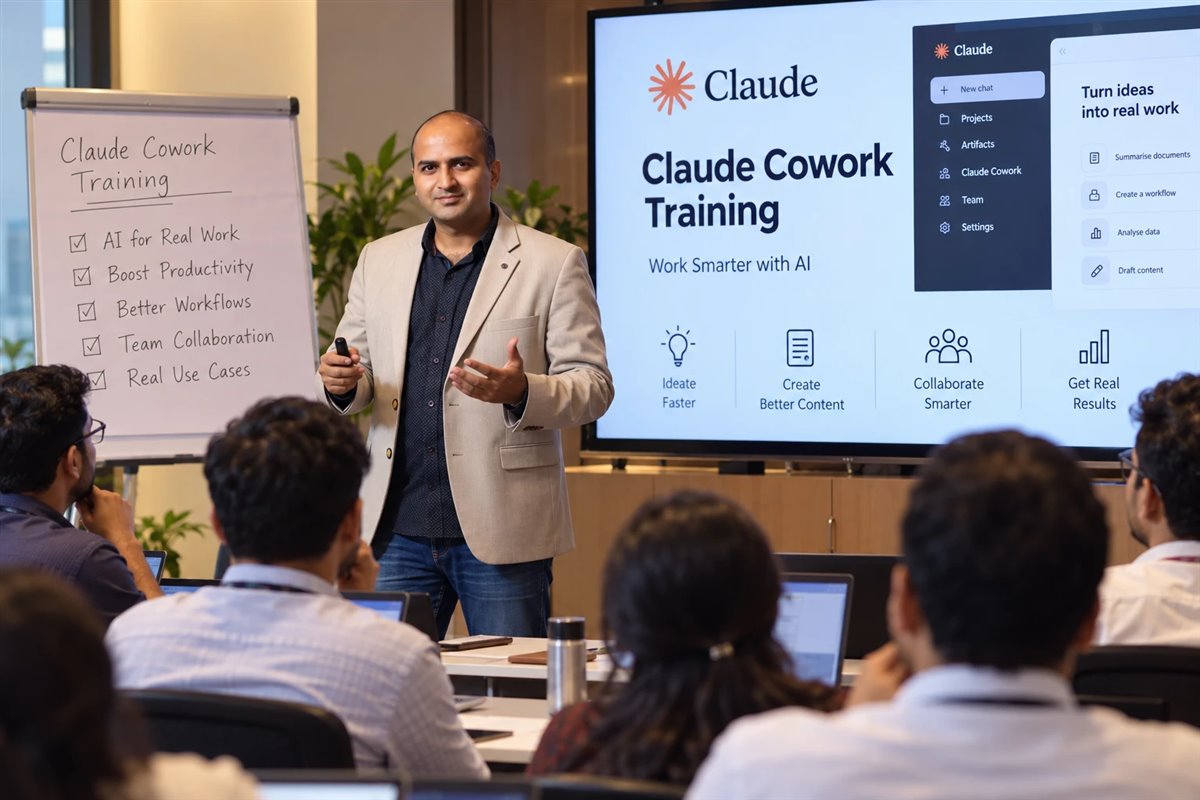
Hitesh Motwani running a hands-on AI corporate training workshop where employees work on their own tasks

Hands-on AI workshop with a corporate team in India

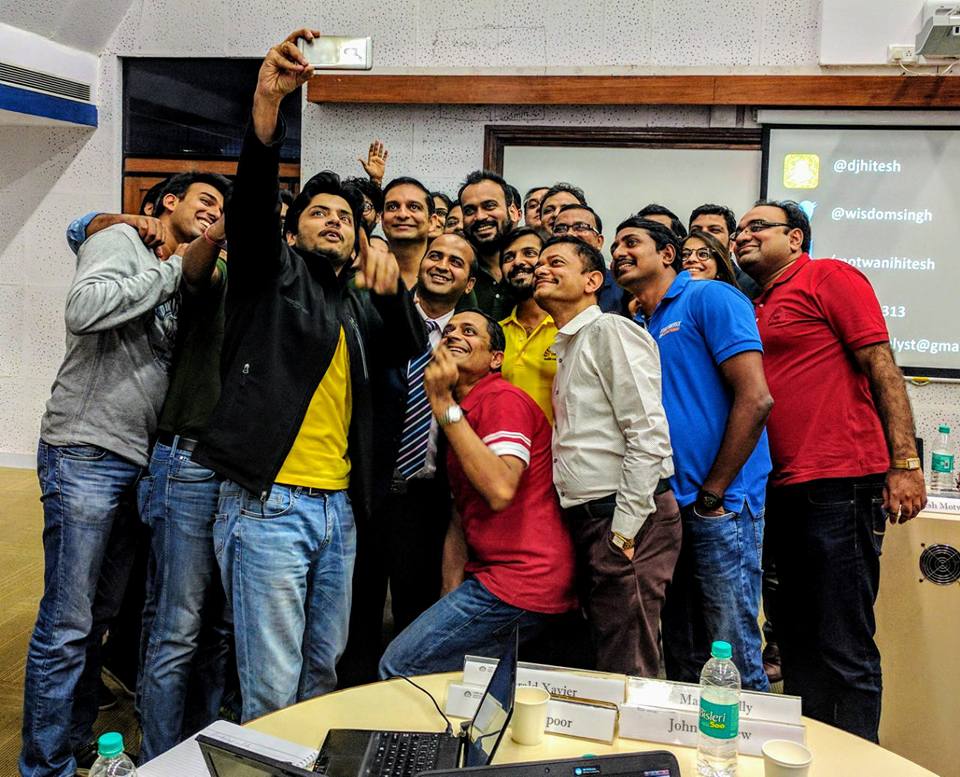
Hitesh Motwani teaching senior executives at an IIM Bangalore CMO workshop

CMO workshop, IIM Bangalore

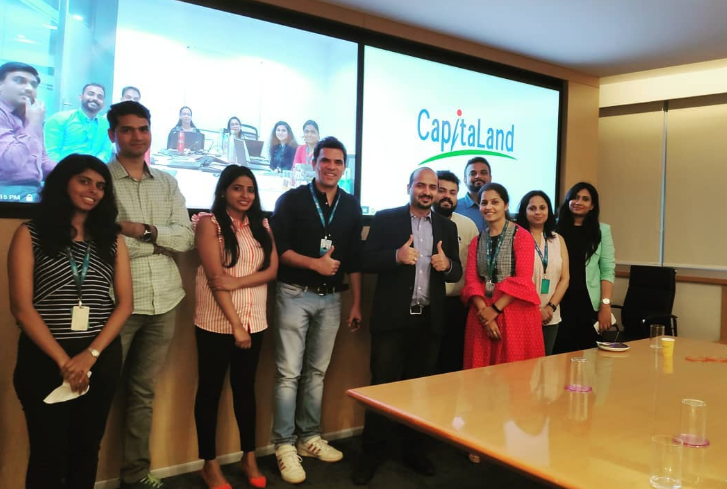
Hitesh Motwani running a corporate training session for the CapitaLand team in Bengaluru

Corporate training, CapitaLand, Bengaluru

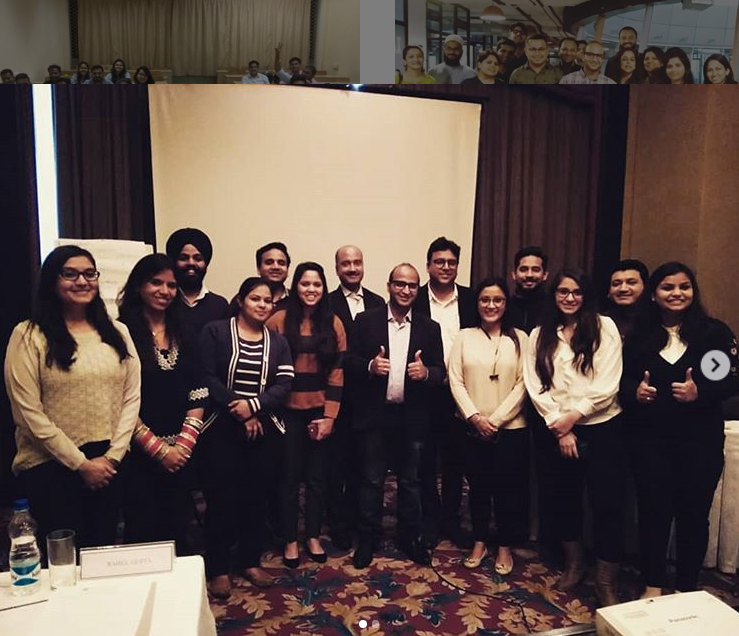
Hitesh Motwani leading a corporate training session with SME and B2B teams in Delhi

Corporate training with SME and B2B teams, Delhi

Formats and locations

On-site in India and the UAE, or live online anywhere

Choose by audience and by how much hands-on time each group needs.

DeliveryWhereNotes
On-siteYour offices across India and the UAE, including Mumbai and DubaiBest for hands-on labs and leadership sessions; travel quoted with the engagement
Live onlineWorldwide, on your time zoneInteractive cohorts for distributed teams, with the same labs and clinics
BlendedOn-site kick-off, then online labs and clinicsCommon for multi-week rollouts across several cities

Sessions in English or Hindi. Engagements run under your NDA. City and country programmes are listed on the AI training locations page.

FAQ

AI corporate training: questions buyers ask

The questions HR, L&D and leadership teams ask most before they commission a programme. Have one that is not here? Send it and you will get an honest answer.

Ask a question →

It is training that teaches employees to use AI tools such as ChatGPT, Microsoft Copilot, Claude and Gemini in their daily work, safely and within company rules. Good programmes are planned by audience and built on people’s real tasks, not generic demos.

How AI tools work and where they fail, prompting with context, safe use of company data, writing, research and analysis, presentations and reports, reusable assistants, an introduction to automation and agents, and a personal plan for the next 30 days. See the sample curriculum.

A leadership briefing takes half a day. Function teams usually need one or two days. Building lasting habits across a company takes four to twelve weeks, with labs and follow-up clinics at 30, 60 and 90 days.

It depends on group size, number of sessions, customisation and travel, so Hitesh quotes per engagement. Send a short brief through the form and you will receive a written outline and quote.

The tools your company has already approved and licensed. Microsoft 365 companies usually start with Copilot, Google Workspace companies with Gemini, and many organisations add ChatGPT or Claude for specific teams. See programmes by tool.

No. Leadership, manager, function and all-staff programmes need no coding. Only the builder, agent and engineering tracks go into code, APIs and automation platforms.

Train each team on its own recurring tasks rather than features, make the data rules clear, involve managers, and follow up at 30, 60 and 90 days.

Yes, if you use company accounts with admin controls, keep personal and confidential data out of exercises unless your policy allows it, and mask sample files. Every programme teaches your AI usage policy inside the exercises. See governance.

In a short, closed-room session focused on decisions: where AI moves the numbers, what to fund, risks and accountability, and a 90-day adoption plan. More on the AI training for leaders programme.

Record a baseline for two or three tasks per team before training, then check capability at the end of the session, usage at 30 and 60 days, and the same tasks again at 90 days.

Both. Hitesh delivers on-site at offices across India and the UAE, including Mumbai and Dubai, and live online for teams worldwide. Many rollouts combine an on-site kick-off with online labs.

This page covers company programmes. Individuals can join a live batch of the AI Accelerator Program, with Claude Mastery, Generative AI Mastery and AI Agents tracks.

A corporate AI trainer with 17+ years in training and the author of Generative AI 360°. He has trained 200,000+ professionals across 16+ countries, and his corporate clients include Google, Microsoft and Tata Group. More on the about page.

Your next step

Turn AI licences into daily work. Start with one team.

Tell us which group comes first, the tools they use and what they deliver each week. You will get a written outline, named exercises and a clear quote.

On-site across India and the UAE · Live online worldwide · English and Hindi

Free call · No obligation

Pick a time for a free call

Choose a slot that suits you. The call is free, takes about fifteen minutes and there is no obligation.

Calendar not loading? Open the booking page.

Free proposal · No obligation
Ready to make AI part of the work? Send your brief.

Tell us which groups come first, which tools they use and what they deliver each week. You will get a written outline, an agenda for each format and a clear quote.

  • ✓Programmes for every audience in one roadmap
  • ✓Data rules your legal team can read
  • ✓Reply from Hitesh’s team, usually within one working day
Scroll to Top