













Guide · Updated Oct 2026For HR, L&D and learning leaders

Generative AI in Corporate Training (2026-27): how L&D teams use GenAI

Quick answer: generative AI in corporate training means using tools such as ChatGPT, Microsoft Copilot, Gemini and Claude to analyse skill needs, build and translate content, personalise learning, run role-plays, assess and coach, and answer employees’ questions at the moment of need. It cuts development time sharply, but it only changes performance when people practise on their own work, with clear data rules and human review.

  • ✓
    8 use cases across the training lifecycle — with worked examples
  • ✓
    A 90-day rollout plan — pilot, scale, measure
  • ✓
    Governance, tools and pitfalls — incl. India DPDP and UAE PDPL basics

Just reading? Jump to the use cases, the rollout plan or the FAQ.

200,000+
professionals trained
16+
countries
17+
years training
4.8★
avg. session rating
Hitesh Motwani, generative AI trainer, author of a guide to generative AI in corporate training
ChatGPTMicrosoft CopilotGeminiClaudeNotebookLMAI role-play
Written forHR & L&D teamsand the leaders who fund training
Clients includeGoogle · Microsoft& Tata Group
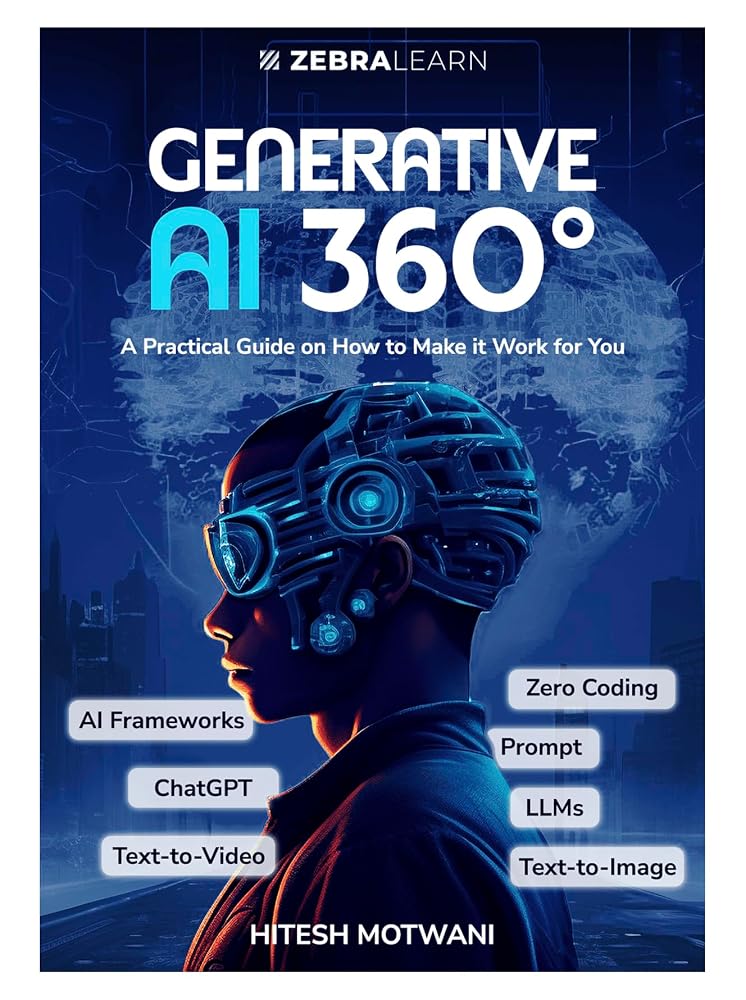
Generative AI 360 book cover
AuthorGenerative AI 360°

Teams at these organisations have trained with Hitesh Motwani and Skillopedia

  • Google
  • Microsoft
  • Siemens
  • Samsung
  • Sony
  • Pfizer
  • LG
  • HP
  • Hewlett Packard Enterprise
  • GE Aerospace
  • Marks & Spencer
  • Adani Group
  • Ogilvy
  • RPG Group
  • Endemol Shine India

200,000+ professionals · 16+ countries · 4.8★ average session rating · Corporate clients include Google, Microsoft & Tata Group

At a glance

Generative AI in corporate training, in five answers

If you only have a minute, this is the picture. The rest of the guide explains each point, with examples you can copy and a plan you can run.

QuestionShort answer
What changes?Drafting, translating and updating training content takes hours instead of weeks, and every learner can get practice, feedback and answers on demand.
Where does it help most?Content creation, role-play practice, quick knowledge answers, assessment drafts and coaching between sessions.
What can it not do?Decide what the business needs, guarantee accuracy, replace practice on real work, or change habits without managers involved.
Biggest risk?Confident wrong answers and personal or confidential data going into tools that are not approved.
First stepPick one programme and one team, set data rules, pilot for six weeks and measure behaviour, not attendance.

Meaning 1: GenAI as a tool for L&D

  • Learning teams use generative AI to design, build, deliver and measure training faster
  • Examples: course outlines, scenario scripts, quizzes, translations, role-play bots, learning assistants
  • The audience is the L&D team itself

Meaning 2: GenAI as the skill employees need

  • Companies train every function to use ChatGPT, Copilot, Gemini or Claude in their daily work
  • Examples: prompting, research, analysis, reports and agents, inside approved tools
  • The audience is the whole workforce, led by managers

Most searches for “GenAI in corporate training” mean one of the two, and most organisations need both at once: an L&D team that works with AI, and a workforce trained to use it. This guide covers both, and it is written from the training room rather than a vendor brochure: Hitesh Motwani has run hands-on generative AI programmes for company teams since 2023.

What actually changes

What generative AI changes across the training lifecycle

Generative AI does not add a new step to corporate training. It changes the cost and speed of nearly every existing step, which is why the gains show up first in L&D productivity and only later in employee performance.

Stage of trainingBefore generative AIWith generative AI (done well)
Needs analysisSurveys and interviews read by hand; weeks to a reportSurvey comments, job descriptions and performance themes summarised in a day, then checked with managers
DesignOutline built from scratch by one designerSeveral draft outlines and learning objectives in minutes; the designer chooses and sharpens
Content developmentScripts, slides, cases and quizzes written one by oneFirst drafts generated from your own source material, then edited by subject experts
LocalisationExpensive, slow, often skippedDraft translations and regional examples, reviewed by a fluent colleague
DeliverySame session for everyoneExercises adapted to each role, with learners practising on their own tasks
PracticeRole-play only when a trainer is in the roomUnlimited AI role-play partners for sales calls, feedback talks and customer complaints
AssessmentMultiple-choice tests that check recallScenario questions and rubric-based feedback on real outputs, with a human moderating
ReinforcementSlides emailed after the sessionA knowledge assistant that answers “how do I…” questions from approved sources
MeasurementAttendance and smile sheetsUsage, task time and quality checks before and after, summarised for managers

The pattern to notice: in every row, the AI produces a first version and a person decides. Teams that skip the second half get faster training that is less accurate. Teams that keep it get faster training that is also more relevant, because the time saved on drafting goes into talking to managers and fixing the exercises.

Independent research points the same way. A 2024 survey of 428 learning professionals in German-speaking countries, by the scil learning-innovation centre at the University of St. Gallen, found that content creation was by far the main use, while other uses such as personalisation and assessment were still underexplored. That is the opportunity this guide focuses on.

Use cases

Eight ways L&D teams use generative AI in corporate training

Ordered roughly by how quickly they pay off. Start with the first two; add the rest once your data rules and review habits are in place.

01Plan

Training needs analysis

Feed anonymised survey comments, exit-interview themes, job descriptions and competency frameworks to an approved assistant. Ask it to cluster skill gaps by role and suggest which ones training can fix and which are process or tool problems.

Watch out: AI finds patterns in what you give it; it cannot see what nobody wrote down. Validate the top three gaps with managers.

02Build

Content creation

Turn a policy, SOP or expert interview into a course outline, objectives, a facilitator guide, slides, a case study and a quiz. Designers move from writing to editing and checking.

Watch out: Generate from your own source documents, not from the open web, and have a subject expert sign off every factual claim.

03Adapt

Personalised learning

Rewrite the same exercise for finance, sales and operations; adjust reading level; build a short learning path for each role from the skills gap you found.

Watch out: Personalisation still needs a clear standard. Agree what “good” looks like before the AI varies the route.

04Practise

Role-play and simulations

Learners rehearse a sales objection, a tough feedback conversation or an angry customer with an AI playing the other side, then get feedback against a rubric.

Watch out: Write the persona and rubric carefully, test them on your best performers first, and never use real customer names.

05Check

Assessment and feedback

Draft scenario-based questions, model answers and marking rubrics; give written feedback on a learner’s actual output, such as a proposal or a report.

Watch out: Keep a human moderator for anything that affects pay, promotion or certification. Check questions for bias and ambiguity.

06Support

Coaching between sessions

A coaching prompt or custom assistant helps managers prepare one-to-ones and helps learners reflect on what they tried this week and plan the next step.

Watch out: It supplements a manager; it does not replace one. Make it clear what is logged and who can see it.

07Answer

Knowledge assistants

An assistant grounded in approved documents (policies, product sheets, process guides) answers “how do I…” questions with citations, at the moment of need.

Watch out: Answers are only as current as the sources. Assign an owner to refresh documents and review flagged answers.

08Prove

Measurement and reporting

Summarise open-ended feedback, compare before-and-after work samples, and draft the impact report for leadership from your own data.

Watch out: AI can summarise evidence; it cannot create it. Decide what you will measure before the programme starts.

Two more worth knowing

  • Localisation: draft translations and regional examples for multi-country teams, reviewed by a fluent colleague
  • Onboarding: a first-90-days plan and buddy assistant for new joiners, built from your own handbook
  • Microlearning: turn a long course into short daily refreshers and quiz cards
  • Accessibility: plain-language summaries, transcripts and alternative formats

Free proposal · No obligation
Want this working in your company? Get a written plan.

Tell Hitesh’s team your team size, the AI tools you already license and what people should do differently. You will get a suggested programme for employees, your L&D team or leaders, with a quote. Prefer to talk first? Book a free call.

  • ✓Hands-on, on your people’s own work
  • ✓In the tools you already pay for
  • ✓On-site in India and the UAE, or live online
Worked examples

Generative AI in corporate training, step by step

Three illustrative exercises of the kind Hitesh runs with L&D and business teams. They show the method and the checks, not promised results.

Example 1: an AI role-play partner for sales onboarding

StepWhat the L&D team doesHuman check
1. SourceUploads the current sales playbook, pricing rules and five anonymised call notes to an approved workspaceSales head confirms the playbook is current
2. PersonaPrompts: “Act as a procurement manager at a mid-size manufacturer who thinks our price is 15% too high. Stay in character, raise one objection at a time, and end the call when you are convinced or after ten turns.”Two top sellers test it and adjust the tone
3. RubricAsks for feedback against four criteria from the playbook: discovery questions, value framing, handling the objection, agreed next stepTrainer compares AI scores with her own on five recordings
4. PracticeNew joiners run three role-plays a week for a month and bring the transcript to their manager’s one-to-oneManager discusses one transcript per week

Example 2: a compliance refresher rebuilt in days

BeforeAfter
A 45-minute e-learning module on the data-protection policy, rewritten from scratch each yearThe updated policy goes in; the assistant drafts six five-minute scenarios, one per department, plus a ten-question scenario quiz
The same examples for everyoneFinance gets a vendor-invoice scenario, HR a candidate CV scenario, sales a client-list scenario
Weeks of drafting, then legal reviewA few days of drafting and editing; legal review time is unchanged, because it should be

Example 3: a manager’s coaching prep assistant

A manager pastes her own notes (no names, no ratings) and asks: “Here are my notes on a team member who misses deadlines on monthly reports. Suggest three open questions for our one-to-one, one way to agree a realistic plan, and what I should avoid saying.” She edits the questions in her own words and takes them into the meeting. The L&D team turns the best prompts into a shared library for all first-time managers, alongside the leadership programme rather than instead of it.

What all three have in common: source material the company owns, an approved tool, a named person who checks the output, and practice on real work. That combination, not the tool, is what makes generative AI change performance.

Honest limits

What generative AI can’t do in corporate training

Most disappointing AI projects in L&D came from expecting the tool to do a job that belongs to people. Plan around these limits from day one.

What the tools can’t do

  • Guarantee accuracy: models can state wrong facts, figures and citations with total confidence
  • Know your business context unless you give it to them, and keep it current
  • Decide what your organisation needs to learn, or which skills matter most
  • Build a habit: watching a demo is not practice
  • Replace the relationship between a manager and a team member
  • Make a weak programme good; they make a weak programme faster

What people still own

  • The business problem and the definition of “good performance”
  • Subject-matter sign-off on every fact that reaches employees
  • Decisions on data: what may go into which tool
  • Judgement on fairness in anything used for assessment
  • Managers’ follow-up, which is what turns training into behaviour
  • The final say on what is published under the company’s name
Rollout plan

A 90-day plan to bring GenAI into corporate training

This is the sequence that works in practice for a mid-size organisation. Larger groups repeat phases 2 to 4 for each business unit.

11Phase 1

Decide (weeks 1–2)

Pick one or two programmes with a clear business owner and a measurable problem: onboarding time, sales conversion, policy questions. Confirm which AI tools are approved and what data may go in.

22Phase 2

Equip L&D (weeks 3–4)

Train the learning team hands-on: prompting from source documents, review checklists, role-play design and data rules. Build a shared prompt library for the team.

33Phase 3

Pilot (weeks 5–10)

Rebuild the chosen programme with AI support and run it with one team. Employees practise on their own tasks in the tools they will actually use. Managers join a short briefing.

44Phase 4

Measure and scale (weeks 11–13)

Compare before-and-after evidence, fix what stalled, write the playbook, and choose the next two programmes and teams.

Checklist before the pilot

  • Named business owner and L&D owner
  • Approved tools and an AI usage policy people have read
  • A list of data that must never go into any AI tool
  • Baseline numbers for the problem you chose
  • Review steps for AI-generated content
  • Time in the calendar for managers to follow up

Signs it is working

  • People use the workflows weeks after the session, not just on the day
  • Managers can name tasks that now take less time
  • Content updates ship in days instead of quarters
  • Fewer repeat “how do I” questions reach HR and team leads
  • Employees bring new use cases to L&D, unprompted
Governance and data protection

Data rules for GenAI in training: India and the UAE

Training is one of the places where personal data meets AI most often: employee records, assessments, coaching notes, recordings. Settle these questions before the pilot, with your legal and IT teams.

AreaWhat to decideWhy it matters in training
Approved toolsWhich company accounts (not personal ones) may be used, and for whatBusiness plans give admins control over data, retention and access; free personal accounts do not
Data classesWhat may never be pasted: personal data of employees or candidates, client data, salaries, health data, unreleased financialsTraining exercises often use real documents; mask or synthesise them first
ReviewWho checks AI-generated content before learners see itA wrong policy answer in a course is worse than no course
AssessmentWhere AI may score or give feedback, and where a person must decideFairness, transparency and the right to a human review
DisclosureWhen learners are told they are talking to an AI, and what is loggedTrust: coaching and role-play only work if people feel safe
Intellectual propertyWho owns generated content and whether third-party material may be used as a sourceCourses are published assets; check licences on what you upload

India: the DPDP Act

  • The Digital Personal Data Protection Act, 2023 governs digital personal data, including employee and learner data
  • The DPDP Rules, 2025 were notified in November 2025, with obligations phased in over about 18 months
  • Core ideas to plan for: a lawful basis such as consent or permitted employment uses, clear notice, purpose limitation, reasonable security safeguards, breach reporting and responding to people’s rights requests
  • In practice: keep personal data out of AI exercises unless your policy and vendor terms clearly allow it

UAE: the PDPL and free zones

  • Federal Decree-Law No. 45 of 2021 on the Protection of Personal Data (PDPL) sets the onshore framework
  • Financial free zones run their own regimes: the DIFC Data Protection Law and the ADGM Data Protection Regulations
  • Common themes: a lawful basis for processing, transparency, data minimisation, security and rules on cross-border transfers
  • In practice: check where your AI vendor stores and processes data, and which regime your entity falls under

This section is a general overview for planning, not legal advice. Laws, rules and timelines change; your legal and compliance teams should confirm what applies to your organisation.

Tool choices

Which generative AI tools to use for corporate training

The best tool is usually the one your company already licenses and has approved, because that is where employees will work after the training. Choose a dedicated AI learning platform only for a job the general tools cannot do.

ToolCompany plans (Oct 2026)Strong for in training
ChatGPTChatGPT Business (formerly Team) and ChatGPT Enterprise. OpenAI says it does not train on Business workspace data by default. Custom GPTs are being retired on 11 December 2026 in favour of skills and plugins.Content drafts, Projects for recurring work, deep research, role-play prompts
Microsoft CopilotMicrosoft 365 Copilot Chat is available at no extra cost to eligible Entra ID work accounts (web-grounded); a Microsoft 365 Copilot licence adds grounding in your emails, files and Teams.Companies on Microsoft 365: drafting in Word and PowerPoint, summarising Teams meetings, Excel analysis
Google GeminiGemini is included in Google Workspace Business and Enterprise plans, with features varying by tier. NotebookLM, now called Gemini Notebook, answers from your own uploaded sources with citations.Source-grounded study guides, FAQs and audio overviews from your own documents
ClaudeClaude Team and Enterprise plans for organisations; Anthropic’s commercial terms say customer content is not used to train its models by default.Long documents, careful writing and editing, Projects with reference files
AI features in your LMS or authoring toolMany learning platforms and authoring tools now include generative AI for course drafts, quizzes and translation.Speed inside the tool your team already uses; check where data is processed

Plan names and features from the vendors’ help centres and product pages, checked 23 October 2026. They change often; confirm on the official pricing pages before you buy.

A simple rule: train people in the tool they will use on Monday. A brilliant session in a tool your IT team has not approved produces enthusiasm and then nothing, or worse, company data in personal accounts. If you have not chosen yet, decide the platform first and the training second.

Pitfalls and measurement

Common mistakes, and how to measure what matters

Most failed GenAI training programmes fail in the same few ways. All of them are avoidable.

Eight mistakes to avoid

  • Tool tours instead of practice: people see features, then go back to old habits
  • One session for everyone: finance and sales need different exercises
  • Publishing AI drafts unchecked: confident errors reach employees
  • Personal accounts: company data ends up outside your control
  • No manager involvement: nothing reinforces the new way of working
  • Measuring attendance: it says nothing about behaviour
  • Chasing every new tool: depth in one approved tool beats ten demos
  • Big-bang launches: pilot with one team, learn, then scale

What to measure

LevelWhat to measureHow
ReactionWas it relevant to my job?Two questions at the end of the session, not twenty
LearningCan people do the task with AI, safely?A practical exercise on a real task, reviewed against a rubric
BehaviourAre they still using it after 30 and 60 days?Tool usage data where your plan provides it, plus manager check-ins
ResultsDid the business problem move?The baseline you set: time to competence, cycle time, quality checks, fewer repeat questions
Choosing help

How to evaluate a GenAI training partner

If you bring in outside help for employees or for your L&D team, these six questions separate practical partners from slide decks.

Ask the partnerA weak answerA strong answer
Who will train our people?“One of our trainers.”A named trainer whose sessions you can see or check before you sign
What will people practise on?Sample files and generic promptsTheir own tasks and documents, within your data rules
Which tools?Whatever is newestThe tools you have licensed and approved
What happens after the session?Slides by emailFollow-up clinics, a prompt library and a usage check
How will we know it worked?A satisfaction score, or guaranteed percentagesA baseline and a behaviour check agreed up front
How do you handle our data?No clear answerMasked or synthetic examples, NDA, and your policy as the rulebook

Comparing firms for a company-wide programme? See our side-by-side review of corporate AI training providers, with formats, rollout approaches and RFP questions. If you want a named trainer for one team or a leadership group, see Hitesh’s generative AI trainer and expert services.

Why hands-on

Why hands-on training on people’s own work wins

Portrait of Hitesh Motwani, generative AI trainer for corporate teams, in a light blazer

Hitesh Motwani, Mumbai and Dubai

Everything in this guide comes back to one idea: people change how they work when they practise on their own work. Hitesh Motwani’s sessions are built on it. Participants bring live emails, reports, spreadsheets and decks, complete them with AI in the room while he checks prompts and outputs, and leave with workflows they use the next morning. The time saved compounds across a team, so the organisation executes faster.

200,000+ professionalsTrained across 16+ countries, 4.8★ average session rating
Google, Microsoft & Tata GroupAmong his corporate clients
Author, Generative AI 360°ZebraLearn, 2025
17+ years trainingVisiting faculty, K J Somaiya Institute of Management
  • Expertise in LLMs, AI agents, prompt engineering and automation
  • Leadership-focused AI training for founders and CXOs
  • A practical, deployment-based approach: exercises come from your own work
  • Programmes for L&D and HR teams as well as for the wider workforce
★★★★★
“Hitesh Motwani’s AI tools and ChatGPT training was a game-changer. Hitesh’s passion and simplified approach made the sessions engaging. … Hitesh is an exceptional trainer.”
SS
Samir SeghalCEO, advertising firm in Pune
★★★★★
“Hitesh’s depth of understanding on how the generative AI space is changing and how to write perfect prompts was awesome.”
MG
Mahesh GawdeMarketing Manager, Pristine Infosystem
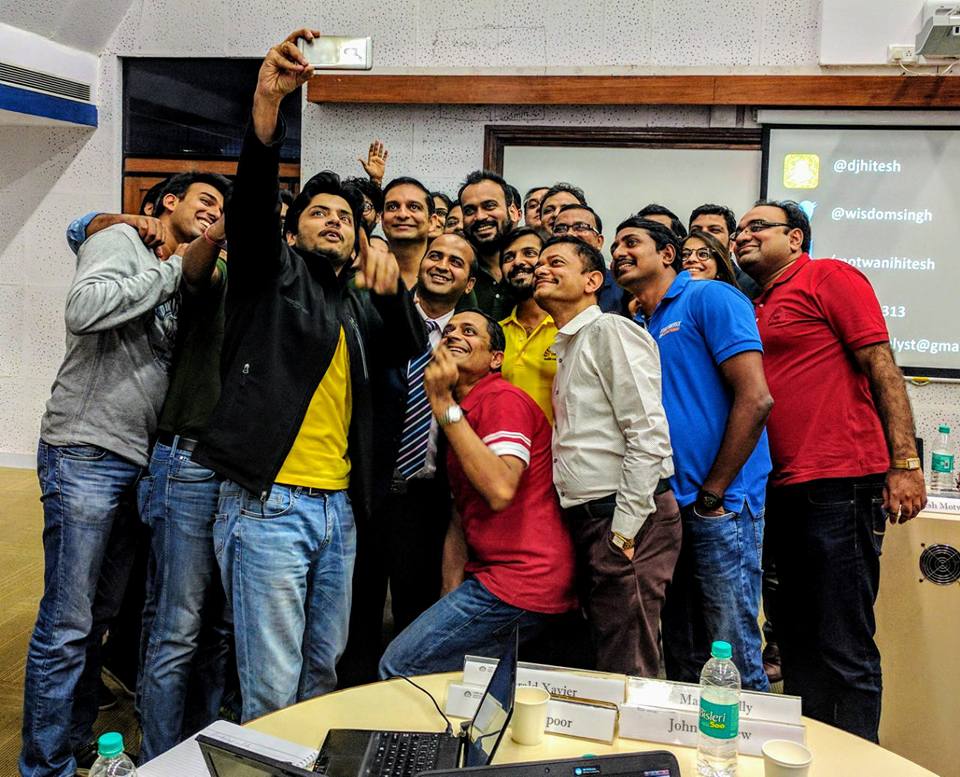
Hitesh Motwani leading a hands-on generative AI workshop where employees work on their own tasks

Hands-on generative AI workshop with a corporate team

Hitesh Motwani teaching senior executives at an IIM Bangalore CMO workshop

CMO workshop, IIM Bangalore

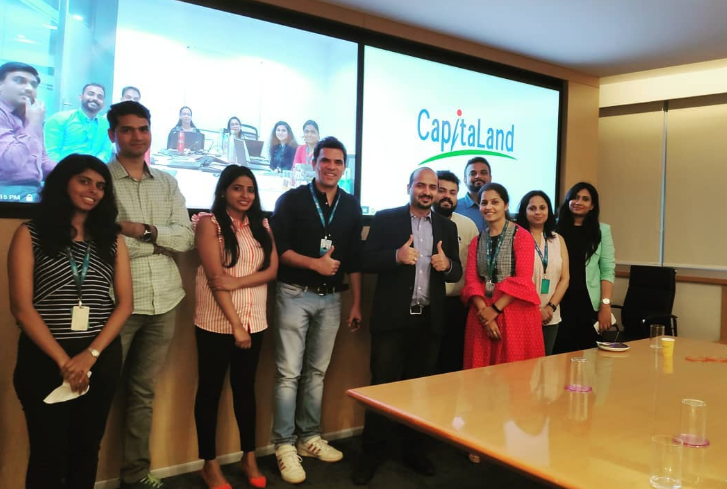
Hitesh Motwani running a corporate training session for the CapitaLand team in Bengaluru

Corporate training, CapitaLand, Bengaluru

Hitesh Motwani, corporate AI trainer, during a training session

Hitesh Motwani

Work with Hitesh

Need help putting this into practice?

Hitesh runs four kinds of engagement around generative AI in corporate training. Each one is built on your teams’ real work and the tools you already license.

ProgrammeWho it is forTypical format
GenAI for L&D and HR teamsInstructional designers, trainers, HR business partnersFull-day workshop: needs analysis, content, role-play design, review checklists
Generative AI training for employeesAny function: finance, HR, sales, marketing, operationsHalf-day or full-day, hands-on on their own tasks, in your approved tools
Leadership briefingFounders, CXOs and business headsHalf-day: where AI pays off first, risks, a 90-day plan
Rollout supportL&D and HR leaders running a company-wide programmeWorkshops plus follow-up clinics at 30, 60 and 90 days

Delivered on-site across India and the UAE, or live online worldwide, in English or Hindi. Fees are quoted per engagement; participants receive a Skillopedia training certificate.

For a fixed syllabus, see the 16-hour corporate generative AI curriculum. For HR-specific workflows such as hiring, onboarding and policy assistants, see generative AI for HR teams, and for boards and CXOs, the AI training for leaders programme.

FAQ

Generative AI in corporate training: common questions

Questions L&D and HR leaders ask most often when they bring GenAI into training. Have one that is not here? Send it and we will answer honestly.

Ask a question →

Mainly in eight ways: training needs analysis, content creation, personalised learning, role-play and simulations, assessment and feedback, coaching between sessions, knowledge assistants that answer questions at the moment of need, and measurement. Content creation is the most common use today. See the use cases.

It has two meanings. One is L&D teams using generative AI tools to design, build, deliver and measure training. The other is training employees to use generative AI in their own jobs. Most organisations need both.

No. It replaces much of the drafting and some of the repetition, such as first-draft content and basic practice. Trainers, managers and subject experts still decide what matters, check accuracy, run practice on real work and build the habits that change performance.

Faster content development and updates, cheaper localisation, unlimited practice through AI role-play, more personalised exercises, quicker answers for employees, and easier analysis of feedback. The benefits are largest when the time saved goes into better practice and manager follow-up.

Inaccurate or invented answers, personal or confidential data entered into unapproved tools, bias in assessment, unclear ownership of generated content, and over-reliance on AI instead of practice. Each has a fix: approved tools, data rules, human review and clear disclosure. See governance.

Usually the one your company already licenses and has approved: Microsoft 365 Copilot for Microsoft companies, Gemini for Google Workspace companies, or ChatGPT Business or Enterprise, or Claude Team or Enterprise. Add an AI learning platform only for a job the general tools cannot do. See the tool comparison.

Pick one programme with a clear business problem, confirm approved tools and data rules, train the L&D team hands-on, pilot with one team for about six weeks, and measure behaviour against a baseline. The 90-day rollout plan sets this out step by step.

Only within your company’s policy and on company plans that give admins control over data. Personal accounts should not be used for company material. Mask or replace personal and client data in training exercises.

If training involves digital personal data of employees or learners in India, the Digital Personal Data Protection Act, 2023 and the DPDP Rules, 2025 (notified in November 2025 and phased in over about 18 months) are relevant. Your legal team should confirm how they apply. This is not legal advice.

Agree a baseline before the programme, then check four levels: relevance, a practical test on a real task, continued use after 30 and 60 days, and movement on the business problem you chose. Attendance alone tells you nothing.

It depends on group size, number of sessions, customisation and travel, so Hitesh quotes per engagement. Send a short brief through the form and you will get a written outline and quote.

A first hands-on session takes half a day to a full day. Building lasting habits takes four to twelve weeks of practice with follow-up clinics, which is why rollouts are planned in phases rather than as one event.

A corporate AI trainer and author of Generative AI 360°, with 17+ years in training. He has trained 200,000+ professionals across 16+ countries, and his corporate clients include Google, Microsoft and Tata Group. More on the about page.

Your next step

Make GenAI part of how your people learn. Start with one programme.

Bring the programme you would rebuild first, the tools you license and the team you would pilot with. You will get a written plan for your L&D team, your employees or both.

On-site across India and the UAE · Live online worldwide · English and Hindi

Free call · No obligation

Pick a time for a free call

Choose a slot that suits you. The call is free, takes about fifteen minutes and there is no obligation.

Calendar not loading? Open the booking page.

Free proposal · No obligation
Ready to put GenAI into your training? Send your brief.

Share how many people, which tools and the two programmes you would rebuild first. You will get a written outline, the formats that fit and a quote for your engagement.

  • ✓Use cases ranked for your teams
  • ✓Data rules your legal team can read
  • ✓Reply from Hitesh’s team, usually within one working day
Scroll to Top