50+ AI Prompts for Instagram Growth (2026)
Quick answer: the best AI prompts for Instagram give the tool your audience, goal, format and brand voice, then ask for options you can edit. Below are 60 copy-ready Instagram prompts in 12 groups, from niche and Reels hooks to captions, hashtags, Stories, DMs, analytics and ads. Swap the [brackets] for your details and press Copy.
- ✓Each prompt has a “when to use” note · and [placeholders] to fill in
- ✓Instagram facts checked against Instagram’s own Help Center · October 2026
- ✓Before-and-after examples and a brand-voice set-up · so drafts sound like you
Marketing team? Hitesh runs hands-on workshops where your team builds these workflows on its own brand. Book a free call · WhatsApp

Teams at companies like these have trained with Hitesh












How to use these AI prompts for Instagram
Copy a prompt, replace every [bracket] with your real details, paste it into ChatGPT, Claude or Gemini, then edit the best option. Paste your brand brief first (below) so every answer starts in your voice. The prompts work in free and paid versions; paid plans mainly add longer context, file uploads and saved projects.
The 6-part Instagram prompt formula
Every prompt on this page follows the same pattern. Use it to write your own.
Role
Who the AI should act as: “an Instagram strategist for a B2B brand”.
Audience
Who the post is for, and what they care about.
Goal
One goal per post: saves, shares, comments, DMs or clicks.
Context
Your facts, offer, past posts, brand voice. Paste, don’t describe.
Format
Reel script, carousel slides, caption length, table.
Check
Ask it to flag guesses, missing facts and claims to verify.
Jump to a prompt group
Set up your brand voice once, then reuse it
Generic captions come from generic context. Spend ten minutes filling in this brief, save it, and paste it at the start of every chat (or store it in a ChatGPT Project, a Claude Project or a Gemini Gem). It is not counted in the 60.
Brand-voice brief (paste this first)
When to use: At the start of every new chat, or saved in a project.
Build the brief from your best posts
Not sure how to describe your voice? Paste your five best-performing captions and ask the AI to describe the tone, sentence length, emoji use and favourite phrases. Edit that description, then use it as the “brand voice” line above.
- Keep the brief under a page so it does not crowd out the task
- Update it when your offer or audience changes
- Share one brief across the team so everyone’s drafts sound alike
- Never paste customer personal data or private DMs into a consumer AI tool
Instagram features to know before you prompt
AI tools are often trained on older information about Instagram, so they may suggest outdated limits. These points come from Instagram’s and Meta’s own pages, checked in October 2026. Instagram does not publish a formula for reach, so be wary of any prompt or “hack” that promises one.
- Reels can be up to 20 minutes, but only Reels of 3 minutes or less are recommended to new audiences.Instagram’s Help Center says you can record or edit Reels up to 20 minutes and that Reels over 3 minutes won’t be recommended to new audiences.Source: Instagram Help Center, Record a reel
- Use up to 5 hashtags on a post.The Help Center’s hashtag article says you can use up to 5 tags on a post. Prompts asking for “30 hashtags” are out of date.Source: Instagram Help Center, Use hashtags
- A carousel can hold up to 20 photos and videos.That is room for a full tutorial; most carousels still work best when each slide carries one idea.Source: Instagram Help Center, Share a post with multiple photos or videos
- Search matches the words in your username, name, bio, captions, hashtags and places.Instagram advises putting keywords and hashtags in the caption, not the comments, and keywords and location in your bio.Source: Instagram, Breaking down how Instagram Search works
- Public posts from adult professional accounts can appear in Google and Bing.Instagram allows search engines to index photos and videos from public reels and posts of accounts that are over 18, public and professional; you can turn this off in privacy settings.Source: Instagram Help Center, search engine indexing
- Label realistic AI-made video and audio.Meta asks people to use its disclosure tool when they post photorealistic video or realistic-sounding audio that was digitally created or altered. AI help with captions and planning is a different matter.Source: Meta Transparency Center, Labeling AI content
Prompts to find your niche and positioning on Instagram
Growth is easier when a stranger can tell in three seconds who your account is for. Start here if your page posts about “a bit of everything”.
1Find a niche you can own
When to use: You post about several topics and growth has stalled.
2Build an audience profile from evidence
When to use: Before planning content, or when posts get views but no saves or DMs.
3Write a searchable bio
When to use: Setting up or refreshing your profile.
4Find gaps your competitors leave
When to use: You are entering a crowded niche.
5Name and username ideas people can find
When to use: Launching a new account or rebranding.
Instagram content calendar and content pillar prompts
Consistency beats bursts. These prompts turn a vague plan into pillars, a calendar and a batching routine you can actually keep.
6Define 4 content pillars
When to use: You keep running out of ideas, or your feed feels random.
7Plan a 30-day content calendar
When to use: Monthly planning, or before a launch.
8Turn ideas into a weekly batching plan
When to use: You have ideas but no system to produce them.
9Plan around festivals and seasons
When to use: Quarterly planning for brands that sell seasonally.
10Mine customer questions for ideas
When to use: You want ideas your audience has already asked for.
Reels prompts: hooks, scripts and shot lists
The first seconds decide whether anyone watches the rest. Use these to write hooks you can pay off, scripts with on-screen text, and shot lists you can film on a phone.
11Write 10 different Reel hooks
When to use: Before filming any Reel.
12Script a 30-second Reel
When to use: You know the topic but freeze in front of the camera.
13Turn a script into a shot list
When to use: You film alone with a phone and limited time.
14Adapt a trending format to your brand
When to use: You see a format working and want a version that fits.
15Cut long content into short Reels
When to use: You have a webinar, podcast or YouTube video.
16Fix a script before you film
When to use: Your Reels get views but people drop off early.
Carousel prompts for posts people save and share
Carousels let you teach in steps. Each prompt below asks for one idea per slide, which keeps slides readable on a phone.
17Outline a 7-slide carousel
When to use: Teaching one idea step by step.
18Turn an article into a carousel
When to use: Repurposing a blog post or newsletter.
19Write a myth-versus-fact carousel
When to use: Your audience repeats common misconceptions.
20Create a step-by-step tutorial
When to use: Showing how to do a task.
21Structure a real case study
When to use: Showing proof from a real project.
Instagram caption prompts with calls to action
A good caption earns the second line. These prompts give the AI your goal, audience and tone so you get drafts worth editing, not generic filler.
22Draft captions from a short brief
When to use: Every regular post.
23Problem, why it matters, solution
When to use: Captions for a product or service.
24Turn a real story into a caption
When to use: Personal brand and founder accounts.
25Build a call-to-action bank
When to use: Your captions always end with “link in bio”.
26Rewrite in your brand voice
When to use: A draft from AI or a colleague sounds off.
27Write a bilingual caption
When to use: You post for an audience that reads in two languages.
Prompts for Instagram SEO and hashtags
Instagram says the text people type into search is matched against usernames, bios, captions, hashtags and places, and it advises putting keywords and hashtags in the caption, not the comments. These prompts help you choose those words deliberately.
28Find the words people search for
When to use: Planning keywords for your profile and captions.
29Work keywords into a caption naturally
When to use: Before posting an evergreen or tutorial post.
30Choose up to 5 relevant hashtags
When to use: Every post.
31Write descriptive alt text
When to use: Accessibility, and helping search understand your images.
32Audit your profile for search
When to use: Your account is hard to find by topic.
Instagram Stories prompts for daily engagement
Stories are where followers talk back. Use these for sequences, stickers, behind-the-scenes ideas and Highlights that explain your account to new visitors.
33Plan a 5-frame Story sequence
When to use: A launch, an event or a weekly update.
34Write polls and quizzes that teach
When to use: You want replies and ideas for your next posts.
35Find behind-the-scenes ideas
When to use: Building trust without hard selling.
36Answer the question box
When to use: After you run a question sticker.
37Organise your Highlights
When to use: New visitors do not understand what you offer.
Comment and DM reply prompts
Replies are where followers become customers. Draft faster with these, but read every reply before you send it, and never let AI promise what you have not approved.
38Reply to comments in your voice
When to use: A busy comment section after a post takes off.
39Create DM reply templates
When to use: The same DMs arrive every day.
40Run a comment-keyword flow
When to use: Offering a free guide or checklist.
41Handle criticism calmly
When to use: A critical or angry comment appears.
42Feature your community
When to use: You want more user-generated content.
Prompts for creator collaborations and partnerships
The right collaboration puts you in front of an audience that already trusts someone. These prompts help you choose partners, pitch them and brief them clearly.
43Score potential creators
When to use: Shortlisting creators for a campaign.
44Write a short, specific pitch
When to use: Reaching out to a creator or partner brand.
45Brief a creator properly
When to use: After a creator agrees.
46Brainstorm joint content
When to use: Partnering with a complementary brand or creator.
Prompts to review your Instagram analytics
AI is good at spotting patterns in numbers you give it. It cannot see your account, so paste your Insights data and ask it to separate facts from guesses.
47Run a monthly review
When to use: End of every month.
48Find patterns in your best and worst posts
When to use: Your results feel random.
49Design a fair content test
When to use: You want to know what really works for your account.
50Write a report for your boss or client
When to use: Monthly or quarterly reporting.
51Audit your last 30 posts
When to use: Before a strategy reset.
Prompts for Instagram ads that respect your facts
Use AI to explore angles and variations quickly, then test them. Claims, prices and reviews must come from you, never from the model.
52Generate 6 ad angles
When to use: Starting a new campaign.
53Write variations to test
When to use: You have a winning ad and want to test new versions.
54Script a 15-second video ad
When to use: A vertical video ad for Reels and Stories.
55Brainstorm audiences to try
When to use: Setting up targeting.
Prompts to repurpose content into more posts
Most accounts do not need more ideas; they need more mileage from the ideas that already worked.
56One idea, five formats
When to use: Getting a week of content from one strong idea.
57Blog post to a week of posts
When to use: You publish blogs or newsletters.
58Live or webinar to clips
When to use: After a Live, webinar or talk.
59Review to post
When to use: You have happy customers but no proof on your feed.
60Refresh an old winner
When to use: A post that did well months ago.
Weak prompt vs strong prompt: 3 worked examples
The same tool gives very different answers depending on what you give it. These are illustrative examples, not campaign results.
Caption for a bakery post
Write a caption for my bakery post.
AfterYou are writing for [Bake Street], a home bakery in [Pune]. Audience: working parents who order birthday cakes. Goal: DMs for custom orders. Post: a photo of a two-tier chocolate cake for a 6-year-old’s space-themed birthday. Write 3 captions under 80 words, first line must work alone, end with “DM us your theme”. Tone: warm, a little playful. Do not mention prices.
What changes: The first gives a generic “Indulge in deliciousness” caption that could belong to any bakery. The second gives three specific drafts that mention the theme, speak to parents and end with the exact call to action, ready for a two-minute edit.
Reel hooks for a CA firm
Give me viral reel ideas.
AfterAct as a Reels scriptwriter for a chartered accountant in [Mumbai] who explains tax to salaried employees aged 25 to 40. Write 10 hooks under 12 words for a Reel on [three documents to keep ready before filing your income tax return]. Use 10 different approaches. No hooks promising refunds or savings.
What changes: “Viral ideas” invites trend-chasing with no link to the business. The specific prompt returns hooks the accountant can actually deliver, in the audience’s language, without risky promises.
Hashtags and search
Give me 30 trending hashtags for my yoga studio.
AfterSuggest up to 5 hashtags for this post: a 7-slide carousel on [desk stretches for back pain] from a yoga studio in [Indiranagar, Bengaluru]. Mix one broad tag, one niche tag and one local tag. Then rewrite my first caption line so it includes the phrase “[yoga for back pain Bengaluru]” naturally.
What changes: The first asks for a number Instagram no longer allows and for “trending” tags the model cannot actually see. The second follows the current 5-hashtag limit and puts the searchable phrase in the caption, where Instagram says search looks.
Want your team using prompts like these on its own brand?
Hitesh runs hands-on generative AI workshops for marketing and social media teams. Nobody watches slides about prompts: your team opens its own content calendar, briefs, captions and analytics, and leaves with saved prompts, a shared brand brief and a review checklist it uses the next morning.
- Built around your platforms, approval process and brand rules
- Covers ChatGPT, Claude, Gemini or the tools you already license
- Live online, or onsite for teams in India and the UAE
- Prefer to talk first? Book a free 30-minute call
A 90-minute weekly Instagram routine with AI
This is how the prompts fit together on your own account. It is the routine Hitesh’s workshops build with marketing teams: the AI drafts, a person decides. Prompt numbers link to the library above.
| Step | Time | What you do | Prompts to use |
|---|---|---|---|
| 1. Review last week | 15 min | Export or note reach, saves, shares and follows for last week’s posts | #47, #48 |
| 2. Pick topics | 10 min | Choose 3 to 5 topics from your pillars and this week’s customer questions | #6, #10 |
| 3. Draft | 30 min | Hooks and scripts for Reels, slides for one carousel, captions for the rest | #11, #12, #17, #22 |
| 4. Make it findable | 10 min | Keywords in the first caption lines, up to 5 hashtags, alt text | #29, #30, #31 |
| 5. Human edit | 15 min | Check every fact, price and date; read captions aloud; cut 20% | Your own judgement |
| 6. Prepare replies | 10 min | Refresh DM templates and the comment-keyword flow for this week’s offer | #39, #40 |
Times are a guide for a small business posting three to five times a week; a brand team with approvals will need longer for step 5.
ChatGPT, Claude or Gemini: which to use for Instagram?
All three handle every prompt here. The difference is mostly in how you save your brand context and which tools your company already pays for. Features vary by plan and change often, so check the vendor’s help pages for your account.
ChatGPT
- Keep your brand brief, past captions and calendar in one ChatGPT Project so every chat starts with context
- Use custom instructions for rules that apply to everything you write
- Upload an Insights export as a file for the analytics prompts
Claude
- Good at long, careful edits: paste a full caption set and ask it to keep your voice
- Projects hold your brief and examples; a custom style can store your tone
- Ask it to show changes as a list so you can approve each one
Gemini
- Save the brand brief as a Gemini Gem and reuse it across chats
- Handy if your team already works in Google Docs, Sheets and Drive
- Paste data from Sheets for the reporting prompts
Whichever you use, keep customer names, phone numbers and private DMs out of consumer accounts, and follow your company’s rules on which tools are approved. Want a structured route through these tools? See Hitesh’s AI learning path for professionals.
8 mistakes people make with AI for Instagram
Mistakes in the prompt
- No audience or goal. “Write a caption” gets a caption for nobody
- Asking for “viral”. The model cannot see what is trending today; ask for formats and hooks instead
- Describing instead of pasting. Paste real captions, reviews and data; descriptions produce guesses
- One prompt, one answer. Ask for 3 to 5 options and pick, or ask it to critique its own draft
Mistakes after the answer
- Publishing without a fact check. AI can invent prices, dates, statistics and features
- Following outdated platform advice. For example, 30 hashtags; Instagram’s Help Center now says up to 5
- Letting every post sound the same. Edit for your own stories and opinions; that is what people follow
- Pasting private data. Customer details and DMs do not belong in a consumer AI chat

| Trained | 200,000+ professionals across 16+ countries |
| Clients include | Google, Microsoft & Tata Group |
| Expertise | LLMs, AI agents, prompt engineering & automation |
| Experience | 17+ years · 4.8★ average session rating |
| Author | Generative AI 360° |
| Faculty | Visiting faculty, K J Somaiya Institute of Management |
Written by Hitesh Motwani, from social media workshops to AI
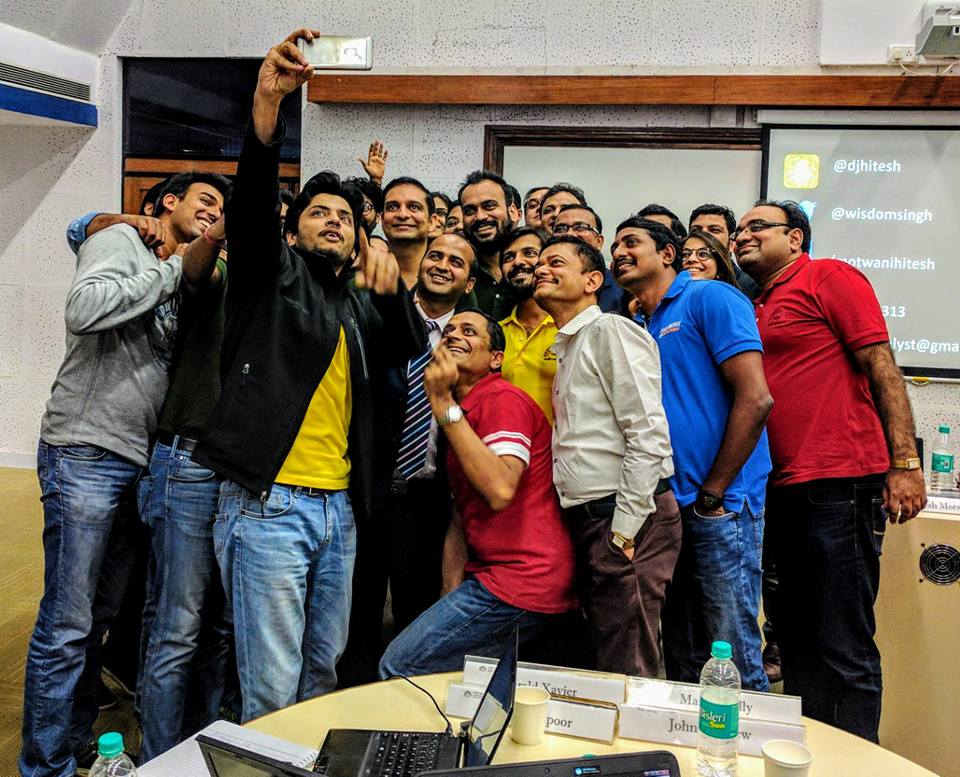
Before generative AI, Hitesh spent years teaching social media and digital marketing, including two-day social media workshops for teams such as Percept and Wockhardt and a CMO programme at IIM Bangalore. Today he trains marketing teams and leaders to use ChatGPT, Claude, Gemini and AI agents in their daily work.
His sessions rest on one idea: AI pays off only when people use it on the work they already do. Participants open their own content calendars, briefs and reports, and leave with prompts and workflows they use the next morning. Across a team, that saved time compounds, so campaigns ship faster.
“He made sure that every platform he spoke about was taught in detail with live examples. Hitesh has an eye for detail, very helpful and patient with everybody.”
“His method of training is so simple and easy to understand that even non-digital natives like us could understand how digital marketing works.”



AI prompts for Instagram: questions answered
What are the best AI prompts for Instagram growth?
The best ones give the AI your audience, goal, format, brand voice and real facts, and ask for several options you can edit. Start with the brand-voice brief on this page, then use the content-pillar, Reels-hook and caption prompts; those cover most of a weekly posting routine.
Can ChatGPT or another AI tool grow my Instagram followers?
Not on its own, and nobody can guarantee follower growth. AI speeds up planning, scripting, captions and analysis, so you can post more consistently and test more ideas. Growth still depends on whether the content is useful or entertaining to the people you want to reach.
Which AI is best for Instagram captions: ChatGPT, Claude or Gemini?
All three write good captions when the prompt is specific. Pick the one your company already uses, and save your brand brief in a ChatGPT Project, a Claude Project or a Gemini Gem so every chat starts in your voice. The quality of your context matters more than the tool.
How do I make AI captions sound like me?
Paste five of your best captions and ask the AI to describe your tone, sentence length and favourite phrases. Put that description in your brand brief, list words you never use, and always do a final edit for your own stories and opinions.
How many hashtags should I use on Instagram in 2026?
Instagram’s Help Center says you can use up to 5 hashtags on a post. Choose relevant ones, and put your main keyword in the caption too, because Instagram matches search text against captions, hashtags, usernames, names, bios and places.
How long can an Instagram Reel be?
According to Instagram’s Help Center, you can record and edit Reels up to 20 minutes, but Reels over 3 minutes won’t be recommended to new audiences. For reach beyond your followers, keep Reels to 3 minutes or less.
How do I get my posts found in Instagram search?
Instagram says search matches the text people type against usernames, profile names, bios, captions, hashtags and places. Use a name and bio that include what you do, put keywords and hashtags in the caption rather than the comments, and add alt text that describes the image.
Can Instagram posts show up on Google?
Yes, in some cases. Instagram allows search engines to index public reels and posts from accounts that are over 18, public and professional. You can turn this off in your privacy settings, or by making the account private or personal.
Does Instagram penalise AI-generated content?
Instagram does not publish a rule against AI-assisted captions or planning. Meta does ask people to label photorealistic video or realistic-sounding audio that was digitally created or altered. Whatever you use, original, accurate and useful content is what people engage with.
What is the best time to post on Instagram?
There is no single best time; it depends on when your followers are active. Check your own Insights, then use the analytics prompts here to test two or three posting windows over a month instead of copying a generic chart.
Is it safe to paste customer data into AI tools?
Avoid it on consumer accounts. Leave out names, phone numbers, order details and private DMs, or anonymise them. Business plans from the major vendors offer stronger data terms; check your company’s policy and the vendor’s current terms before you paste anything sensitive.
Are these Instagram prompts free to use?
Yes. Copy, adapt and share them with your team. They work in the free versions of ChatGPT, Claude and Gemini; paid plans add longer context, file uploads and saved projects.
Can my marketing team get trained on this?
Yes. Hitesh runs hands-on workshops where marketing and social media teams build these workflows on their own brand, live online or onsite. Use the enquiry form on this page or book a free call.
Keep reading
- Generative AI for marketing teamsHands-on training on your own campaigns
- AI-led digital marketing consultantStrategy and execution support
- Social media marketing trainerWorkshops for social media teams
- Social media marketing courseFor individuals building the skill
- AI marketing workshopThe hands-on approach, step by step
- 100+ ChatGPT prompts for business growthSales, operations and strategy prompts
- 50 Gemini prompts for studentsStudy, notes and exam prep
- How to create Gemini GemsSave your brand brief as a Gem
- How to use ChatGPT ProjectsKeep your content context in one place
- Best AI courses for marketersFree and paid, compared
Want your team creating content faster, without sounding like a robot?
Book a short call: your platforms, your team and the content tasks that eat the week. You get a workshop plan built around that real work, online or onsite.
200,000+ professionals trained · 16+ countries · 4.8★ average session rating
Pick a time for a free call
Choose a slot that suits you. The call is free and there is no obligation.
Calendar not loading? Open the booking page.
Send an enquiry
Tell us whether this is for you or your team, which platforms you post on and what you want AI to help with. Every enquiry gets a personal reply.