Best Microsoft Copilot Courses and Certifications (2026-27): Top 10
Quick answer: the best Copilot course for most people is Microsoft’s own free AB-730 learning paths on Microsoft Learn (about 7 hours), followed by the AB-730 AI Business Professional exam if you want a certificate. Leaders should look at AB-731, IT admins at AB-900, and agent builders at Copilot Studio. Teams that need Copilot used in real work, not just understood, get more from live, hands-on training on their own files.
- ✓10 courses and certifications compared · cost, format, certificate and who each suits
- ✓Every Microsoft credential verified on Microsoft Learn · codes, exam length and listed fee
- ✓Copilot Chat vs Microsoft 365 Copilot explained · so you pick a course that matches your licence
Rolling out Copilot to a team? Hands-on sessions on your own emails, spreadsheets and decks. Send an enquiry · Book a free call

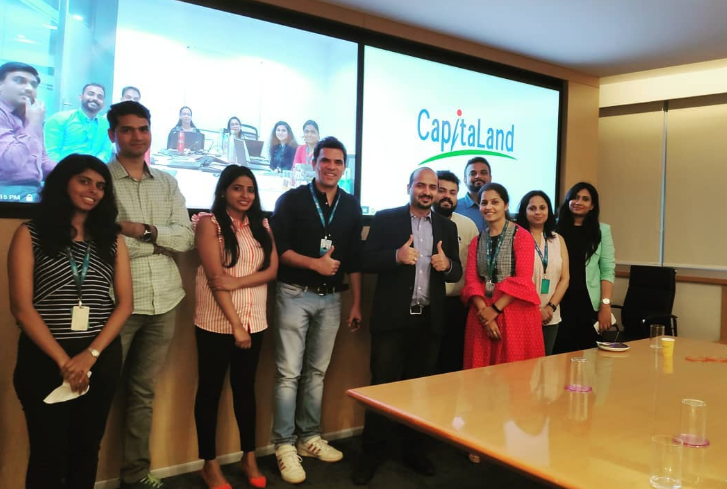
Compiled by an AI trainer whose clients include teams at companies like these











The 10 best Copilot courses, compared side by side
Three kinds of option made the list: free Microsoft Learn training, Microsoft certifications you sit as an exam, and paid or live courses from other providers. Costs and formats were checked on each provider’s own page in October 2026. Exam fees on Microsoft Learn are shown in US dollars and depend on the country where you take the exam.
| # | Course or certification | Provider | Type | Format & length | Cost (Oct 2026) | Certificate | Best for |
|---|---|---|---|---|---|---|---|
| 1 | Transform business workflows with generative AI (AB-730T00) | Microsoft Learn | Free | 2 self-paced paths, about 7 hours; also a 1-day instructor-led course | Free online | Learn badges, no exam | Most business users starting out |
| 2 | AI Business Professional (Exam AB-730) | Microsoft | Certification | 45-minute proctored exam | US$99 listed; varies by country | Microsoft Certified | Business users who want a recognised credential |
| 3 | Empower your workforce with Microsoft Copilot (MS-4004) | Microsoft Learn | Free | 10 role-based modules; also a 1-day instructor-led course | Free online; needs a Copilot licence for some exercises | Learn badges | Practice by job role: finance, HR, sales, legal |
| 4 | Live Microsoft Copilot training on your own work | Hitesh Motwani | Live | Half-day, 2-day or 4-week cohort; online or onsite | Quoted per engagement | Training, not an exam | Teams rolling out Copilot |
| 5 | Microsoft AI Business Professional AB-730 Professional Certificate | Coursera (by Microsoft) | Paid | 5 courses, about 40 hours | Coursera Plus or paid enrolment; financial aid offered | Coursera certificate | Guided prep for AB-730 |
| 6 | Create agents in Microsoft Copilot Studio + Applied Skill | Microsoft Learn | Free | 3 hr 42 min path + 2-hour lab assessment | No fee listed | Microsoft Applied Skills | Makers building Copilot agents |
| 7 | AI Transformation Leader (Exam AB-731) | Microsoft | Certification | 45-minute proctored exam | US$99 listed; varies by country | Microsoft Certified | Managers, L&D and CXOs |
| 8 | Copilot and Agent Administration Fundamentals (Exam AB-900) | Microsoft | Certification | 45-minute proctored exam | US$99 listed; varies by country | Microsoft 365 Certified | IT admins enabling Copilot |
| 9 | Get Started with Microsoft Copilot (learning path) | LinkedIn Learning | Paid | 7 video courses, 6 hours | LinkedIn Learning subscription | Certificate of completion | Short video lessons app by app |
| 10 | Copilot Microsoft 365 (Copilot AI + Excel, Word, PowerPoint) | Udemy | Paid | 29 lectures, 3 hr 43 min | One-off purchase; Udemy prices vary | Certificate of completion | A quick, low-cost demo walkthrough |
Ranking is editorial opinion, based on how well each option teaches people to use Copilot in real work, its cost, and how much its certificate is worth. No provider paid to be listed, and we publish no star ratings.
Which Copilot are you learning? Check your licence first
“Copilot” now covers several products, and the right course depends on which one your organisation pays for. Microsoft shows a label under your name on the Microsoft 365 home page of a work or school account. Here is what each label means, from Microsoft’s support page What Copilot license do I have.
| Label you see under your name | What it means | Copilot in Word, Excel, PowerPoint, OneNote | Courses that fit |
|---|---|---|---|
| Copilot Chat (Basic) | No Copilot add-on licence. Secure AI chat for work, included with eligible Microsoft 365 plans | No | Copilot Chat and prompting courses; Microsoft’s MS-4023 course is built for this tier |
| M365 Copilot (Basic) | No add-on licence, but standard Copilot access inside the apps | Standard access | Most app-by-app courses, with some limits |
| M365 Copilot (Premium) | The paid Microsoft 365 Copilot add-on, with priority access and the full in-app experience | Full experience | Everything on this list, including role-based use cases |
What it costs (US list prices)
- Copilot Chat: included at no extra cost with eligible Microsoft 365 plans
- Microsoft 365 Copilot (add-on): US$30 per user a month, paid yearly
- Microsoft 365 Copilot Business (add-on): US$21 per user a month, with a first-year promotional price of US$18 for eligible Business customers from 1 July to 31 December 2026
- Microsoft says some advanced AI work is billed by usage on top of the licence
Why it matters for training
- A course demoed on Premium will show buttons a Copilot Chat (Basic) user does not have
- Microsoft’s MS-4004 course needs each learner to have a Microsoft 365 Copilot licence
- Ask any provider which licence tier the exercises assume before you book
Sources: Microsoft 365 Copilot plans and pricing, Microsoft 365 Copilot for enterprise and course MS-4004, checked October 2026. Prices differ by country and change; confirm with Microsoft or your reseller.
Top 10 Microsoft Copilot courses and certifications for 2026-27
Each entry covers what you learn, who it suits, pros and cons, cost and certificate, with a link to the source page. Free Microsoft training comes first because it is the best starting point for most people; certifications and paid courses follow.
Microsoft Learn: Transform business workflows with generative AI (AB-730T00)
Microsoft’s own preparation course for the AB-730 exam, free as self-paced study or taught in one day by Microsoft training partners. It runs from Copilot Chat and prompting to Copilot in your apps, agents and delegating multi-step tasks.
What you learn
- Build foundational generative AI skills (2 hr 20 min): generative AI, Copilot Chat and prompting
- Enhance business workflows with AI (4 hr 30 min): content, data, meetings, Pages, Notebooks, agents and Copilot Cowork
Pros
- Free, official and up to date
- Maps exactly to the AB-730 exam
Watch out for
- Self-paced; nobody checks your prompts
- Some exercises assume a paid Microsoft 365 Copilot licence
Format: about 7 hours online, or 1 day instructor-led. Cost: free online. Certificate: Learn badges; the certification needs the AB-730 exam.
Source: Course AB-730T00 on Microsoft Learn, checked October 2026.
Microsoft Certified: AI Business Professional (Exam AB-730)
This is the certification most people mean by “Copilot certification”. Microsoft pitches it at people who use generative AI and Microsoft 365 apps to improve business outcomes, with no coding.
What you learn
- Generative AI fundamentals
- Prompts and chats, business content and collaboration in Microsoft 365 Copilot
- Driving business outcomes with agents
Pros
- Official credential, with a free practice assessment and exam sandbox
- Offered in 13 languages
Watch out for
- A pass shows knowledge, not daily use
- Not offered in Hindi or other Indian languages
Format: 45-minute proctored exam via Pearson VUE. Cost: US$99 shown on Microsoft Learn; priced by country. Level: beginner.
Source: AI Business Professional on Microsoft Learn, checked October 2026.
Microsoft Learn: Empower your workforce with Microsoft Copilot (MS-4004)
Exercises in role-based business scenarios rather than a feature tour. It is also taught as MS-4004, a one-day instructor-led course for business users who already know the Copilot basics.
What you learn
- Ten role modules: executives, sales, IT, marketing, finance, HR, operations, communications, customer service and legal
- Scenarios such as contract review, audit readiness and stakeholder updates
Pros
- The closest free option to “Copilot for my job”
- Take only the module for your role
Watch out for
- Some exercises need a Microsoft 365 Copilot licence and OneDrive
- Assumes you know the basics
Format: 10 self-paced modules, or 1 day instructor-led. Cost: free online. Certificate: Learn badges.
Sources: learning path and course MS-4004, checked October 2026.

| Trained | 200,000+ professionals across 16+ countries |
| Clients include | Google, Microsoft & Tata Group |
| Expertise | LLMs, AI agents, prompt engineering & automation |
| Leaders | AI training for founders & CXOs |
| Approach | Practical, deployment-based |
| Experience | 17+ years · 4.8★ average session rating |
| Author | Generative AI 360° |
Hitesh Motwani: live Microsoft Copilot training for teams
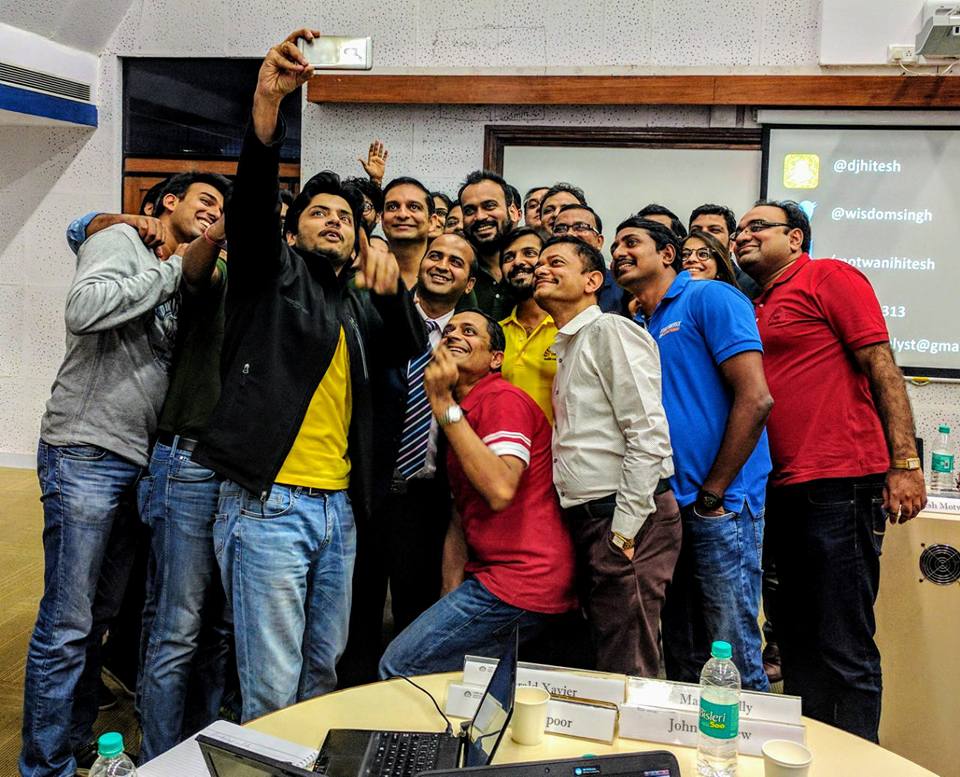
This is live, corporate training, not a self-paced course, and it sits at number four because most individual searchers should start with the free Microsoft Learn paths above. Where it earns its place is with teams. Licences are bought, a few people use Copilot to write emails, and the rest of the value stays unused. In Hitesh’s sessions, people open their own inbox, spreadsheets, reports and decks, and leave with prompts and workflows they use the next morning. Across a team, that saved time compounds, so decisions and execution move faster.
Programmes start from a short call about your roles, your licence tier (Copilot Chat or Microsoft 365 Copilot) and the tasks that eat the week. They are then built around six modules: the Copilot landscape and licences, prompting, Copilot in the Microsoft 365 apps, Pages, agents and Copilot Studio, role-based playbooks, and adoption and governance.
Formats
- Executive briefing (half-day): Copilot strategy, risk and governance for leadership teams
- Deep-dive workshop (2 days, hands-on): all six modules, live in your tenant, with role breakouts
- Enterprise cohort (4 weeks): weekly sessions, office hours and a champions programme for larger rollouts
- Individuals: 1-to-1 coaching, or the live AI programme batches
“Hitesh’s Copilot training was the turning point for us. Our teams finally moved from ‘asking Copilot for emails’ to building real workflows across Outlook, Excel and Teams. The role-specific playbooks were the clincher.”
Cost: quoted per engagement. Certificate: this is training, not a Microsoft exam; pair it with AB-730 if your people need the credential. Disclosure: this guide is published on Hitesh Motwani’s own site.
Programme details: Microsoft Copilot training curriculum · enterprise Copilot training in India · Copilot training in Dubai
Coursera: Microsoft AI Business Professional AB-730 Professional Certificate
A five-course series built by Microsoft, which Coursera says prepares learners for Exam AB-730. Marked as updated in July 2026.
What you learn
- Generative AI and Copilot foundations; Copilot Chat, prompts and agents
- Content creation and collaboration; data analysis and business applications; career growth with Copilot
Pros
- More structure and graded work than the free Learn paths
- Financial aid is offered
Watch out for
- Hands-on work needs Microsoft 365 Copilot access
- A Coursera certificate, not the Microsoft certification
Format: about 40 hours (4 weeks at 10 hours a week). Cost: paid enrolment or Coursera Plus, after a free start. Certificate: Coursera Professional Certificate.
Source: Coursera programme page, checked October 2026.
Microsoft Learn: Create agents in Microsoft Copilot Studio + Applied Skills credential
Learn to build agents in Copilot Studio, then prove it with the Applied Skills credential “Build an agent in Microsoft Copilot Studio”, earned in an interactive lab rather than a multiple-choice exam.
What you learn
- Copilot Studio basics and conversation design with topics
- Knowledge sources, tools and automation; sharing and publishing an agent
Pros
- A lab-based credential that proves you can build
- No fee listed on the credential page
Watch out for
- Intermediate; do a Copilot basics course first
- After launching the lab you must wait 72 hours to relaunch it
Format: 3 hr 42 min path plus a 2-hour lab. Cost: free online. Next step: AI Agent Builder Associate (Exam AB-620, 120 minutes, US$165 listed).
Sources: Applied Skills page and AI Agent Builder Associate, checked October 2026.
Microsoft Certified: AI Transformation Leader (Exam AB-731)
For business decision-makers who guide AI adoption. It tests judgement on value, tools and adoption, not your own prompting, and needs no coding.
What you learn
- The business value of generative AI
- Microsoft’s AI apps and services, and an adoption strategy
Pros
- About 4.5 hours of free prep paths
- A shared vocabulary for leadership teams
Watch out for
- No hands-on Copilot practice
- Also covers Microsoft Foundry, beyond Copilot
Format: 45-minute proctored exam. Cost: US$99 shown on Microsoft Learn; priced by country. Level: beginner.
Source: AI Transformation Leader on Microsoft Learn, checked October 2026.
Microsoft 365 Certified: Copilot and Agent Administration Fundamentals (Exam AB-900)
The IT side of a rollout: Microsoft 365 admin centres, identity and access, data protection and governance for Copilot and agents.
What you learn
- Core Microsoft 365 services and objects
- Data protection and governance; basic Copilot and agent administration
Pros
- Covers the permissions groundwork that decides how safe Copilot is
- About 6.5 hours of free prep paths
Watch out for
- Not about using Copilot day to day
- A wide syllabus for a fundamentals exam
Format: 45-minute proctored exam. Cost: US$99 shown on Microsoft Learn; priced by country. Level: beginner.
Source: Copilot and Agent Administration Fundamentals, checked October 2026.
LinkedIn Learning: Get Started with Microsoft Copilot (learning path)
Seven courses, about six hours, updated on 2 October 2026. It includes Jess Stratton’s Learning Microsoft 365 Copilot for Work (54 minutes, July 2026).
What you learn
- Answers from work data, Word, Excel and PowerPoint, the Researcher agent and a custom agent
- Separate courses on Copilot in Excel, PowerPoint, Teams and Outlook
Pros
- Polished videos you can watch between meetings
- Certificates you can add to LinkedIn
Watch out for
- No graded practice on your own work
- Some courses are older than others
Format: 7 video courses, about 6 hours. Cost: LinkedIn Learning subscription. Certificate: certificate of completion.
Sources: learning path and course page, checked October 2026.
Udemy: Copilot Microsoft 365 (Copilot AI + Excel, Word, PowerPoint)
Steve Ballinger’s demo-led course, last updated June 2026: watch Copilot work in each app, then try it yourself.
What you learn
- Word, PowerPoint and Excel: drafting, slides, formulas and analysis
- Outlook, Teams and Copilot Chat: emails, meeting notes, ideas and images
Pros
- Under 4 hours
- A one-off purchase, no subscription
Watch out for
- Needs a Microsoft 365 account with Copilot to follow along
- A completion certificate carries less weight than a Microsoft credential
Format: 29 lectures, 3 hr 43 min. Cost: one-off purchase; prices vary. Certificate: certificate of completion.
Source: Udemy course page, checked October 2026.
Disclosure: this guide is published by Hitesh Motwani, whose live training is entry 4. Every other entry was checked on its provider’s own page in October 2026 and links to its source. We publish no ratings or enrolment figures for other providers; prices and course content change, so confirm before you pay.
Bought Copilot licences, but not seeing it in the work?
Tell us your team size, roles and licence tier. Hitesh will suggest a format: a half-day briefing for leaders, a 2-day hands-on workshop, or a 4-week cohort, run on your own files.
- L&D and HR: a role-based Copilot plan with practice on real tasks
- Leaders: a briefing on value, risk, licences and adoption
- Individuals: 1-to-1 Copilot coaching
- Prefer to talk first? Book a free 30-minute call or WhatsApp Hitesh’s team
Microsoft Copilot certifications in 2026: the full path
Microsoft’s newer AI credentials use the AB exam prefix. Here is every Copilot-related credential we verified on Microsoft Learn in October 2026. Fees are the US price shown on each page; Microsoft prices exams by the country where you take them.
| Credential | Exam or assessment | For | Level | Length | Fee listed |
|---|---|---|---|---|---|
| Microsoft Certified: AI Business Professional | AB-730 | Business users of Copilot and agents | Beginner | 45 min | US$99 |
| Microsoft Certified: AI Transformation Leader | AB-731 | Business decision-makers leading AI adoption | Beginner | 45 min | US$99 |
| Microsoft 365 Certified: Copilot and Agent Administration Fundamentals | AB-900 | IT administrators | Beginner | 45 min | US$99 |
| Microsoft Applied Skills: Build an agent in Microsoft Copilot Studio | Lab-based assessment | Makers and business users building agents | Intermediate | 2 hours | None listed |
| Microsoft Certified: AI Agent Builder Associate | AB-620 | Developers and advanced builders in Copilot Studio | Intermediate | 120 min | US$165 |
| Microsoft Certified: Agentic AI Business Solutions Architect Expert | AB-100, plus one prerequisite associate certification | Solution architects | Advanced | See exam page | See exam page |
Which one should you take?
- You use Copilot at work: AB-730
- You lead a team or a rollout: AB-731
- You run Microsoft 365 for the company: AB-900
- You build agents: the Copilot Studio Applied Skill, then AB-620
- You design AI solutions across Dynamics 365 and Power Platform: AB-100
Dates worth knowing
- The AI Business Professional (AB-730) page was updated on 20 October 2026; read the study guide for the current skills list
- Microsoft says updates to the AB-100 exam arrive on 16 November 2026
- Exams are proctored and booked through Pearson VUE; Microsoft recommends registering with a personal Microsoft account so your records stay with you if you change jobs
How to choose the right Copilot course for you or your team
Four questions settle most decisions: who is learning, which licence they have, whether a certificate matters, and whether the goal is knowledge or changed work habits.
If you are learning on your own
- Start free with entry 1 on Microsoft Learn; it costs nothing and matches the exam
- Check your licence label first, so you do not pay for a course built on features you lack
- Add the role modules from entry 3 for your job
- Want a credential for your CV? Book AB-730 once the practice assessment feels easy
If you are buying for a team
- Self-paced courses build awareness; they rarely change habits on their own
- Look for practice on the team’s own emails, files and meetings, not sample data
- Insist on role-based content: finance, HR and sales use Copilot differently
- Ask how the provider handles data protection and what your licence tier allows
Free or paid?
Microsoft’s free material is current and good, so pay only for something it does not give you: structure and deadlines (Coursera), short videos (LinkedIn Learning, Udemy), or a live trainer who works with your real tasks.
Is the certificate worth it?
AB-730 is useful proof for job seekers, consultants and anyone whose employer asks for credentials. For a team, the return comes from people using Copilot daily. A certificate without that is a badge, and the habit without the certificate still pays.
The case for live training
Most Copilot value sits in small, repeated tasks: a summary of a long thread, a first draft of a report, a check on a spreadsheet. People adopt those faster when a trainer sits with their own work and fixes their prompts on the spot. That is why many teams pair free Microsoft Learn courses with a hands-on session.
If you would rather hire a trainer than take a course, see our separate list of Microsoft Copilot trainers in India, or ask about a session for your team.
A 4-week Copilot learning path for business users
About two to three hours a week, plus daily practice. Everything in weeks 1 to 3 is free on Microsoft Learn.
Week 1: Copilot Chat and prompting
Do Build foundational generative AI skills on Microsoft Learn (2 hr 20 min). Use Copilot Chat every day on one real task: a summary, a draft or a plan.
Week 2: Copilot in your apps
Do Enhance business workflows with AI (4 hr 30 min). Practise in the apps you use most, with our guides to Copilot in Excel, Outlook and Teams.
Week 3: Your role
Pick the module for your job in Empower your workforce with Microsoft Copilot. Save the five prompts that worked best as your own library.
Week 4: Certify and share
Take the free AB-730 practice assessment, book the exam if you want the credential, and show a colleague one workflow that saves you time.
Then, if you build agents
- Create agents in Microsoft Copilot Studio (3 hr 42 min)
- The Applied Skills lab: Build an agent in Microsoft Copilot Studio
- Later, the AI Agent Builder Associate (AB-620)
If you run IT
- Explore Microsoft 365 administration (3 hr 26 min)
- Explore Microsoft 365 Copilot and agent administration (3 hr 19 min)
- Then Exam AB-900
If you lead the rollout
- The three AB-731 prep paths (about 4.5 hours in total)
- Exam AB-731
- A half-day Copilot briefing for your leadership team
App guides on this site: how to use Copilot in Excel · Copilot in Outlook, with 20 prompts · Copilot in Teams meetings and chats · the wider AI learning path
What a good Copilot course should cover in 2026
Copilot changes every month, and many courses still teach 2024 screens. Use this list, based on Microsoft’s current AB-730 skills outline and course descriptions, to check any syllabus before you pay.
Foundations
- How generative AI works, and where it goes wrong
- Prompting and context: giving Copilot your files, emails and meetings to work from
- The licence tiers and what each one can do
- Responsible AI and checking outputs
Copilot in daily work
- Copilot Chat grounded in your work data (Premium) or the web (Basic)
- Word drafting, Excel analysis and PowerPoint decks
- Outlook triage and replies; Teams recaps and action items
- Copilot Pages and Notebooks for longer work
Agents and delegation
- Prebuilt agents such as Researcher
- Copilot Cowork and delegating multi-step tasks
- Building a simple agent for a repeated workflow
- When to move to Copilot Studio
Three fact traps that date a course
- Excel: the =COPILOT() function was discontinued on 14 September 2026, and a Copilot Chat (Basic) label means no Copilot inside Excel. Details in our Copilot in Excel guide
- Outlook: Copilot in Outlook works on your primary mailbox only, and chat needs a work account with new Outlook or Outlook on the web (Outlook guide)
- Names: “Business Chat” and “Copilot for Microsoft 365” are older names; a course still using them throughout may be out of date

Who compiled this list, and how
This guide is by Hitesh Motwani, an AI trainer and the author of Generative AI 360°. He has trained 200,000+ professionals across 16+ countries, his corporate clients include Google, Microsoft and Tata Group, and he runs leadership-focused AI training for founders and CXOs.
Every Microsoft credential above was checked on its Microsoft Learn page, and every other course on its provider’s own page, in October 2026. Where a detail could not be verified, such as a price that changes daily, we left it out rather than guess. Entries are ranked by how well they teach people to use Copilot in real work, their cost, and the value of the certificate. Hitesh’s own training is included as one entry, ranked where we honestly think it fits.


Copilot courses and certifications: questions answered
What is the best Copilot course?
For most people, the best Copilot course is Microsoft’s free AB-730T00 material on Microsoft Learn: two self-paced learning paths of about 7 hours that take you from Copilot Chat and prompting to Copilot in your apps and agents. If you then want a credential, sit Exam AB-730. Teams that need Copilot used in daily work usually add live, hands-on training on their own files.
Is there a free Microsoft Copilot course with a certificate?
Microsoft Learn courses are free and award Learn badges, but Microsoft certifications such as AB-730 require a paid, proctored exam. The closest free credential we found is the Microsoft Applied Skills credential “Build an agent in Microsoft Copilot Studio”, earned in a lab assessment; its page lists no fee. LinkedIn Learning and Udemy give certificates of completion with a subscription or purchase.
What is the Microsoft Copilot certification called?
For business users it is Microsoft Certified: AI Business Professional, earned by passing Exam AB-730. Related credentials are AI Transformation Leader (AB-731) for decision-makers, Microsoft 365 Certified: Copilot and Agent Administration Fundamentals (AB-900) for IT admins, and AI Agent Builder Associate (AB-620) for Copilot Studio builders.
How much does the AB-730 exam cost?
Microsoft Learn showed US$99 for AB-730 in October 2026, and the same for AB-731 and AB-900. Microsoft prices exams by the country or region where you take them, so check the price on the exam page after selecting your country. The practice assessment is free.
What is the difference between AB-730 and AB-731?
AB-730 tests how well you use Microsoft 365 Copilot and agents in your own work: prompts, content, collaboration and business outcomes. AB-731 tests whether you can lead AI adoption: business value, choosing Microsoft’s AI services and planning a rollout. Individual contributors usually take AB-730; managers and L&D leaders take AB-731, and some take both.
Do I need a Microsoft 365 Copilot licence to take a Copilot course?
Not to read or watch most courses, but you need one to practise everything. Microsoft’s MS-4004 requires each learner to have a licensed subscription, and Coursera notes that Microsoft offers no free trial of business Copilot licences. If your account shows Copilot Chat (Basic), choose material built for that tier, such as Microsoft’s MS-4023 course on Copilot Chat.
What is the difference between Copilot Chat and Microsoft 365 Copilot?
Copilot Chat is included at no extra cost with eligible Microsoft 365 plans and is labelled Copilot Chat (Basic); it does not include Copilot inside Word, Excel, PowerPoint and OneNote. Microsoft 365 Copilot is the paid add-on, labelled M365 Copilot (Premium), with the full in-app experience and answers grounded in your work data. Microsoft lists the enterprise add-on at US$30 per user a month, paid yearly.
How long does it take to learn Microsoft Copilot?
The core Microsoft Learn paths for AB-730 take about 7 hours, and the Coursera programme about 40 hours. Comfort comes from daily use: most people need two to four weeks of using Copilot on real tasks before it becomes a habit. A hands-on team workshop of one or two days speeds that up because people practise on their own work.
Is a Copilot certification worth it?
It is worth it if you need proof of skill: job seekers, consultants, trainers and employees whose company tracks credentials. For most teams, the bigger return is people actually using Copilot every day, which a certificate does not guarantee. Pair the exam with practice on real work.
Which Copilot course is best for finance teams?
Start with the Finance module of Microsoft’s free learning path “Empower your workforce with Microsoft Copilot”, then practise Copilot in Excel on your own reports. Our Copilot in Excel guide covers the current modes and prompts. For a whole finance team, a hands-on session on your own reconciliations, variance notes and board packs moves faster.
What is the best course for Copilot Studio?
Microsoft’s free learning path “Create agents in Microsoft Copilot Studio” (3 hr 42 min), followed by the Applied Skills lab “Build an agent in Microsoft Copilot Studio”. Developers and advanced builders can go on to the AI Agent Builder Associate certification, Exam AB-620.
Is GitHub Copilot training the same as Microsoft Copilot training?
No. GitHub Copilot is a coding assistant for developers and has its own GitHub Copilot certification and courses. Microsoft 365 Copilot is for everyday work in Outlook, Word, Excel, PowerPoint and Teams. Make sure a course says which Copilot it teaches.
Can I learn Copilot in India with live classes?
Yes. Microsoft’s training partners run instructor-led versions of courses such as AB-730T00 and MS-4004, and corporate trainers run sessions online or onsite. Hitesh Motwani runs live Copilot training for teams across India and the UAE, and online elsewhere. Note that the AB exams are not offered in Hindi.
Keep learning
- Microsoft Copilot trainingCurriculum, formats and FAQs for teams
- How to use Copilot in ExcelModes, fixes and 25 prompts
- How to use Copilot in OutlookFeatures, fixes and 20 prompts
- How to use Copilot in TeamsMeetings, recap and Facilitator
- Copilot training in DubaiRole-based labs for UAE teams
- AI learning pathA free, step-by-step route to using AI well
- Best Claude AI coursesFree and paid options, plus certification
- Best ChatGPT courses in IndiaTop 10 free and paid, compared
- Best Claude Code coursesFor developers and non-coders
Courses teach Copilot. Practice on real work makes it stick.
Start free on Microsoft Learn, or talk to Hitesh about hands-on Copilot training for your team, run on your own emails, spreadsheets and decks.
200,000+ professionals trained · 16+ countries · 4.8★ average session rating
Pick a time for a free call
For L&D teams, leaders and individuals planning Copilot training. The call is free and there is no obligation.
Calendar not loading? Open the booking page.
Send an enquiry
Tell us whether this is for you or your team, which Copilot licences you have and what you want Copilot to help with. Every enquiry gets a personal reply.