Best Claude Cowork Courses and Training Resources (2026-27)
Quick answer: the best Claude Cowork course to start with is Anthropic’s free Introduction to Claude Cowork. Simplilearn’s free Introduction to Claude Cowork adds a free certificate; Coursera and Udemy offer longer paid courses with Skills, plugins and automation. Cowork needs a paid Claude plan, so learn on real tasks from your own week. For a team trained hands-on on its own files, see entry 5.
- ✓5 Cowork courses compared · cost, length, certificate and who each suits
- ✓Free official resources · Anthropic’s Help Center and Academy, checked October 2026
- ✓What a team session adds · briefs, review habits and safe-folder rules
Disclosure: this list is published on Hitesh Motwani’s own site. His live Cowork training is one entry and is marked as such. Ask about team training


Written by an AI trainer whose corporate clients include teams at companies like these











The best Claude Cowork course for where you are
Cowork is still new, so there are only a handful of serious courses. Anthropic’s own free course is current and official; the others add a certificate, more depth on Skills and plugins, or live practice on your own work.
- 1Introduction to Claude Cowork (Anthropic Academy)Best for: the official, free first course
- 2Introduction to Claude Cowork (Simplilearn SkillUp)Best for: a free one-hour course with a free certificate
- 3Claude Cowork, Skills and Plugins for Workflow Automation (Coursera)Best for: a 4-hour course with a shareable certificate
- 4The Complete Claude Cowork & AI Agents Masterclass (Udemy)Best for: a 5-hour video course with templates
- 5Hitesh Motwani, live Cowork trainingBest for: teams, hands-on on their own files
The 5 Claude Cowork courses, compared
| # | Course | Provider | Format | Cost | Certificate | Best for |
|---|---|---|---|---|---|---|
| 1 | Introduction to Claude Cowork | Anthropic Academy | Self-paced, with quiz | Free | Completion certificate offered by the platform | Everyone starting out |
| 2 | Introduction to Claude Cowork | Simplilearn SkillUp | About 1 hour of video; 90 days’ access | Free | Free, shareable on LinkedIn | A quick, certified start |
| 3 | Claude Cowork, Skills and Plugins for Workflow Automation | Coursera (Dr. Ryan Ahmed) | About 4 hours, with a final exam | Free to enrol; Coursera Plus | Shareable certificate (paid) | Automation with Skills and plugins |
| 4 | The Complete Claude Cowork & AI Agents Masterclass | Udemy (AdaptifyAI team) | 5h 14m of video, 36 lectures | Paid | Not stated on the listing | Templates and use-case ideas |
| 5 | Live Cowork training | Hitesh Motwani | Live online, or onsite in some cities | Quoted per engagement | Skillopedia training certificate | Teams working on their own files |
Details come from each provider’s own page, checked October 2026. Cowork changes fast, so check the last-updated date and current price before you enrol.
How this list was built
We searched Anthropic Academy, Coursera, Udemy, LinkedIn Learning, Simplilearn, Great Learning and Indian training providers for Cowork courses, and kept five a working professional could start this week. Each was judged on:
- Currency: does it cover today’s Cowork, including plugins, Skills, scheduled tasks and safe use?
- Hands-on practice: tasks you actually hand to Cowork, not only slides
- Certificate: what you get and who issues it
- Cost transparency: a clear price or a clearly free option
- Access: online, so it works anywhere in India or the UAE
Checked by Hitesh Motwani’s team in October 2026. The order is editorial opinion. No ratings are published for any course.
The 5 best Claude Cowork courses, entry by entry
What each course teaches, who it suits, what it costs and what you get at the end, with pros, cons and a link to the provider’s page.
Introduction to Claude Cowork (Anthropic Academy)
Anthropic’s own course teaches you to work alongside Claude on your real files and projects. It covers what Cowork is and how to set it up, handing it your first task, standing context through global instructions and projects, Skills, plugins that encode your team’s expertise, using Claude in Chrome and Microsoft 365, best practices for working safely, validating Skills for plugins and sharing what you build with your team. It ends with a quiz.
| Provider | Anthropic Academy (Skilljar) |
| Format | Self-paced lessons and a quiz |
| Level | Beginner; no coding |
| Cost | Free (“Register | FREE”) |
| Certificate | Completion certificate offered by the platform |
| To practise | A paid Claude plan and the Claude desktop app |
Pros
- Official and kept current
- Covers safety and team sharing, not just features
- Free
Cons
- Generic examples, not your files
- No live help when a task goes wrong
Source: Anthropic Academy course page, checked October 2026.
Introduction to Claude Cowork (Simplilearn SkillUp)
A free beginner course in Simplilearn’s SkillUp library. It covers setting up and configuring Cowork, choosing which tasks to hand off and in what order, delegating and managing a task from start to finish, tailoring Cowork to your workflow and collaborating effectively with AI.
| Provider | Simplilearn SkillUp |
| Format | Self-paced video; listed as 1 hour |
| Level | Beginner |
| Cost | Free |
| Certificate | Free completion certificate, shareable on LinkedIn |
| Access | 90 days |
Pros
- Free certificate
- Short enough for one sitting
- Focus on what to delegate, which is the real skill
Cons
- Light on plugins, Skills and scheduled tasks
- Access ends after 90 days
Source: Simplilearn course page, checked October 2026.
Claude Cowork, Skills and Plugins for Workflow Automation (Coursera)
Part of Dr. Ryan Ahmed’s Complete Claude Code & Claude Cowork Masterclass specialisation on Coursera. The main module runs about four hours across 23 videos and a quiz, focused on Cowork, Skills and plugins for workflow automation, and the course ends with a final exam.
| Provider | Coursera; instructor Dr. Ryan Ahmed |
| Format | 3 modules; about 4 hours plus a 30-minute final exam |
| Level | Beginner |
| Cost | Free to enrol; included with Coursera Plus |
| Certificate | Shareable certificate, which needs the paid certificate option |
| Part of | The Complete Claude Code & Claude Cowork Masterclass specialisation |
Pros
- Deeper on Skills and plugins than the intro courses
- Shareable certificate
- Part of a wider specialisation if you want Claude Code too
Cons
- The certificate is paid
- One instructor’s view of workflows
Source: Coursera course page, checked October 2026.
The Complete Claude Cowork & AI Agents Masterclass (2026) (Udemy)
A compact Udemy course from the AdaptifyAI and DFA Course Academy team. It covers Cowork basics, Skills, plugins and automation, connectors, Claude in Chrome, scheduled tasks, Dispatch for running tasks from your phone, and safety habits, and includes an e-book, a Skills pack and a list of Cowork use cases with copy-and-paste prompts. It also flags that Cowork and chat now share one window.
| Provider | Udemy |
| Format | 6 sections, 36 lectures, 5h 14m |
| Level | No coding needed |
| Cost | Paid; Udemy prices vary with sales |
| Needs | At least a Claude Pro plan and the desktop app (Windows or Mac) |
| Last updated | October 2026, per the listing |
Pros
- Practical extras: templates, Skills and prompts
- Recently updated
- Short
Cons
- Marketing-heavy description; judge by the preview lessons
- No live feedback on your own tasks
Source: Udemy course page, checked October 2026.

| Trained | 200,000+ professionals across 16+ countries |
| Clients include | Google, Microsoft & Tata Group |
| Expertise | LLMs, AI agents, prompt engineering & automation |
| Leaders | AI training for founders & CXOs |
| Approach | Practical, deployment-based |
| Experience | 17+ years · 4.8★ average session rating |
| Author | Generative AI 360° |
Hitesh Motwani: live Claude Cowork training for teams
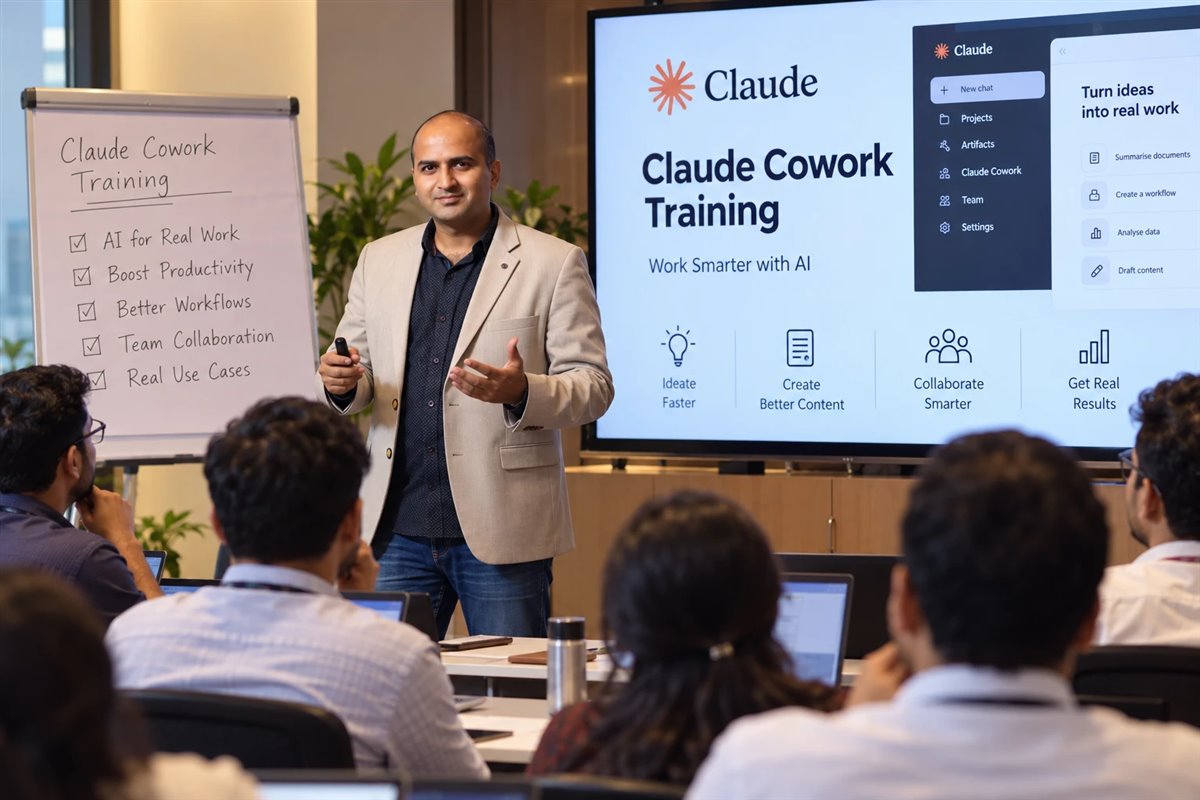
This is the author’s own programme, listed as editorial opinion. Courses show you what Cowork can do; a live session gets it doing your work. Each person brings a real, repeatable task from their week, such as a monthly report, a folder of invoices, a deck or a research brief, writes the brief, hands it to Cowork and learns to check the result in a couple of minutes. Teams leave with Skills for their house formats, scheduled tasks for repeat work and a safe-folder rule. Because those hours come back every week, for every person, the team starts executing faster.
Sessions run as a half-day or full-day team workshop, live online in short blocks for teams across cities, or 1-to-1 coaching for founders and managers. Each person needs a laptop with the Claude desktop app and a paid Claude seat with Cowork enabled.
| Format | Live online or onsite; 1-to-1 coaching |
| Duration | Half-day, full day or short online blocks |
| Cost | Quoted per engagement |
| Certificate | Skillopedia training certificate (not an Anthropic credential) |
| Pros | Your own files and tasks; review habits; Skills built for your formats |
| Cons | Not free; everyone needs a paid Claude seat |
Disclosure: this guide is published on Hitesh Motwani’s own website, and entry 5 is his programme. Every other entry was checked on the provider’s own page in October 2026. We publish no ratings or scores for any course. Looking beyond Cowork? See the best Claude AI courses and certifications.
More Claude Cowork resources worth bookmarking
Not every useful resource is a course. The first three are free, and the first two come from Anthropic itself.
Claude Help Center: Getting started with Cowork
- Anthropic’s own guide to plans, platforms, plugins, scheduled tasks, folder instructions and browser actions
- The best source when a course and the product disagree
- Includes the safety notes every user should read
Claude 101 (Anthropic Academy)
- Free course on everyday Claude: Projects, artifacts, Skills, connectors and Research
- Useful groundwork, because Cowork builds on the same features
- Ends with a certificate of completion
Great Learning: Introduction to Claude Cowork
- Free to enrol; 2.25 learning hours; beginner
- Covers Cowork vs chat and Claude Code, setup, the interface and task scheduling
- The certificate needs a non-refundable fee
Instructor-led option: NobleProg India
- A 7-hour instructor-led course, Claude Cowork: Delegating Research, Documents and Tasks
- Online or classroom; aimed at knowledge workers and managers
- Fees and open-course dates are listed on its page
All checked October 2026. We could not find a LinkedIn Learning course dedicated to Claude Cowork at the time of checking.
Want your team using Cowork on its own files?
Tell us your team size, Claude plan and the repetitive work that eats the week. Hitesh’s team will reply with a suggested session plan you can compare against any course here.
- Hands-on with each person’s real tasks
- Skills, scheduled tasks and safe-folder rules set up for your team
- Live online anywhere in India, or onsite in some cities
- Prefer to talk first? Book a free call or WhatsApp Hitesh’s team
What Claude Cowork is, and who should learn it
Anthropic describes Cowork as bringing the agentic capabilities of Claude Code to knowledge work, with no terminal required. You describe the outcome, and Claude carries out the multi-step work: organising files, drafting documents, compiling research. Anthropic now says “Claude Cowork is now just Claude”, with chat and Cowork sharing one message box as the change rolls out.
| Where | Plans (per Anthropic, October 2026) | Notes |
|---|---|---|
| Claude Desktop, macOS and Windows | All paid plans: Pro, Max, Team, Enterprise | Needed for local files and browser use; Windows needs the latest version |
| Web (claude.ai) and mobile | Pro, Max and Team; Enterprise where an admin enables it | Cloud sessions keep running after you close your laptop |
| Chrome side panel | Max and Team, rolling out to Pro; Enterprise where enabled | Claude can open sites, read pages, click, type and fill forms |
| Free plan | Not included | Courses are free to take, but practice needs a paid plan |
Features a course should cover
- Plugins, which bundle Skills, connectors and sub-agents into one package
- Scheduled tasks, which run in the cloud, created with /schedule
- Folder instructions for project-specific context on desktop
- Browser actions through the built-in browser or Claude in Chrome
- Cloud sessions, in beta on Team and Enterprise
Who gets the most from it
- Finance and accounts teams with monthly reporting
- Operations and admin staff handling folders of documents
- Analysts and researchers compiling briefs
- Managers who live in Excel, Word and PowerPoint
- Founders who want a capable assistant without code
Cowork or Claude Code?
- Cowork: documents, files, research and browser tasks, no terminal
- Claude Code: software, codebases, tests and git
- Same agentic engine, different jobs
- Developers: see our best Claude Code courses
Source: Claude Help Center, Getting started with Cowork, checked October 2026. Claude’s pricing page still notes Cowork rolling out to some plans, so check your own account.
How to choose a Claude Cowork course, and what a team session adds
For one person learning Cowork, a free course plus daily practice is usually enough. Teams are different: the hard part is not the buttons, it is writing good briefs, checking results quickly and agreeing what Cowork may touch.
Free or paid?
- Start free: Anthropic’s course is current and official
- Want a free certificate? Add Simplilearn’s course
- Pay when you want depth on Skills, plugins and automation
- Your Claude plan is the real cost; budget for it first
Does the certificate matter?
- No Cowork certificate is an Anthropic credential
- Course certificates show effort, not skill
- What impresses: a repeat task you now hand to Cowork every week
- For official credentials, see the Claude certification section of our courses guide
Individuals vs teams
- Individuals: free course, then one real task a day for two weeks
- Teams: shared pre-work, then a hands-on session on real tasks
- Leaders: agree plans, folders and approvals before rollout
- Everyone: review every action on sensitive files
Self-paced course vs a live team session
| Self-paced Cowork course | Live team session | |
|---|---|---|
| Examples | The instructor’s sample files | Each person’s own reports, folders and decks |
| Briefs | Shown on screen | Written by you, then improved live |
| Checking output | Explained | Practised: a two-minute review habit on real results |
| Skills and plugins | Generic examples | Built for your house formats |
| Data rules | General advice | Your safe folders and “never” list agreed |
| Cost | Free to a one-off fee | Quoted per engagement |
A 3-week Claude Cowork learning path, on your own work
Cowork is learned by delegating, not by watching. Twenty minutes a day on real tasks beats a weekend of videos.
Day 1: set up
Take Anthropic’s Introduction to Claude Cowork. Install or update the Claude desktop app and choose one safe working folder.
Days 2–5: one task a day
Hand Cowork a real task each day: tidy a folder, draft a report from data, build a deck from notes. Review every step it took.
Week 2: make it repeatable
Add folder instructions, turn your best workflow into a Skill and schedule one repeat task with /schedule.
Week 3: share it
Package what works for colleagues, agree a “never” list for sensitive files, and note the hours saved.
Using Cowork safely: what every course should teach
Anthropic’s own Help Center warns that “Cowork has unique risks due to its agentic nature and internet access.” A good course spends real time on this.
Habits to build from day one
- Review planned actions, especially on sensitive files
- Work in a dedicated folder, not your whole drive
- Use “Skip all approvals” only when you trust every action and connector involved
- Claude asks for explicit permission before permanently deleting files; read those prompts
Rules for teams
- Use the company-approved Claude plan, not personal accounts
- Agree which folders and connectors Cowork may use
- Keep customer and personal data out unless your policy allows it
- Note that network egress settings do not cover web fetch, web search or MCPs, including Claude in Chrome
Source: Claude Help Center, Getting started with Cowork, checked October 2026. This is general guidance, not legal advice; check your obligations under your own data policy.

| Role | AI trainer, Mumbai; works across India and online |
| Faculty | Visiting faculty, K J Somaiya Institute of Management |
| Author | Generative AI 360° |
| Experience | 17+ years |
Who wrote this guide
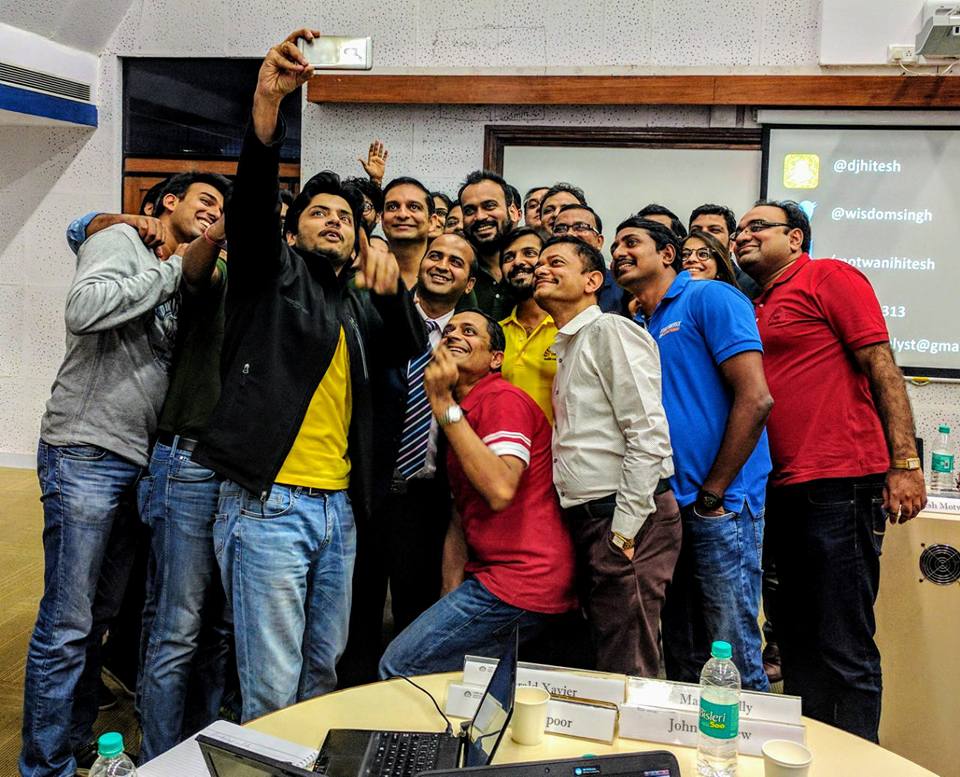
This guide is by Hitesh Motwani, an AI trainer and the author of Generative AI 360°. He has trained 200,000+ professionals across 16+ countries, and his corporate clients include Google, Microsoft and Tata Group. His sessions are practical and deployment-based: people use AI on their own daily work.
His team checked every course and resource here on the provider’s own page in October 2026. Where a detail was not stated, we say so rather than guess. Cowork changes quickly, so the list is refreshed every quarter.
- Claude Cowork training in Mumbai, onsite on your own files
- Claude Cowork training in Dubai for UAE teams
- Best Claude AI courses and certifications


Claude Cowork courses: questions answered
What is the best Claude Cowork course?
Anthropic’s free Introduction to Claude Cowork on Anthropic Academy. It is official, current and covers plugins, Skills, safe working and sharing with your team. Add Simplilearn’s free course if you want a free certificate, or Coursera’s four-hour course for more on automation.
Is there a free Claude Cowork course?
Yes, several. Anthropic Academy’s Introduction to Claude Cowork and Simplilearn SkillUp’s Introduction to Claude Cowork are free, and Great Learning’s course is free to enrol with a paid certificate. Anthropic’s Help Center article on getting started with Cowork is also free.
Do I need a paid Claude plan to use Cowork?
Yes. Anthropic’s Help Center lists Cowork on paid plans (Pro, Max, Team and Enterprise), not the free plan. The courses themselves are free to take, but you will need a paid plan to practise.
Is there a Claude Cowork certification?
Not from Anthropic. Course providers such as Simplilearn and Coursera issue their own certificates. Anthropic’s official certifications are technical exams for organisations in the Claude Partner Network; see the certification section of our Claude AI courses guide.
How long does it take to learn Claude Cowork?
The courses take one to five hours. Real confidence comes from two or three weeks of handing Cowork one genuine task a day and reviewing what it did. The three-week path above is a practical plan.
Does Cowork work on Windows?
Yes. Anthropic lists Cowork in Claude Desktop on both macOS and Windows for all paid plans, and says Windows needs the latest version of the app.
What is the difference between Cowork and Claude Code?
Both use the same agentic approach. Claude Code is built for software: codebases, tests and git. Cowork is for knowledge work on files, documents, research and the browser, with no terminal. Developers should see our Claude Code courses guide.
What are Cowork plugins and Skills?
Skills are folders of instructions and resources Claude loads when a task needs them, such as your report format. In Cowork, plugins bundle Skills, connectors and sub-agents into one package, so a team’s way of working can be shared. A good course shows you how to build and validate both.
Can Cowork run tasks on a schedule?
Yes. Anthropic says scheduled tasks run in the cloud, so they do not need your computer awake or the desktop app open. You can create them with /schedule.
Is Cowork safe for company files?
It can be, with care. Anthropic warns that Cowork has unique risks because it acts and can access the internet. Use your company’s approved plan, a dedicated folder, approvals for sensitive actions and a clear list of data that never goes in.
Is there a Claude Cowork course on LinkedIn Learning?
We could not find one dedicated to Cowork in October 2026. The options in this guide are on Anthropic Academy, Simplilearn, Coursera, Udemy and Great Learning, plus live training.
Can my whole team be trained on Cowork together?
Yes. The most effective format is the free Anthropic course as pre-work, then a hands-on session where each person delegates their own real tasks, builds Skills for team formats and agrees safe-folder rules. Hitesh runs these live online across India and onsite in some cities. Send your team’s details.
Related guides and programmes
- Best Claude AI courses10 courses and the Claude certification
- Best Claude Code courses7 options for developers and non-coders
- Claude Cowork training in MumbaiOnsite, on your own files
- Claude Cowork training in DubaiFor UAE teams
- Claude AI training courseModules, formats and FAQs
- Claude AI training in IndiaLive online or onsite
Courses explain Cowork. Your own tasks teach it.
Start with the free courses. When your team is ready to hand Cowork its real work, safely, talk to Hitesh about a hands-on session built from your tasks.
200,000+ professionals trained · 16+ countries · 4.8★ average session rating
Pick a time for a free call
For individuals, teams and L&D leads. The call is free and there is no obligation.
Calendar not loading? Open the booking page.
Send an enquiry
Tell us who will use Cowork, on which plan, and which tasks you want to hand over. Every enquiry gets a personal reply.