100+ ChatGPT Prompts for Business Growth (2026)
Quick answer: the best ChatGPT prompts for business give the AI a role, your real context, one clear task, the output format and a check step. Below are 110 copy-ready prompts grouped by business function: strategy, marketing, sales, customer service, operations, finance, HR, product, leadership and small-business owners. Swap the [brackets] for your details and press Copy.
- ✓Every prompt has a “when to use” line · and [placeholders] to fill in
- ✓ChatGPT features checked on OpenAI’s help pages · October 2026
- ✓Before-and-after examples and data-safety rules · so outputs are usable, not generic
Leading a team? Hitesh runs hands-on ChatGPT workshops where people build these workflows on their own work. Book a free call · WhatsApp

Teams at companies like these have trained with Hitesh












How to use these ChatGPT prompts for business
Copy a prompt, replace every [bracket] with your real details, paste it into ChatGPT and read the answer as a first draft. Paste your business context brief (below) first, or keep it in a ChatGPT Project, so every answer starts from your facts instead of generic assumptions. The prompts work on free and paid plans; paid plans mainly add more usage, file analysis, longer context and team features.
The 6-part business prompt formula
Every prompt on this page follows the same pattern. Once you see it, you can write your own prompt for any task in a minute.
Role
Who ChatGPT should act as: “a pricing advisor for a B2B services firm”.
Context
Your real facts: numbers, notes, customer words. Paste, don’t describe.
Task
One clear job per prompt: diagnose, draft, compare, plan or check.
Audience
Who will read the output: a customer, your board, a new hire.
Format
Table, email under 120 words, one-page memo, numbered steps.
Check
Ask it to show working, flag assumptions and list what to verify.
Example in one line: “Act as a CFO for a 20-person agency (role). Here is last quarter’s P&L: [paste] (context). Explain the three biggest variances (task) for our non-finance partners (audience) in under 200 words with a table (format). Show your calculations and flag anything you are guessing (check).”
Jump to a business function
Give ChatGPT your business context once
Generic answers come from generic context. Spend ten minutes on this brief, then paste it at the start of a chat or save it as the instructions of a ChatGPT Project. It is not counted in the
Business context brief (paste this first)
When to use: At the start of a new chat, or saved as project instructions.
How to make the brief work harder
- Keep it under a page, so it does not crowd out the task
- Add one real example of good work, such as a proposal or email you are proud of
- Update it each quarter when goals or prices change
- Share one brief across the team so everyone’s drafts start from the same facts
- Leave out customer names, phone numbers and confidential figures you are not allowed to share
ChatGPT prompts for business strategy and planning
Use these when you need to think, not just write: diagnosing growth, testing a business idea, drafting a business plan or choosing between options. Paste real numbers wherever the prompt asks for them; strategy built on guesses is still a guess.
1One-page growth diagnosis
When to use: When revenue has stalled and you need to see where the problem really is before spending more.
2SWOT analysis from real facts
When to use: Before an annual plan, a funding conversation or a new market entry.
3Competitor comparison table
When to use: When you are repositioning, pricing a new offer or preparing for a sales pitch against a rival.
4Pick the best customer segment
When to use: When you sell to “everyone” and your marketing feels spread thin.
5Pricing review
When to use: When margins are shrinking or you have not changed prices in over a year.
690-day growth plan with goals
When to use: At the start of a quarter, to turn ambitions into a plan the team can run.
7Business plan outline
When to use: When you need a business plan for a bank, investor or your own clarity.
8Stress-test a business idea
When to use: Before you spend money on a new product, branch or side business.
9Market size sanity check
When to use: When a pitch deck, plan or report needs a defensible market estimate.
10Project pre-mortem
When to use: Before you launch a big initiative, so you can fix problems while they are still cheap.
11Decision memo with options
When to use: When a leadership team keeps circling the same decision.
ChatGPT prompts for marketing and content
Marketing is where most businesses start with ChatGPT, and where generic prompts do the most damage. These prompts ask for your audience, offer and voice first, so the drafts sound like your brand rather than everyone else’s.
12Ideal customer profile
When to use: Before any campaign, website rewrite or ad spend.
13Value proposition and messaging
When to use: When your website or pitch sounds like every competitor’s.
1430-day content calendar
When to use: At the start of each month, to stop deciding what to post every morning.
15SEO article brief
When to use: Before you or a writer start a blog post you want to rank.
16Landing page copy
When to use: When you launch an offer and need a page that explains it clearly.
17Email nurture sequence
When to use: When leads sign up or enquire but do not buy straight away.
18Ad copy variations
When to use: Before a paid campaign on Google, Meta or LinkedIn, so you can test angles.
19LinkedIn thought-leadership posts
When to use: When a founder or expert should be visible but never has time to write.
20Repurpose one asset into ten
When to use: When you have a webinar, report or long article that only went out once.
21Mine reviews for messaging
When to use: When you want copy that uses your customers’ own words.
22Campaign results readout
When to use: After a campaign ends, before you decide whether to run it again.
Running Instagram for the business? Use these 60 AI prompts for Instagram growth, from Reels hooks to captions and hashtags.
ChatGPT prompts for sales and business development
Sales prompts work best when you paste what you actually know about the prospect: their website copy, a LinkedIn post, your call notes. Always check any fact about a named company before you send anything.
23Account research brief
When to use: Before a first meeting with a prospect or a key account review.
24Personalised cold email
When to use: When you prospect a specific person and want a reply, not a delete.
25Follow-up sequence after no reply
When to use: When good prospects go quiet after a first email or proposal.
26Discovery call questions
When to use: Before a sales call, so you diagnose instead of pitching too early.
27Objection handling script
When to use: When the same objections keep losing you deals.
28Proposal first draft
When to use: When you need a client proposal fast but do not want it to read like a template.
29Call notes to CRM update
When to use: Straight after a sales call, while details are fresh.
30Pipeline review
When to use: Before a weekly sales meeting or month-end forecast.
31Sales battlecard
When to use: When your team keeps losing to the same competitor.
32WhatsApp follow-up message
When to use: When leads come in on WhatsApp and need a quick, polite nudge.
33Upsell and cross-sell finder
When to use: When you want more revenue from existing customers before chasing new ones.
ChatGPT prompts for customer service and support
Support teams get some of the fastest wins from ChatGPT: faster first drafts of replies, cleaner help articles and a clear view of what customers keep asking. Remove names, phone numbers and order details before pasting real tickets.
34Reply to an angry customer
When to use: When a complaint is emotional and the first draft matters.
35Reply template library
When to use: When agents type the same answers twenty times a day.
36Help article from tickets
When to use: When the same question keeps reaching support and deserves a self-service answer.
37Ticket theme analysis
When to use: Monthly, to find the root causes behind support volume.
38Plain-language policy
When to use: When your refund, returns or delivery policy confuses customers.
39Escalation note to another team
When to use: When support needs product, finance or operations to act on a problem.
40Customer survey design
When to use: Before you send a satisfaction or feedback survey.
41Save a customer who wants to leave
When to use: When a customer says they are cancelling or switching.
42Chatbot conversation flow
When to use: Before building a website or WhatsApp chatbot.
43Tone check before sending
When to use: When a reply feels too blunt, too long or too defensive.
44Onboarding emails for new customers
When to use: When new customers buy but never get full value, then churn.
ChatGPT prompts for operations and productivity
Operations prompts turn messy notes into SOPs, checklists and plans. This is where small time savings add up across a team, because the same work repeats every week.
45SOP from messy notes
When to use: When a process lives in one person’s head or a long WhatsApp thread.
46Find the bottleneck in a process
When to use: When work keeps piling up at one stage and nobody agrees why.
47Meeting notes to action list
When to use: Right after any meeting, so decisions do not get lost.
48Weekly status report
When to use: Every Friday, to report progress without spending an hour on it.
49Vendor comparison
When to use: When choosing a supplier, software tool or agency.
50Checklist for a recurring task
When to use: For tasks that go wrong when someone new does them, such as month-end, events or dispatch.
51Project plan with dependencies
When to use: When you start any project with more than three people or one month of work.
52Automation opportunity audit
When to use: When the team is busy but you suspect much of the work is repetitive.
53Risk register
When to use: Before a launch, expansion, audit or big client project.
54Demand and inventory planning
When to use: When you keep running out of best-sellers or overstocking slow ones.
55Spreadsheet formula helper
When to use: When you know what you want from a spreadsheet but not the formula.
ChatGPT prompts for finance and numbers
ChatGPT is useful for structuring, explaining and checking financial work, but it can make arithmetic mistakes and it should never be your source of figures. Paste the numbers, ask it to show its working, and check the results in a spreadsheet.
56Explain a P&L variance
When to use: When results differ from budget and you need the story behind the numbers.
57Cash flow forecast structure
When to use: When you need a 13-week or 12-month cash view but do not know where to start.
58Budget vs actual commentary
When to use: At month-end, when managers need a readable summary, not a spreadsheet.
59Unit economics check
When to use: Before scaling a product, channel or new location.
60Discount impact calculator
When to use: Before running a sale or agreeing a big discount with a client.
61Invoice reminder emails
When to use: When payments are overdue and you want them paid without damaging the relationship.
62Cost reduction ideas
When to use: When you need to cut costs without hurting customers or the team.
63Investor or shareholder update
When to use: Monthly or quarterly, to keep investors informed in a consistent format.
64Finance summary for non-finance leaders
When to use: Before a leadership meeting where people need to understand the numbers fast.
65Break-even analysis
When to use: When pricing a new product, hiring or opening a new location.
66Check a financial model
When to use: Before you send a forecast or model to a bank, investor or board.
ChatGPT prompts for HR and people teams
HR prompts save hours on job descriptions, interview kits, onboarding and policies. Keep candidate and employee personal data out of consumer chats, and have a person make every hiring and performance decision.
67Job description
When to use: When you open a new role and want applicants who actually fit.
68Structured interview kit
When to use: Before interviews, so every candidate is assessed on the same criteria.
69Candidate outreach message
When to use: When you are sourcing for a hard-to-fill role on LinkedIn or by email.
7030-60-90 day onboarding plan
When to use: When someone new joins, so their first weeks are planned, not improvised.
71HR policy first draft
When to use: When you need a policy such as remote work, leave or travel, and want a structured starting point.
72Performance feedback with examples
When to use: Before a review, when you need fair, specific feedback rather than vague comments.
73Prepare for a difficult conversation
When to use: Before a conversation about performance, conduct or a role change.
74Training needs analysis
When to use: Before you buy training, so it fixes real skill gaps.
75Employee survey analysis
When to use: After an engagement or pulse survey, to find what to act on.
76Internal announcement
When to use: When announcing a change, new hire, policy or result to the whole team.
77Exit interview themes
When to use: Quarterly, to understand why people leave.
Drafting contracts, notices or policies? See these AI prompts for legal drafting, with the review and confidentiality checks a lawyer would expect.
ChatGPT prompts for product, e-commerce and launches
For product teams and online sellers: interview guides, requirement docs, prioritisation, product descriptions and launch plans. Paste real customer feedback and data, and keep your own judgement on what to build.
78Customer interview guide
When to use: Before talking to customers about a problem or a new idea.
79Feedback synthesis
When to use: When feedback is scattered across calls, reviews, tickets and surveys.
80Product requirements draft
When to use: When an idea is agreed and needs to be written up for the team.
81Prioritise the roadmap
When to use: When there are too many ideas and not enough people.
82User stories with acceptance criteria
When to use: Before a sprint or handover to developers or an agency.
83Release notes customers will read
When to use: When you ship changes and want customers to notice and use them.
84Competitor feature teardown
When to use: When a competitor launches something and the team asks “should we copy it?”.
85Pricing and packaging tiers
When to use: When you launch a product or move from one price to tiers.
86Experiment design
When to use: Before an A/B test on your website, pricing page or emails.
87Product descriptions that sell
When to use: For online store listings, marketplaces or catalogues.
88Launch plan and checklist
When to use: In the weeks before a product or service launch.
ChatGPT prompts for leaders, founders and CXOs
For founders and senior leaders, ChatGPT is most valuable as a thinking partner and a first-draft writer for communication. Use it to challenge your plans and sharpen your messages, then make the call yourself.
89Strategy memo for the team
When to use: When you need everyone to understand the plan, not just the leadership team.
90Red-team my plan
When to use: Before you commit to a big decision, to hear the strongest objections early.
91Board or investor narrative
When to use: Before a board meeting or fundraise, to shape the story around the numbers.
92Change announcement
When to use: When announcing a restructure, new process, new tool or policy that people may resist.
93Delegation brief
When to use: When you hand over work and want it done right the first time.
94One-to-one meeting agenda
When to use: Before a one-to-one with a direct report.
95All-hands talking points
When to use: Before a town hall or monthly team meeting.
96AI adoption plan for my team
When to use: When you have bought AI licences but usage is low or patchy.
97Crisis holding statement
When to use: When something has gone wrong publicly and you need a careful first response.
98Weekly priorities reset
When to use: Every Monday, to make sure your week matches what matters.
99Leadership communication rewrite
When to use: When an email or message to your team is important and you want it to land well.
ChatGPT prompts for small business owners
For owners who wear every hat: local marketing, Google reviews, WhatsApp messages, suppliers, pricing and your first hires. These prompts assume a small team and a small budget, and they help you decide what to hand to AI first.
100Weekly owner's review
When to use: Every week, to step back from the day-to-day and run the business on numbers.
101Google Business Profile and review replies
When to use: When local customers find you on Google Maps and you want more calls and visits.
102Local marketing plan on a small budget
When to use: When you want more local customers without an agency.
103Offer and promotion design
When to use: When sales are slow and you want a promotion that does not just give margin away.
104WhatsApp Business messages
When to use: When customers order and ask questions on WhatsApp.
105Simple marketing budget
When to use: When you have a fixed amount to spend and do not know how to split it.
106Hire your first employee
When to use: When you are ready to hire but have never done it formally.
107Supplier negotiation email
When to use: When a supplier raises prices or you want better terms.
108Price increase announcement
When to use: When you need to raise prices without losing loyal customers.
109Website homepage copy
When to use: When your website is old, vague or was written by someone who left.
110What to hand to AI first
When to use: When you know AI could help but do not know where to start.
Weak prompt vs strong prompt: 3 business examples
The same tool gives very different answers depending on what you give it. These are illustrative examples with made-up details, not client results.
A cold email that gets replies
Write a cold email to sell our software.
AfterWrite a cold email to [Priya Shah], Head of Operations at [a 200-person logistics firm in Pune]. Trigger: she posted last week about [manual delivery scheduling]. Our offer: [route-planning software]. Proof: [a similar firm cut planning time from 3 hours to 40 minutes a day]. Under 90 words, open with her post, one ask (a 15-minute call), 3 subject lines. No flattery.
What changes: The first returns a generic pitch any prospect would delete. The second gives a short, specific email tied to a real trigger and real proof, which the salesperson only needs to check and send.
A SWOT you can act on
Do a SWOT analysis for my business.
AfterCreate a SWOT for [our dental clinic chain, 3 branches in Hyderabad]. Use only these facts: [paste notes on staff, patient reviews, prices, two new competitors, a new metro line]. Add one line on why each point matters, then turn it into 4 options ranked by effort and impact in a table.
What changes: The first produces textbook points (“strong brand”, “competition”) that apply to anyone. The second ties every point to the clinic’s own facts and ends with ranked options a partners’ meeting can decide on.
A complaint reply
Reply to this angry customer.
AfterDraft a reply to this complaint [paste, personal details removed]. What happened: [the order shipped 6 days late because of a courier change]. What we can offer: [free shipping on the next order and a direct number]. Acknowledge the delay specifically, own our part, give the fix, under 150 words, no jargon.
What changes: Without the facts, ChatGPT guesses and often over-promises refunds. With them, the reply is accurate, offers only what the business can give and sounds like a person wrote it.
Want your team using prompts like these on its own work?
Hitesh runs hands-on ChatGPT workshops for business teams. Nobody watches slides about prompts: people open their own emails, reports, spreadsheets and proposals, and leave with saved prompts, a shared project and a review checklist they use the next morning. Across a team, that time saved compounds, so work ships faster.
- Built around your functions, tools and data rules
- For sales, marketing, HR, finance, operations and leadership teams
- Live online, or onsite for teams in India and the UAE
- Prefer to talk first? Book a free 30-minute call
See how the ChatGPT training and coaching works.
How to use these prompts in ChatGPT today
ChatGPT has changed a lot this year, and many prompt lists still tell you to build a custom GPT or switch on agent mode. These points come from OpenAI’s own help pages, checked in October 2026. Features vary by plan and change often, so check the help pages for your account.
- Projects keep chats, files and instructions together.Project instructions apply only inside that project and override your general custom instructions, and projects can be shared with your team, so a shared project is the simplest home for your context brief and favourite prompts.Source: OpenAI Help Center, Projects in ChatGPT
- Custom GPTs are being retired on 11 December 2026.OpenAI is moving them to plugins: a GPT’s instructions become a skill and its connected apps come across as apps. If your team relies on a custom GPT, plan the migration now; custom actions do not transfer automatically.Source: OpenAI Help Center, Custom GPT retirement and migration FAQ
- Plugins bundle skills and apps for repeat work.A plugin can hold reusable instructions (skills) and connected apps. ChatGPT can use an installed plugin when it is relevant, or you can pick one with an @ mention. Availability depends on your plan and workspace.Source: OpenAI Help Center, Plugins in ChatGPT
- ChatGPT Work handles longer, multi-step tasks.The older agent mode is no longer available; OpenAI points people to ChatGPT Work for multi-step tasks and finished deliverables. Prompts from the strategy, finance and operations groups make good starting briefs for it.Source: OpenAI Help Center, ChatGPT agent
- Apps connect ChatGPT to your business tools.What used to be called connectors are now apps, such as Google Drive or Slack. Connecting an app does not give ChatGPT more access than your own account has, and your workspace admin controls which apps are allowed.Source: OpenAI Help Center, Plugins in ChatGPT
Working alone
- Create one project per area: sales, finance, hiring
- Put the context brief in the project instructions
- Upload your price list, past proposals or reports as project files
- Save answers you reuse as project sources
Working as a team
- Share a project so everyone starts from the same facts and prompts
- Turn your best prompts into a skill in a plugin, if your plan allows
- Agree which apps may be connected, with your admin
- Keep a short review checklist next to the prompts
For research and big tasks
- Use deep research for market and competitor questions that need cited sources
- Use ChatGPT Work for multi-step deliverables such as a plan plus a deck
- Ask for sources and check them before anything leaves the building
New to projects? Read the step-by-step guide on how to use ChatGPT Projects.
What not to paste into ChatGPT, and what to check
Most business prompts ask you to paste real information. That is what makes them useful, and it is also where teams get into trouble. Follow these rules, plus your company’s own AI policy.
Before you paste
- Know which account you are in. On personal Free, Plus and Pro accounts, “Improve the model for everyone” is on by default; you can turn it off under Settings > Data controls.
- Use a business plan for company work where possible. OpenAI says it does not train on business data from ChatGPT Business and Enterprise by default.
- Remove personal data. Strip customer, candidate and employee names, phone numbers, IDs and bank details, or replace them with codes.
- Respect confidentiality. Do not paste client documents, contracts or unreleased financials your agreements do not allow you to share.
- Temporary Chat keeps a chat out of your history and model training, but it may still be kept for up to 30 days for safety.
Sources: OpenAI data controls · OpenAI enterprise privacy
Before you use the answer
- Check every number. ChatGPT can make arithmetic mistakes; recalculate anything that goes into a decision, invoice or report
- Check every fact about a named company or person before it goes into an email or proposal
- Watch for invented sources. Ask for links and open them
- Legal, tax and HR points need a qualified adviser; treat ChatGPT’s answer as a list of questions to ask
- A person signs off. Hiring, pricing, credit and performance decisions stay with people
Rolling these prompts out across a team
One person with good prompts saves some time. A team that shares the same context, prompts and review habits saves far more, because the same tasks repeat across people. This is the four-week routine Hitesh’s workshops build with business teams; prompt numbers link to the library above.
| Week | What the team does | Prompts to start with |
|---|---|---|
| 1. Pick the work | Each person lists the 5 tasks that eat their week; choose 2 or 3 per function to start | #110, #96 |
| 2. Set up the context | Write the context brief, create a shared project per team, upload reference files | Context brief above |
| 3. Run it on real work | Use the prompts on live tasks: proposals, reports, replies, SOPs. Keep the versions that worked | #28, #45, #34, #58 |
| 4. Review and share | Compare time taken before and after, tidy the best prompts into a team library, agree the review checklist | #52, #47 |
What makes a rollout stick
- Start with real tasks, not a tour of features
- Name one champion per team to collect prompts that work
- Keep the prompt library in a shared project, not in personal chats
- Measure minutes saved on 3 tasks, before and after
- Agree the data rules on day one
When to bring in help
Small teams can run this routine themselves with the prompts on this page. For a larger rollout across departments or locations, with policy, training and measurement, see our comparison of company-wide AI training providers. For one team or a leadership group, Hitesh’s ChatGPT trainer and coaching service works on your own documents; teams in Mumbai can also book onsite ChatGPT training in Mumbai.
Learning on your own? Compare the best ChatGPT courses in India, free and paid.
8 mistakes businesses make with ChatGPT prompts
Mistakes in the prompt
- No context. “Write a sales email” gets an email for nobody; paste who, what and why
- Asking for facts it cannot know. Market sizes, competitor prices and trends need sources, not memory
- Too many jobs in one prompt. Split diagnosis, drafting and checking into separate steps
- One answer only. Ask for 3 options, or ask it to critique its own draft
Mistakes after the answer
- Sending without a check. Names, numbers, dates and claims must be verified
- Pasting what you should not. Personal data and client confidential material stay out
- Keeping good prompts private. Save them in a shared project so the team benefits
- Following old advice. Custom GPTs retire on 11 December 2026 and agent mode is gone; build new workflows on projects, skills and ChatGPT Work

| Trained | 200,000+ professionals across 16+ countries |
| Clients include | Google, Microsoft & Tata Group |
| Expertise | LLMs, AI agents, prompt engineering & automation |
| Experience | 17+ years · 4.8★ average session rating |
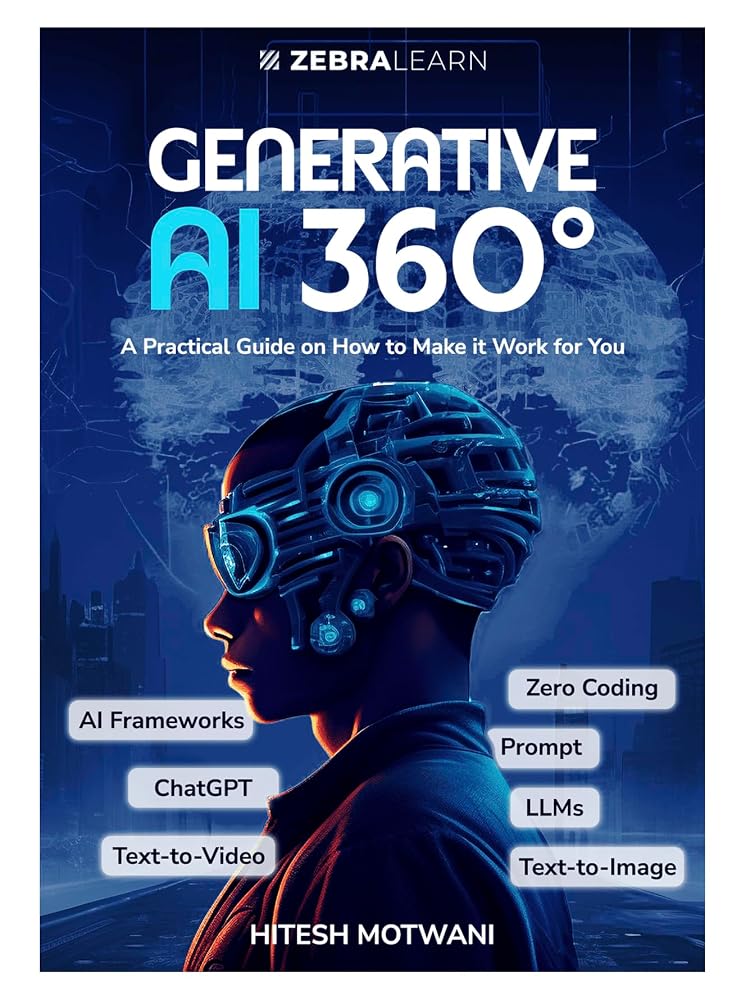
| Author | Generative AI 360° |
| Faculty | Visiting faculty, K J Somaiya Institute of Management |
Written by Hitesh Motwani, AI trainer for business teams
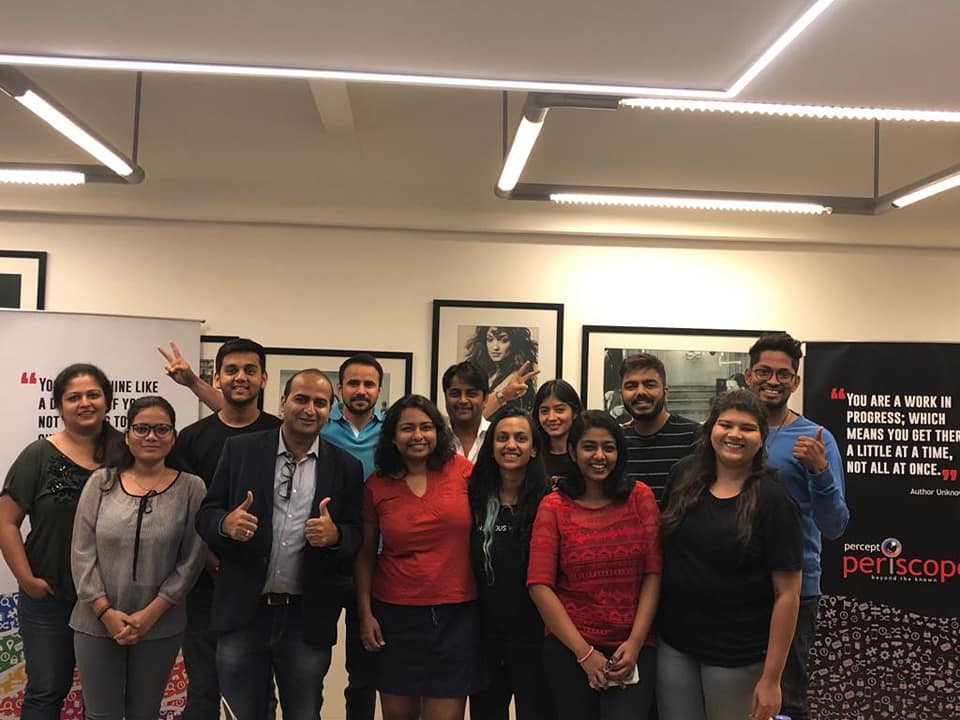
Hitesh trains business teams, founders and CXOs to use ChatGPT, Claude, Gemini, Copilot and AI agents in their daily work. He is the author of Generative AI 360° and visiting faculty at K J Somaiya Institute of Management, and he has trained 200,000+ professionals across 16+ countries, for clients including Google, Microsoft and Tata Group.
His sessions rest on one idea: AI pays off only when people use it on the work they already do. Participants bring their own emails, reports, spreadsheets and decks, and leave with prompts and workflows they use the next morning. Across a team, that time saved compounds, so the organisation executes faster. The prompts on this page come from that practice.
“He made sure that every platform he spoke about was taught in detail with live examples. Hitesh has an eye for detail, very helpful and patient with everybody.”
“His method of training is so simple and easy to understand that even non-digital natives like us could understand how digital marketing works.”



ChatGPT prompts for business: questions answered
What are the best ChatGPT prompts for business?
The best ones give ChatGPT a role, your real context, one clear task, the audience, the output format and a check step. On this page, start with the business context brief, then the growth diagnosis (#1), the 90-day plan (#6), the follow-up sequence (#25) and the SOP prompt (#45); together they cover planning, selling and running the business.
How do I write a good ChatGPT prompt for my business?
Use the 6-part formula: role, context, task, audience, format and check. Paste real information instead of describing it, ask for one job at a time, and end with “show your working and flag anything you are assuming”. Then edit the output; treat it as a first draft.
Can ChatGPT really help grow my business?
It can speed up the work behind growth: research, planning, proposals, follow-ups, content, reporting and customer replies. It cannot guarantee results, and it does not know your market better than you do. The gains come from using it consistently on real tasks and checking what it produces.
Do these prompts work on the free version of ChatGPT?
Yes. Every prompt works on the free plan. Paid plans add more usage, longer context, better file analysis and team features such as shared projects in business workspaces, which matter once you use ChatGPT every day.
Is it safe to put company data into ChatGPT?
Be careful. On personal Free, Plus and Pro accounts, conversations can be used to improve OpenAI’s models unless you turn that off in Data controls. OpenAI says it does not train on business data from ChatGPT Business and Enterprise by default. Either way, remove personal data, respect client confidentiality and follow your company’s AI policy.
What happened to custom GPTs?
OpenAI is retiring custom GPTs on 11 December 2026 (with a later date only for approved Enterprise deferrals) and moving them to plugins. A GPT’s instructions become a skill and its connected apps become apps in the plugin. If your business relies on a custom GPT, migrate and test it before the retirement date.
How do I save prompts so my team can reuse them?
Put your context brief in the instructions of a ChatGPT Project, save your best prompts as project sources, and share the project with your team. For repeat workflows, a skill inside a plugin can hold the instructions, where your plan and workspace allow it.
What is ChatGPT Work?
ChatGPT Work is OpenAI’s option for longer, multi-step tasks and finished deliverables, and it replaced the older agent mode. Use the prompts here as the brief: give it the goal, the context and the format you need, and review the result before you use it.
Can ChatGPT connect to my business tools?
Yes, through apps (previously called connectors), such as Google Drive or Slack, depending on your plan and what your workspace admin allows. Connecting an app does not give ChatGPT more access than your own account has. Check what data each app can read before you connect it.
How do I stop ChatGPT making up numbers or facts?
Paste the numbers yourself, tell it not to invent figures, ask it to show calculations and mark assumptions, and ask for sources you can open. Then recalculate anything that matters in a spreadsheet. Every prompt on this page includes a version of that instruction.
Do these prompts work in Claude, Gemini or Copilot?
Yes. The structure (role, context, task, audience, format, check) works in any major AI assistant. Features for saving context differ: Claude and ChatGPT have projects, Gemini has Gems, and Microsoft 365 Copilot works inside Word, Excel, Outlook and Teams.
What are the best ChatGPT prompts for small business owners?
Start with the small-business group (#100 to #110): the weekly owner’s review, Google Business Profile and review replies, WhatsApp Business templates, a local marketing plan and “what to hand to AI first”. They assume a small team, a small budget and an owner who does everything.
How can my team learn to use ChatGPT properly?
The fastest route is practice on real work with someone who can correct habits early. Hitesh runs hands-on ChatGPT training and coaching for teams and leaders; if you prefer a course, see the best ChatGPT courses in India. You can also book a free call to talk it through.
Keep reading
- ChatGPT trainer & coachHands-on training on your own work
- Best ChatGPT courses in IndiaFree and paid options compared
- ChatGPT training in MumbaiOnsite sessions for teams
- How to use ChatGPT ProjectsKeep your business context in one place
- How to use ChatGPT deep researchMarket and competitor research with sources
- AI prompts for Instagram growthReels, captions and hashtags
- AI prompts for legal draftingContracts, notices and reviews
- AI training for managersDepartment-by-department programmes
- AI learning path for professionalsA step-by-step route
- Prompt engineering courses in IndiaFree and paid courses compared
Want your team getting real work done with ChatGPT, not just experimenting?
Book a short call: your team, your tools and the tasks that eat the week. You get a workshop plan built around that real work, online or onsite.
200,000+ professionals trained · 16+ countries · 4.8★ average session rating
Pick a time for a free call
Choose a slot that suits you. The call is free and there is no obligation.
Calendar not loading? Open the booking page.
Send an enquiry
Tell us whether this is for you or your team, which functions are involved and what you want ChatGPT to help with. Every enquiry gets a personal reply.
Pingback: 10 Ways to Earn Money Using AI in 2026: A Practical Guide
Pingback: AI Learning Path for Professionals: Step by Step [2026]